

The JavaScript API
Last updated 14 August 2026
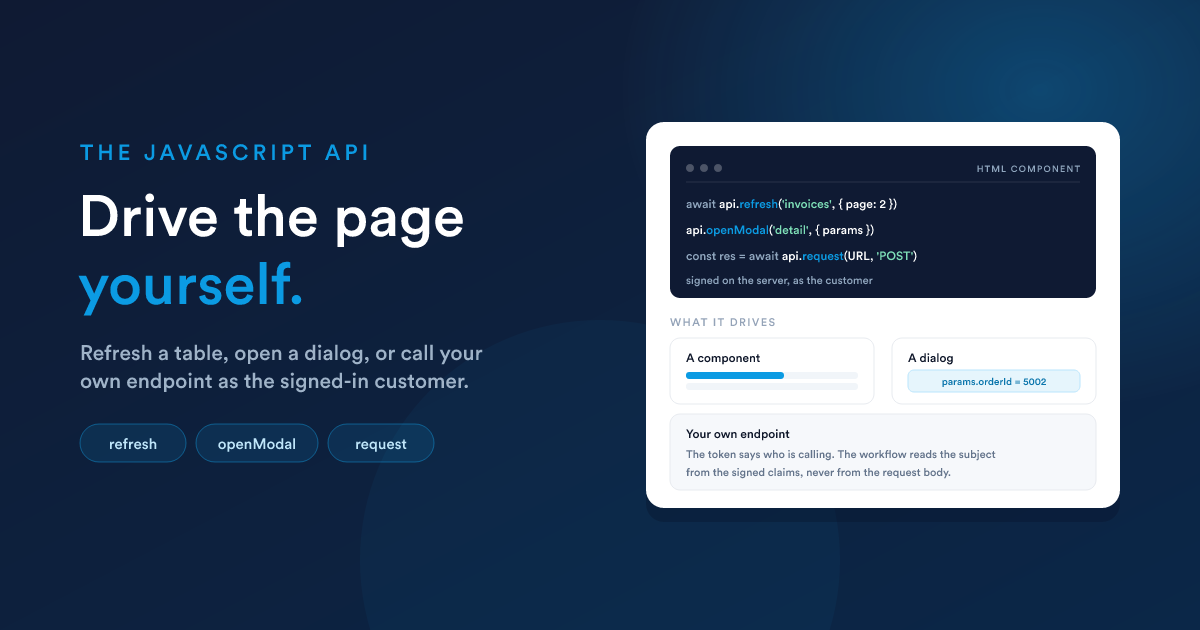
One object sits on the page with everything a portal can be asked to do. It is called FlexiePortal, it is there before your first line runs, and there is nothing to install, import or load.
Who this is for
Anyone building a portal who wants it to do something: filter a table from their own controls, open a detail dialog from a row, draw something the built-in components cannot, or react when a customer submits a form.
| You need | You do not need |
|---|---|
| an HTML component on a portal page | build tools, a package manager or a framework |
| ordinary browser JavaScript | to install, import or load anything |
| the ids of the components you want to drive | to know how the portal is built |
Do you need JavaScript at all?
Often not, and reaching for it first is the commonest way to make a portal harder to maintain than it needs to be:
| What you want | Reach for |
|---|---|
| show the customer their own records | a report-fed component. No code |
| show a value from their record | Flexie Scripting in your markup: {{ entity.first_name }} |
| open a page or dialog when something is clicked | the component's own click setting. No code |
| filter, sort or page a table from your own controls | this page: refresh |
| draw something no component can draw | this page: onComponentLoaded and request |
| react to a form being submitted | this page: the form event |
The whole idea in one example
A complete HTML component. It asks the portal to tell it when it is on screen, and then wires up buttons that re-sort a data grid elsewhere on the page:
<style>
  .sorts { display: flex; gap: 8px; align-items: center; }
  .sorts button {
    padding: 6px 12px;
    border: 1px solid #d3dae5;
    border-radius: 6px;
    background: #fff;
    cursor: pointer;
  }
  .sorts button.is-on { border-color: #0b84cf; font-weight: 600; }
</style>

<div class="sorts">
  <button data-col="issued_on">Newest first</button>
  <button data-col="total">Largest first</button>
  <button data-reset="1">As configured</button>
</div>

<script>
  FlexiePortal.onComponentLoaded('sort-controls', function (el) {
    var buttons = el.querySelectorAll('button')

    buttons.forEach(function (button) {
      button.addEventListener('click', function () {
        buttons.forEach(function (b) { b.classList.remove('is-on') })
        button.classList.add('is-on')

        if (button.dataset.reset) {
          FlexiePortal.reset('invoices')
          return
        }

        FlexiePortal.refresh('invoices', {
          order_by: button.dataset.col,
          order_by_dir: 'DESC',
          page: 1,
        })
      })
    })
  })
</script>
Three things there are the whole model:
- Everything is on
FlexiePortal. There is nothing else to learn and no other name to remember. onComponentLoadedhands you your element.'sort-controls'is this component's own id, andelis the element it was drawn into.- You name other components by id and ask the portal to act. You never fetch their data yourself: the portal does that, on the server, scoped to the signed-in customer.
FlexiePortal is the only name
window.FlexiePortal // or just FlexiePortalIt is on the page before any component is drawn, so your code can use it straight away. There is no readiness check to write and nothing to wait for.
Your script gets no variables of its own. Your element and your dialog's parameters reach you as arguments to a function you write:
FlexiePortal.onComponentLoaded('my-component', function (el, params) {
  // el     the element this component was drawn into
  // params why it was opened. Empty object unless it is a dialog
})
Write el, api, params or window.portalParams at the top of a script and the browser answers not defined, because nothing declares them there.
The same code works everywhere: inside a component, inside a dialog, or in markup on a page of your own that is not a component at all.
Component ids
Every method takes an id, and there are two kinds:
| Id | Where you find it |
|---|---|
| a component id | select the component in the builder; it is in the settings panel |
| a page id | select the page; same panel |
Ids are short codes such as invoices or wrq2wq, and they are stable: renaming a component does not change its id.
A wrong id is silent. refresh('typo') resolves with null, getState('typo') gives you an idle state, openPage('typo') does nothing, and onComponentLoaded('typo', ...) simply never fires. Nothing throws and nothing is logged, so a script that "does nothing at all" is almost always a wrong id. Check it first.
Quick reference
Events. Each returns a function that removes the handler.
| Method | Handler receives | Fires when |
|---|---|---|
onComponentLoaded(id, fn) |
(el, params) |
that component is drawn, and on every redraw |
onComponentUpdated(id, fn) |
(state) |
that component has new data |
onComponentUnloaded(id, fn) |
(el, params) |
that component leaves the screen |
onPageChanged(fn) |
(pageId) |
a page is shown, including the first |
onReady(fn) |
nothing | the portal has its layout and a page |
Components.
| Method | Gives back | Does |
|---|---|---|
refresh(id?, params?) |
Promise |
refetches one component, or every data component on a page |
reset(id) |
Promise |
drops the parameters your code set and refetches |
getState(id) |
object | what a component holds now, without fetching |
The portal.
| Method | Gives back | Does |
|---|---|---|
openPage(id) |
nothing | switches page |
pages() |
array | [{id, label}], in menu order |
currentPage() |
string | the page id on screen |
openModal(id, options?) |
nothing | opens a dialog |
closeModal() |
nothing | closes the open dialog |
reload() |
Promise |
refetches the layout, then the page |
currentCustomer() |
object | {name, email, entity, id} |
request(url, method?, payload?) |
Promise |
calls your endpoint as the customer |
And one flag: preview, which is true only on the builder canvas.
Events
onComponentLoaded(id, handler)
var off = FlexiePortal.onComponentLoaded('agenda', function (el, params) {
  // el     the element this component was drawn into
  // params why it was opened. Empty object unless it is a dialog
})
This is the entry point for almost every component that does anything. Put your setup inside it rather than at the top of your script, and you are handed the element you are drawing into rather than hunting for it.
It fires again when the component is redrawn, which happens when its content is refreshed, and every time a dialog is opened. Your handler should therefore be safe to run more than once: draw from scratch rather than appending.
Any handler your component registered is removed automatically when it is redrawn or leaves the page, so a redraw replaces your listeners rather than stacking a second set on top of them. You do not have to clean up after yourself.
onComponentUpdated(id, handler)
FlexiePortal.onComponentUpdated('invoices', function (state) {
  console.log(state.data.total + ' invoices')
})
Fires whenever that component has new data: the first load, a refresh you asked for, a page the customer moved to, a sort they changed. The handler is given the same object getState returns.
It does not fire while a component is loading, and it does not fire twice for the same data. This is how you keep something of your own in step with a built-in component without polling.
onComponentUnloaded(id, handler)
FlexiePortal.onComponentUnloaded('agenda', function (el, params) {
  // the component is going: stop timers, close sockets, save nothing
})
Fires when the component leaves the screen: a page change, a dialog closing, or a redraw. Use it for anything that outlives your markup, such as an interval or a listener you attached to window.
Anything attached inside your own element needs no cleanup at all: it goes when the element goes.
onPageChanged(handler)
FlexiePortal.onPageChanged(function (pageId) {
  document.title = 'Portal: ' + pageId
})
Fires for the first page as well as every change, so a handler registered at any time hears about the page on screen. It does not fire when the customer clicks the page they are already on.
onReady(handler)
FlexiePortal.onReady(function () {
  // the layout has arrived and a page is on screen
})
Fires once. Registering after it has already happened still calls your handler, so there is no race to lose.
onReady is mainly for markup that is not a component: inside one, onComponentLoaded already means the portal is up.
Rules that apply to every event
Late registration still hears about it. If the thing you are asking about has already happened, your handler is called anyway: onComponentLoaded for a component already on screen, onPageChanged with the page being shown, onReady when the portal is already up, onComponentUpdated when the data has already landed. The one exception is onComponentUnloaded, which only reports future departures.
Handlers are called after the line that registered them, never in the middle of it. This is safe:
var box = null

FlexiePortal.onComponentLoaded('mine', function (el) {
  box.draw(el)          // box is set by the time this runs
})

box = makeBox()
Every registration returns a way to undo it.
var off = FlexiePortal.onPageChanged(handler)

off()   // stop listening
Your component's handlers belong to your component. Registrations made in a component's script are dropped when that component is redrawn or removed, so they never double up. Registrations made from page markup are yours to manage and are never dropped.
A handler that throws cannot break the portal. The error is logged to the browser console, the other handlers still run, and the page carries on drawing.
Reading and refreshing components
refresh(id, params)
FlexiePortal.refresh()               // every data component on the page shown
FlexiePortal.refresh('home')         // every data component on that page
FlexiePortal.refresh('invoices')     // one component
FlexiePortal.refresh('invoices', { page: 2 })| Argument | Takes |
|---|---|
id |
a component id, a page id, or nothing for the page on screen |
params |
optional parameters for that component |
Returns a Promise:
| You refreshed | It resolves with |
|---|---|
| one component | that component's data |
| a page with several data components | an array, one entry per component |
| a page with exactly one data component | that component's data, not an array |
| an id nothing matches | null |
Only data components are refetched. Headings, paragraphs, buttons and your own markup have nothing to fetch.
Parameters stick. They are merged into what the component already had and kept, so a sort your code applied survives the next page-level refresh. Nothing silently reverts under the customer. reset(id) is the way back.
What a component will accept, with everything else ignored:
| Component | Accepted parameters |
|---|---|
| Data grid | limit, page, order_by, order_by_dir |
| Chart | limit |
| Map | limit |
| Calendar | limit, start, end |
| Everything else | none |
Each of those narrows, pages or reorders what the report already returned. None can widen it, and limit is capped on the server, so a component cannot be turned into a data export from the browser.
How values are sent, since parameters travel in a query string:
| You pass | What arrives |
|---|---|
| a string, number or boolean | as written |
| an array | joined with commas |
| an object | dropped |
null, undefined or '' |
dropped |
Note the last row: passing an empty string does not clear a parameter. Use reset.
Rapid calls are safe. If two refreshes of one component overlap, the later one wins even if it answers first, so a customer clicking three filters quickly ends up looking at the third.
reset(id)
FlexiePortal.reset('invoices')Drops every parameter your code set on that component and refetches it exactly as configured in the builder. Returns a Promise with the fresh data.
getState(id)
var state = FlexiePortal.getState('invoices')Returns immediately, with no request:
| Field | Holds |
|---|---|
status |
'idle', 'loading', 'ready', 'failed' or 'unavailable' |
data |
what the component received. Shapes are below |
error |
the server's note when status is 'unavailable'. Empty otherwise |
params |
the parameters in force |
| Status | Means | Do |
|---|---|---|
idle |
not fetched yet, or the id matches nothing | check the id |
loading |
a request is in flight | wait, or use onComponentUpdated |
ready |
data is current |
draw it |
failed |
the request did not complete | offer a retry |
unavailable |
the component has nothing to give, and said so | draw an empty state. Do not retry |
What data each component holds
This is getState(id).data, and what refresh resolves with. It is also what onComponentUpdated hands you as state.data.
Data grid
{
  columns: [ { key: 'number', label: 'Invoice' } ],
  rows: [ { number: 'INV-1042', total: '1,200.00' } ],
  total: 87,          // rows the report returned in all
  page: 1,
  limit: 20,
  orderBy: 'issued_on',
  orderByDir: 'DESC'
}
Column keys are the report's own. A cell may contain HTML, because the report decides its own formatting.
Metric
{
  value: '12',        // as the report wrote it. null when there is no row
  caption: '6 open',
  colour: 'blue',
  compare: {          // null when no comparison column is configured
    previous: '9',
    delta: '3',
    direction: 'up',  // 'up', 'down' or 'flat'
    better: true      // whether that direction is good news here
  },
  click: { action: 'modal', target: 'invoice-detail' },
  params: { open_tickets: '12' }    // the row, for a click
}
Chart
{
  kind: 'line_chart',   // 'line_chart', 'bar_chart' or 'pie_chart'
  graph: { labels: [], datasets: [ { label: 'Total', data: [] } ] },
  total: 12
}
Calendar
{
  events: [
    {
      id: '5002',                 // 'r0', 'r1'... with no ID column mapped
      title: 'Annual inspection',
      start: '2026-08-14',        // or '2026-08-14T09:05:00'
      end: '2026-08-14',          // falls back to the start
      allDay: true,               // per row: no time means a whole day
      color: '#0b84cf',           // only with a colour column mapped
      params: { id: '5002', startDate: '2026-08-14' }
    }
  ],
  view: 'month',
  click: { action: 'modal', target: 'event-detail' },
  from: '2026-08-01',
  to: '2026-08-31',
  total: 12           // rows returned, before unreadable dates were dropped
}
Map
{
  markers: [
    { lat: 41.32, lng: 19.81, label: 'Depot', description: '', id: '77' }
  ],
  zoom: 4,
  cluster: false,
  pin: true,          // whether customers may drop a pin
  total: 120          // rows returned, before rows with no coordinates
}
Form
{
  source: 'form',
  structure: {},
  prefill: {},
  identifier: 'contact-request',   // names the submit event, below
  js: ''
}
Navigation
FlexiePortal.openPage('documents')
FlexiePortal.currentPage()    // 'documents'
FlexiePortal.pages()          // [{ id: 'home', label: 'Home' }, ...]
pages() returns them in menu order, so you can draw navigation of your own. Both pages() and currentPage() return empty values of the right shape before the layout lands, so neither needs a guard.
FlexiePortal.onComponentLoaded('my-nav', function (el) {
  el.innerHTML = FlexiePortal.pages().map(function (page) {
    return '<button data-page="' + page.id + '">' + page.label + '</button>'
  }).join('')

  el.addEventListener('click', function (event) {
    var button = event.target.closest('[data-page]')

    if (button) { FlexiePortal.openPage(button.dataset.page) }
  })
})
Dialogs
FlexiePortal.openModal('invoice-detail')

FlexiePortal.openModal('invoice-detail', {
  size: 'full',                   // 'standard' or 'full', this opening only
  params: { invoiceId: 1042 },    // what this opening is about
})

FlexiePortal.closeModal()
id is a Modal component's id. Modals are not placed on a page: they sit in the modal tray in the builder and something opens them.
There is no third argument. Options go in the options object.
The dialog itself reads what it was opened with through its own load event:
// inside the "invoice-detail" modal component
FlexiePortal.onComponentLoaded('invoice-detail', function (el, params) {
  var id = params.invoiceId

  el.querySelector('.body').textContent = 'Loading ' + id + '...'
})
params reaches the server as well, so the dialog's markup is rendered knowing which record it is about.
A dialog is rebuilt every time it opens, so the event fires once per opening, always with that opening's parameters. You never have to reset it yourself.
Do not build your own dialog. This one is centred in the window and comes with the product's header, close button, Escape key and backdrop.
What a dialog is opened with
Three things can open one, and they key their parameters differently:
Your own code: whatever you passed.
A calendar event: keyed by role, so renaming a report column does not break the dialog.
params.id
params.title
params.start       // '2026-08-14' or '2026-08-14T09:05:00'
params.end
params.startDate
params.startTime   // absent on an all-day event
params.endDate
params.endTime
A metric card: keyed by the report's own column names, every scalar cell of the row it drew. Renaming a report column does change what the dialog reads.
A page opened by a click receives no parameters.
The signed-in customer
var me = FlexiePortal.currentCustomer()
// { name: 'Melissa', email: 'm@example.com', entity: 'contact', id: 8874 }
Built by the server from the session, so it can never name anybody but the person signed in. Empty of the right shape before the layout lands ({name: '', email: '', entity: '', id: 0}), and handed to you as a copy.
Inside a component you rarely need it. Your markup is filled in on the server against that customer before the page is sent:
<p>Hello {{ entity.first_name }}, your account is {{ entity.id }}.</p>That works with JavaScript turned off and gives you their whole record rather than these four fields.
Never send
currentCustomer().idas the subject of a request. It is for drawing. A workflow behind an endpoint reads who is calling from the signed token; an id in a request body is whatever the browser chose to put there.
Calling your own endpoint
FlexiePortal.request(url, method, payload) // PromiseCalls a dynamic endpoint (a workflow of yours, reachable at a URL) as the signed-in customer.
FlexiePortal.onComponentLoaded('balance', function (el) {
  FlexiePortal.request('/listener/<key>/<hash>', 'POST', { detail: true })
    .then(function (res) {
      el.textContent = res.ok ? res.data.balance : 'Not available right now.'
    })
})
Why not a plain fetch
An authenticated endpoint needs a signed token, and signing needs a secret, which cannot live in a page. The page asks the portal, which is a session it is already signed into, and the portal signs on the server. Your markup never handles a secret or a token.
Arguments
| Argument | Takes |
|---|---|
url |
the endpoint address. Absolute, or relative to the page, so a leading / is enough |
method |
default 'GET'. Case does not matter |
payload |
optional object |
| Method | Payload becomes |
|---|---|
GET or HEAD |
query string parameters. Objects and arrays are JSON encoded. A key the URL already carries is not overwritten |
| anything else | a JSON request body |
null and undefined values are dropped rather than sent as "null".
What you get back
{ ok: true, status: 200, data: {} }| Field | Holds |
|---|---|
ok |
whether the endpoint answered with a success status |
status |
the HTTP status. 0 means the request never landed: offline, DNS, a certificate |
data |
parsed JSON, or the raw text when it is not JSON |
An HTTP failure is not a rejection. A 404 or a 500 comes back as {ok: false}:
FlexiePortal.request(url)
  .then(function (res) {
    if (!res.ok) {
      show('That could not be loaded.')
      return
    }

    draw(res.data)
  })
  .catch(function () {
    // The only rejection: the portal session has ended.
    window.location.reload()
  })
If the endpoint answers 401 or 403, the portal signs a fresh token and retries once on its own.
What counts as an endpoint call
A dynamic endpoint URL on the portal's own address:
/listener/<key>/<hash>Anything else is fetched exactly as written, with no token attached: a token for your endpoint must never be sent to somebody else's server. The rule is enforced on the server too.
The rule for the workflow behind the endpoint
The token says who is calling. It does not say what they may have.
Any signed-in customer can obtain a token for any authenticated endpoint in your account, because the browser names the URL. What nobody can do is forge who they are. So the workflow reads its subject from the signed claims:
{{__data.__headers.__jwt_data.0.entityId}}and never from the request body or query string, which are the caller's own account of themselves.
| Claim | Holds |
|---|---|
entityId and entity |
the customer's record and its type. The subject |
name and email |
as the portal resolved them |
portal and portalId |
which portal they were signed into |
sub |
entity:id |
Written the other way round, your endpoint answers whichever record id the browser sent, which is one customer reading another's data with nothing reporting it.
Building the endpoint is Dynamic Endpoints.
The event a submitted form fires
When a form component is submitted successfully, the portal fires an event on window, named after the form's identifier:
window.addEventListener('FlexieFormOnSuccessResponse_contact-request',
  function (event) {
    event.detail.data       // the submitted values
    event.detail.metadata
    event.detail.type       // 'message', 'json', 'redirect' or 'error'
    event.detail.submission // everything, unabridged
  })
The identifier is in the form's own settings, and in the form component's data as identifier. This is the same event the CRM's own form pages fire, so scripts written for forms elsewhere keep working on a portal.
Previewing on the builder canvas
Your component runs in two places: the portal, and the preview on the builder canvas. FlexiePortal exists in both, with the same methods and the same shapes of answer, so you never write a special case.
What differs is that the canvas has no signed-in customer and no portal to navigate:
| Call | On the portal | On the canvas |
|---|---|---|
onComponentLoaded |
fires | fires, with the element being previewed |
onComponentUnloaded |
fires | fires |
onComponentUpdated, onPageChanged, onReady |
fire | never fire |
request() |
signed as the customer | signed as a preview |
openPage, openModal, closeModal |
act | do nothing |
refresh, reset, reload |
fetch | resolve null |
getState, pages, currentPage |
real values | empty values of the right shape |
currentCustomer() |
the customer | {name: '', email: '', entity: '', id: 0} |
preview |
not present | true |
So a component built around onComponentLoaded previews properly, which is the main reason to use it rather than running your code at the top of the script.
FlexiePortal.onComponentLoaded('balance', function (el) {
  if (FlexiePortal.preview) {
    el.textContent = '1,200.00 (sample)'
    return
  }

  // ...the real thing
})
A preview call carries the staff user and no customer, so a workflow that scopes its answer to a customer correctly answers a preview with nothing. Branch on the flag there too if you want the canvas to show sample data:
{% if __data.__headers.__jwt_data.0.preview %}Recipes
Each is a complete component. Paste one in and change the ids.
Refresh a table after the customer submits a form
<script>
  var FORM = 'contact-request'    // the form's identifier
  var EVENT = 'FlexieFormOnSuccessResponse_' + FORM
  var GRID = 'my-requests'        // the data grid's component id

  function onSubmitted() {
    FlexiePortal.refresh(GRID)
  }

  FlexiePortal.onComponentLoaded('form-watcher', function () {
    window.addEventListener(EVENT, onSubmitted)
  })

  // The listener is on window, so it outlives the markup and has to be taken
  // off by hand. Anything inside the element would not.
  FlexiePortal.onComponentUnloaded('form-watcher', function () {
    window.removeEventListener(EVENT, onSubmitted)
  })
</script>
Keep your own summary in step with a table
<p class="summary"></p>

<script>
  FlexiePortal.onComponentLoaded('summary', function (el) {
    var line = el.querySelector('.summary')

    function draw(state) {
      line.textContent = state.data.total + ' invoices, showing page ' +
        state.data.page
    }

    // Fires now if the grid already has data, and again whenever it changes.
    FlexiePortal.onComponentUpdated('invoices', draw)
  })
</script>
Draw your own list, and open a dialog from it
<div class="list"></div>

<script>
  FlexiePortal.onComponentLoaded('order-list', function (el) {
    var list = el.querySelector('.list')

    FlexiePortal.refresh('orders').then(function (data) {
      if (!data || !data.rows) { return }

      list.innerHTML = data.rows.map(function (row) {
        return '<div class="row" data-order="' + row.id + '">' +
          row.reference + '</div>'
      }).join('')
    })

    list.addEventListener('click', function (event) {
      var row = event.target.closest('[data-order]')

      if (!row) { return }

      FlexiePortal.openModal('order-detail', {
        size: 'full',
        params: { orderId: row.dataset.order },
      })
    })
  })
</script>
row.id and row.reference are the report's own column names: check them against the report before writing this.
A dialog that fetches what it was opened for
<div class="detail">Loading...</div>

<script>
  var ENDPOINT = '/listener/<key>/<hash>'

  FlexiePortal.onComponentLoaded('order-detail', function (el, params) {
    var box = el.querySelector('.detail')

    var payload = { id: params.orderId }

    FlexiePortal.request(ENDPOINT, 'POST', payload)
      .then(function (res) {
        box.textContent = res.ok ? res.data.reference : 'Could not load it.'
      })
  })
</script>
Something on a timer, cleaned up properly
<script>
  var timer = null

  FlexiePortal.onComponentLoaded('queue-watch', function () {
    timer = setInterval(function () { FlexiePortal.refresh('queue') }, 60000)
  })

  FlexiePortal.onComponentUnloaded('queue-watch', function () {
    clearInterval(timer)
  })
</script>
Two components that talk to each other
Publish methods rather than state, so the rules stay with the side that owns the data:
// in the board component
FlexiePortal.onComponentLoaded('board', function (el) {
  window.OrdersBoard = {
    read: function (id) { return JSON.parse(JSON.stringify(orders[id])) },
    commit: function (draft) { apply(draft); redraw() },
  }
})
// in the dialog it opens
FlexiePortal.onComponentLoaded('order-editor', function (el, params) {
var order = window.OrdersBoard.read(params.orderId)
// ...let the customer edit it...
window.OrdersBoard.commit(order)
FlexiePortal.closeModal()
})Common mistakes
| Mistake | What happens | Do this instead |
|---|---|---|
Using el, api or params at the top of a script |
not defined |
FlexiePortal.onComponentLoaded(id, function (el, params) { }) |
| Using an id that does not exist | nothing at all, silently | check it in the settings panel |
| Doing your setup at the top of the script instead of in the load event | works on the portal, dead on the builder canvas, and breaks when the component redraws | put it in onComponentLoaded |
| Appending to the DOM in a load handler | doubles up when the component redraws | draw from scratch each time |
openModal('x', 'full') |
the option is ignored | openModal('x', { size: 'full' }) |
Expecting refresh parameters to be one-shot |
they persist, deliberately | reset(id) |
Sending { status: 'open' } to a grid |
dropped: not an accepted parameter | put the condition in the report, or use request |
Passing '' to clear a parameter |
dropped before sending, so nothing changes | reset(id) |
Retrying an unavailable component |
the same answer, repeatedly | draw the empty state |
Expecting request to throw on a 404 |
your catch never runs |
check res.ok |
| Trusting a customer id sent in a request body | any browser can change it | read the token claims in the workflow |
Calling your own function from an onclick="..." attribute |
not defined: inline attributes cannot see your script |
addEventListener inside the load handler |
Closely related
- HTML components: writing the component this runs in.
- The components: what the ids refer to.
- Data and reports: where component data comes from, and the rule that keeps one customer out of another's.
- Dynamic Endpoints: building the workflow behind
request(). - Flexie Scripting: filling values into your markup before the page is sent, which often removes the need for a script at all.