

Customers and sign-in
Last updated 14 August 2026
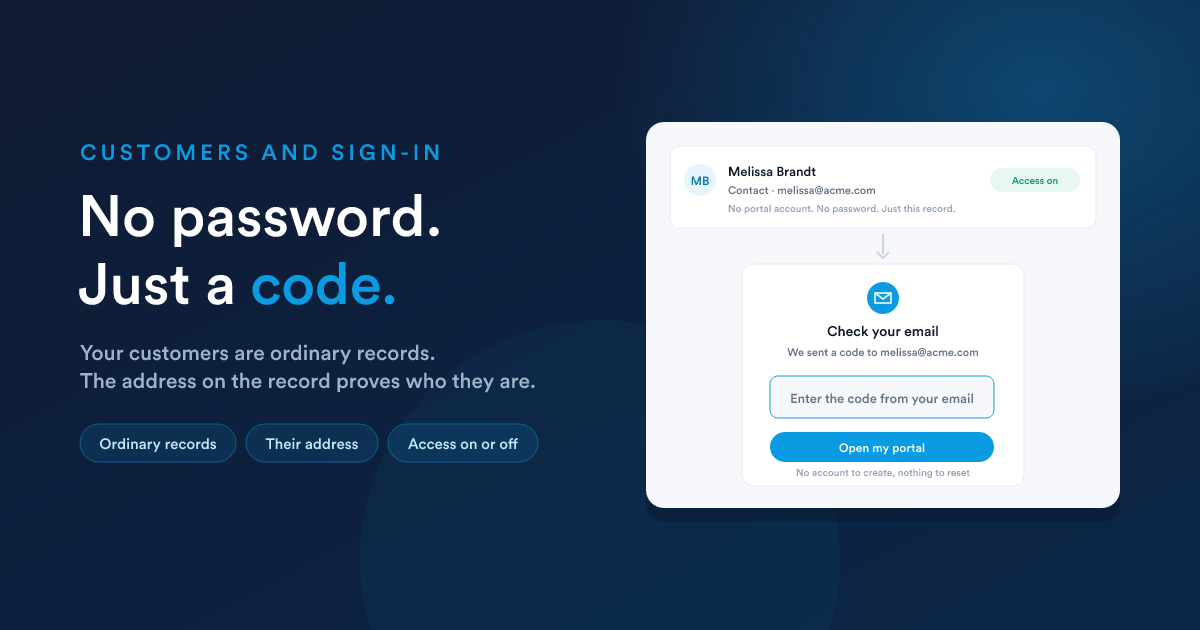
There is no separate customer account, no portal user list and no password table. A portal points at one of your entities (contacts, accounts, or a custom record type) and the records on it are its customers.
That means everything you already do keeps working: importing, editing, merging, workflows, filters. Nothing has to be provisioned, and there is nothing to keep in step with the CRM, because it is the CRM.
The five settings that describe them
Set on the portal itself, and editable from the builder's sidebar.
| Setting | What it decides |
|---|---|
| Choose an entity | which record type the customers are |
| Which Customers | an optional saved filter narrowing it further |
| Email Field | the address they sign in with |
| Name Field | what to greet them by |
| Access Field | a yes/no field that turns one customer's access on and off |
Membership is worked out on every request, never stored. A record is a customer of this portal if it is on that entity, matches that filter, and has the access field switched on. Change any of the three and it takes effect on the customer's next page load.
The email field must be a unique identifier
Only email fields marked as a unique identifier on the entity are offered, because one address has to match exactly one customer. If the list is empty, go and mark the field on the entity first: without it, a duplicated address is a customer signed in as somebody else, which is the one mistake this design will not allow.
If an address matches more than one record anyway, sign-in is refused rather than guessing.
The filter closes the portal when it cannot be honoured
A portal that names a filter is one whose owner said these records and no others. So if the filter is deleted, or the portal is moved to a different entity, the answer becomes nobody rather than everybody with that address. That is deliberate, and it is worth knowing before somebody deletes a filter and reports that the portal stopped working.
How a customer signs in
There is no password to choose, forget or reset, and there is nothing for you to issue. Possession of the mailbox is what proves who they are: the same model as every password-reset link you have ever used, with the reset step removed.
The code is short-lived and goes only to the address on the customer's record. If it expires, or they mistype it, they ask for a new one from the same screen.
The email carries a code and no link, so a customer can read the mail on their phone and type the code into their laptop.
What a customer sees before signing in
Only the sign-in screen, on every page of the portal. And the screen looks the same whether or not the address matches anybody: an address nobody has still gets the code screen, and fails at the code step. That is what stops the sign-in page being used to find out who is on your books.
Signing somebody out, or off
| To | Do |
|---|---|
| let one customer out temporarily | switch their Access Field off |
| remove one customer entirely | take them out of the portal's filter, or off the entity |
| close the portal to everybody | set the portal Inactive |
The first two take effect on the customer's next page load: the next thing they click. A page already on screen stays on screen, and nothing pushes them out mid-sentence.
Customers can also sign themselves out. A session does not last forever either, and signing back in is one more code.
What a signed-in customer can reach
Only what the portal draws. Specifically:
- Pages and components of this portal, and nothing from the CRM around it.
- Their own data, to the extent your reports narrow themselves to them. This is the one part that is yours to get right, and it has a page of its own: Data and reports.
- No staff screens. A link into the CRM leads to the staff sign-in page, not to the record.
A customer signed in to two of your portals holds two separate sessions, so signing out of one leaves the other alone.
Language
A portal is drawn in the language the CRM is set to. Everything a customer reads (the sign-in screen, the code email, the words the components draw) comes from that one setting.
Your own content is whatever you wrote: a heading, a paragraph or an HTML component is served as typed.
Setting up a test customer
Worth doing once, before the first real one:
- Create a record on the customer entity with an address you can receive mail at.
- Make sure it passes the portal's filter, and that its access field is on.
- Open the portal address in a private window and sign in.
- Check every page as that customer, especially that each table holds their rows and nobody else's.