

HTML components
Last updated 14 August 2026
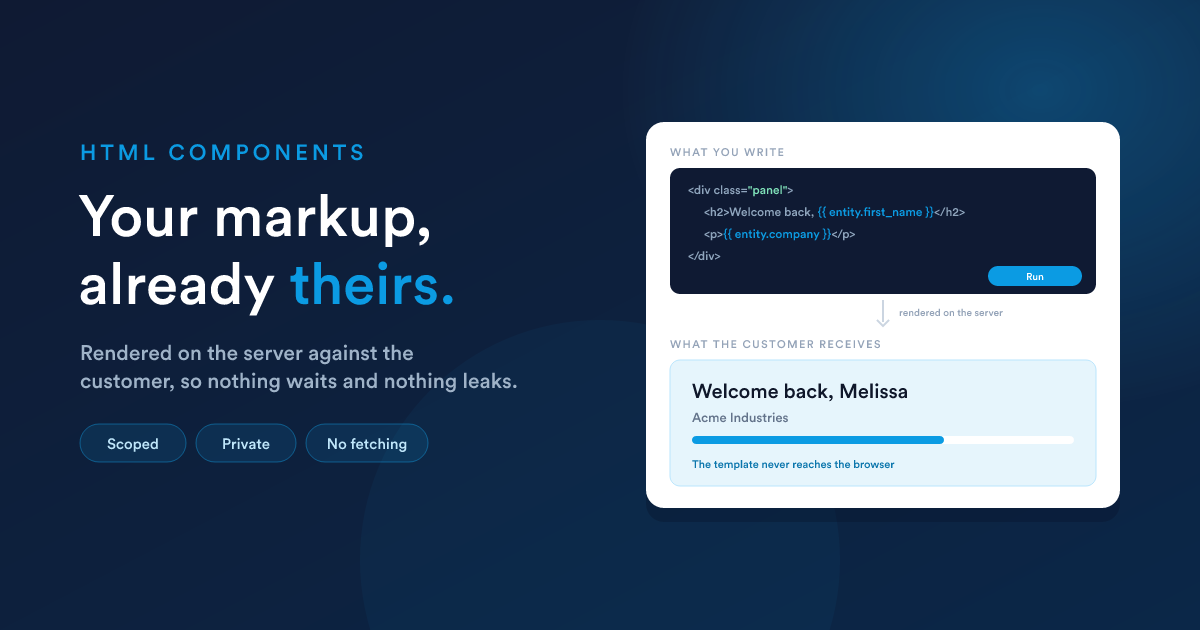
Drag an HTML component onto the page and write into its Content editor. That is the whole authoring surface: markup, styles and scripts in one place.
It is rendered on the server, for one customer
Your content is not shipped to the browser as you typed it. It goes through Flexie Scripting first, with the signed-in customer in context, and only the result crosses:
<div class="welcome">
  <h2>Hello {{ entity.first_name }}</h2>
  <p>Your account number is {{ entity.id }}.</p>
</div>
The customer's browser receives Hello Melissa. The template never reaches it, so nothing is exposed and there is nothing to wait for: by the time the page exists it is already about somebody.
So you usually need no JavaScript at all. The whole record is available: every field on the customer entity, by its alias. The editor's Dynamics menu inserts the tokens for you, and the full language reference is Flexie Scripting.
Run it before you save it
The editor has a Run button. It renders what you have written (or just the selection) and shows the result in a pane, which is how you find a mistake in a token before a customer does.
This matters more here than elsewhere: a template with a syntax error does not throw. Without checking, the mistake reaches the page as unrendered {{ ... }} with nothing anywhere saying so.
Styles: yours, and only yours
Write a <style> block and it is scoped to this component. Your .card rule reaches your cards and nothing else on the page, so two components can both use .card, .panel and .grid without knowing the other exists.
<style>
  :root {
    --accent: #0b84cf;
  }
  .card {
    border: 1px solid #d3dae5;
    border-radius: 8px;
    padding: 16px;
  }
</style>
Two rules that follow from the scoping:
:rootmeans this component's own root. It is where custom properties go, and it is what you style to give the component itself a background, a font or a padding.- A
body { }rule matches nothing.bodyis outside the component, so the reset most people paste at the top of a stylesheet is simply inert here. Put what you meant on:rootinstead.
A component drawn inside another one inherits the outer one's styling for anything it does not set itself. That is usually what you want; if a component must be immune, set the properties it cares about rather than relying on the boundary.
Scoped styles need a current browser (Chrome and Edge 118, Safari 17.4, Firefox 128 and later). On anything older the styles are ignored and the component draws unstyled, which is the right way round to fail, because the alternative is one component's reset rearranging the whole portal.
Scripts: private by default
Write a <script> block and it runs when the component is drawn. Everything the portal can do is on one object, FlexiePortal, which is already there:
<script>
  FlexiePortal.onComponentLoaded('my-component', function (el, params) {
    // el     the element this component was drawn into
    // params why it was opened, when it is a dialog. Empty otherwise

    el.querySelector('.card').addEventListener('click', function () {
      FlexiePortal.openModal('detail')
    })
  })
</script>
'my-component' is this component's own id, from the settings panel.
Do your work inside that handler rather than at the top of the script. Three reasons, and each of them is a bug people hit:
- it is what hands you your element, so you are not searching the whole page for markup you already own;
- it runs again when your component is redrawn, and a dialog is redrawn on every opening, so your code stays correct instead of running once;
- it is what makes your component work on the builder canvas, where you are looking at it while you write it.
Everything else the portal exposes, and every other event, is The JavaScript API.
There is no
el,apiorparamsvariable at the top of your script. Everything the portal offers comes fromFlexiePortal, and your element reaches you as an argument to the handler above.
Nothing you declare escapes to the page, so var rows in one component cannot collide with var rows in another. Several <script> blocks in one component run as one piece, in order, and can see each other's variables.
A script that fails is logged and the markup still draws. A blank box tells the reader less and you nothing, so open the browser console when something quietly does not happen.
If your component starts something that outlives its markup, such as a timer or a listener on window, stop it in FlexiePortal.onComponentUnloaded. Anything attached inside your own element needs no cleanup at all.
What cannot come across
Four tags are dropped when you save, and the editor says which:
| Dropped | Why |
|---|---|
<title>, <meta> |
they name a document this is not |
<base> |
it would retarget every link on the portal |
<link rel="stylesheet"> |
an outside stylesheet is the one thing that cannot be scoped |
<script src="..."> |
there is nothing to tear down, and nothing to scope |
Everything else survives, including whole pages pasted in: the parts that matter are taken out of them.
Two ways the save quietly changes your markup
Your content is parsed as HTML when it is saved, so the styles and scripts can be separated from it. That parse has opinions, and neither of these warns you.
1. Bare text at the top level becomes a paragraph
Statements sitting outside any element are text, and stray text gets wrapped in a paragraph, whose margin then pushes your component down the page.
<!-- pushes everything down -->
{% set name = entity.first_name %}
<div class="panel"> ... </div>

<!-- correct -->
<div class="panel">
  {% set name = entity.first_name %}
  ...
</div>
2. A tag written inside a comment becomes a real tag
A Flexie Scripting comment ({# ... #}) is not an HTML comment. The parser does not know the text is commented out, so a tag written in one is opened for real and stays open.
{# WRONG: this opens a real paragraph #}
{# each row is drawn as a <p> #}

{# RIGHT #}
{# each row is drawn as a paragraph #}
Both are invisible until you look at what is actually stored, which is worth doing once after writing a component.
The frame, and the height
Two settings decide how the component sits on the page.
Wrap the component (on by default) draws it in the usual panel, with its name as the title. Turn it off and there is no panel at all: what the customer sees is exactly your markup, edge to edge. With no panel there is no title bar, so the Name field is kept but shown read-only. Turning the wrapper back on does not mean typing it again.
Full width, as tall as its content is for a document whose length nobody can know: a statement that is one page for one customer and three for another. It takes the component out of the grid, gives it the full width where you drew it, and lets it grow to whatever it needs. Everything below moves down by exactly that much.
Without it, a component that outgrows its rectangle is clipped. If your markup varies in length, turn it on.
If what your component draws changes size while the page is open (a board that grows as the customer opens sections), leave its drawn rectangle modest. The height you drew is kept as a floor, and a generous one leaves a permanent gap under the shortest state.
Dialogs
Do not draw your own dialog. Add a Modal component, write its markup the same way, and open it:
FlexiePortal.openModal('detail', { params: { orderId: 5002 } })You get a dialog centred in the window with the product's header, close button, Escape key and backdrop, none of which your markup has to own or keep working.
Inside the dialog, the same load event tells it which record it is about:
FlexiePortal.onComponentLoaded('detail', function (el, params) {
  // params.orderId is 5002
})
A dialog is rebuilt every time it opens, so that fires once per opening, always with the parameters of that opening.
A worked example
A small panel that greets the customer and shows how complete their details are. Everything in it is resolved on the server; there is nothing to fetch.
<style>
  :root {
    --ink: #1b2432;
    --muted: #55637a;
    --line: #d3dae5;
  }
  .panel {
    padding: 20px 22px;
    border: 1px solid var(--line);
    border-radius: 8px;
    background: linear-gradient(100deg, #fff 0%, #eaf3fb 100%);
    color: var(--ink);
  }
  .panel h2 { margin: 0; font-size: 20px; }
  .panel p  { margin: 4px 0 0; color: var(--muted); font-size: 13px; }
  .meter    { height: 6px; border-radius: 999px; background: #dde5ee; }
  .meter i  { display: block; height: 100%; background: #0b84cf; }
</style>

<div class="panel">
  {% set filled = 0 %}
  {% if entity.first_name %}{% set filled = filled + 1 %}{% endif %}
  {% if entity.company %}{% set filled = filled + 1 %}{% endif %}
  {% if entity.city %}{% set filled = filled + 1 %}{% endif %}

  <h2>
    Welcome back{% if entity.first_name %}, {{ entity.first_name }}{% endif %}
  </h2>
  <p>
    {% if entity.company %}{{ entity.company }}
    {% else %}Everything we hold for you is on this page{% endif %}
  </p>

  <div class="meter"><i style="width: {{ (filled * 33) }}%"></i></div>
</div>
Note where the setup sits: inside the root element, for the reason above.