

Overview
Last updated 6 June 2026
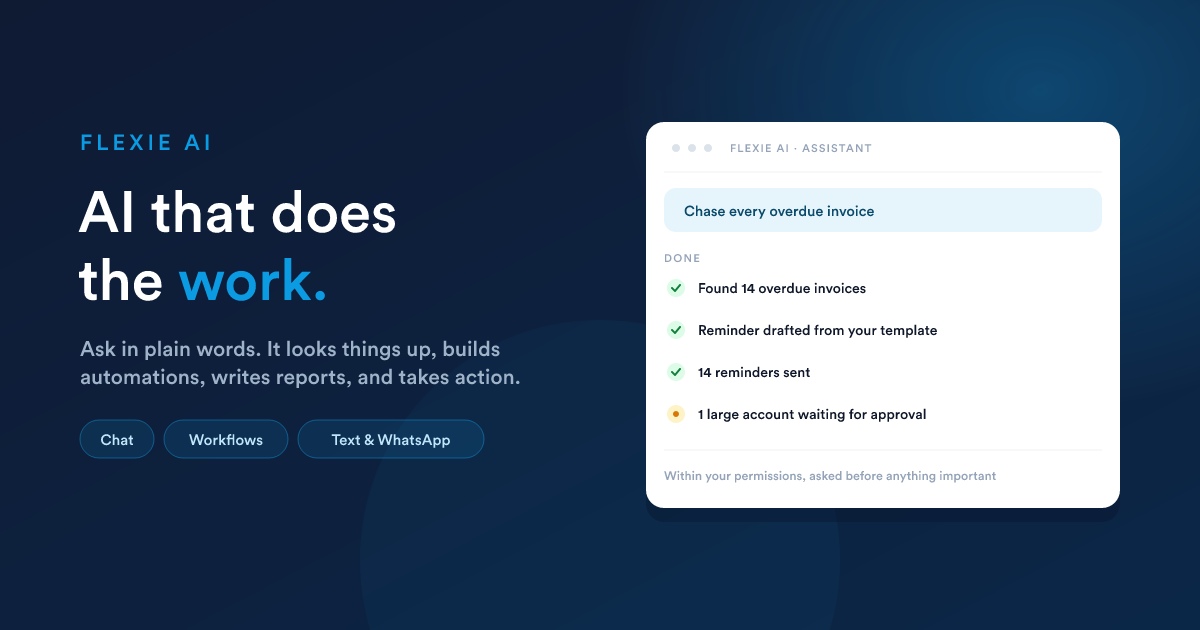
Most "AI assistants" are a chat box bolted onto the side of a product. They can talk about your data, but they cannot touch it. Flexie's AI is part of the platform. You ask for something in plain words and it does the work, inside your own account and always within your permissions: looking things up, building automations, writing reports, tidying records, and taking action.
The short version: you ask, and it does, after showing you the plan.
The four ways to put it to work
The same assistant works in four places. Most businesses use all four.
| Way | What it is | Best for |
|---|---|---|
| Chat | Open the assistant and ask for things in plain words. | Hands-on work, one request at a time. |
| Inside a workflow | Drop an AI step into an automated process so it runs unattended. | Repeatable jobs across the whole business: audits, drafting, briefings. |
| By text or WhatsApp | Text the assistant from your phone and get answers and actions back. | When you are away from a desk. |
| From an outside assistant | Safely open Flexie's abilities to an AI assistant you use elsewhere. | Teams that already work in another AI tool. |
What it is made of
Four building blocks work together behind the single assistant you talk to.
- Abilities are the concrete things it can do: find records, send an email, build an automation, prepare a document, and more. See What the assistant can do.
- Knowledge bases (Brains) are your own curated facts the assistant can read and, when you allow it, update. See Knowledge bases.
- Specialists are focused helpers the assistant quietly hands the heavy jobs to. See Specialists.
- Approvals keep you in control: nothing important happens without your go-ahead. See Approvals & safety.
What's in this section
- The chat assistant: talking to the AI inside Flexie, watching it work, the conversation memory, attaching files, and starting fresh.
- What the assistant can do: the full set of abilities in plain language, from finding data to building automations and managing your setup.
- Approvals & safety: how it asks before anything important, how it stays inside your permissions, and who is allowed to use it.
- Knowledge bases (Brains): building your own libraries of facts the assistant can search, read, and keep up to date.
- Specialists: the focused helpers behind the scenes, and how to set them up.
- AI in workflows: placing an AI step inside an automation so it works unattended.
- AI by text & WhatsApp: running the assistant from the messaging app on your phone.
- Settings & models: connecting the AI, choosing models, turning abilities on or off, and access control.
- Connecting outside assistants: opening Flexie's abilities to an AI assistant you use elsewhere.
- Activity & oversight: the record of everything the AI has done.
One thing to know up front
The assistant never works around your rules. It can only see and change what the person using it is already allowed to see and change, and it asks for approval before anything that alters your data. You decide which abilities it has, which ones need a confirmation first, and which people are allowed to use it at all.
Closely related
- Workflow automation: where the AI step lives.
- Communication & Inbox: the text and WhatsApp channels the AI can answer on.
- Dashboards & Reports: the AI can design and save reports for you.
- Integrations & developer access: connecting outside assistants.