

Activity & oversight
Last updated 6 June 2026
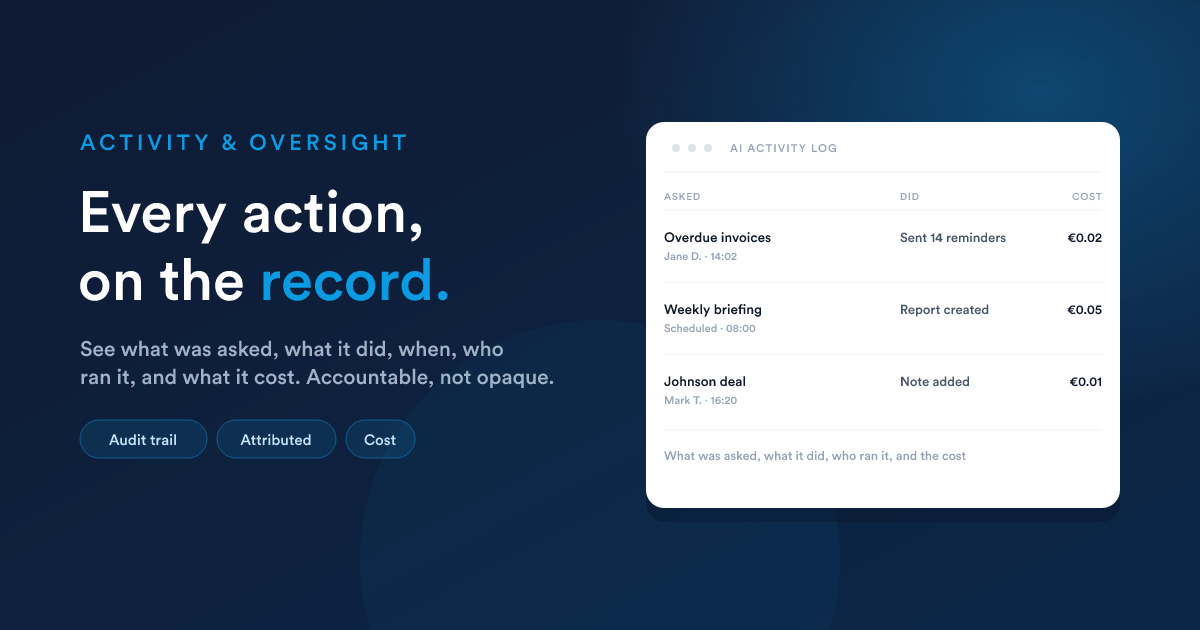
When the assistant takes an action, it leaves a trail, the same as a person would. Nothing it does is hidden or off the books, which gives you a clear answer to "what did the AI do, and why?" long after the fact.
What is recorded
For the assistant's activity you can see:
- What was asked and the answer it gave.
- What it did: the abilities it used and the records it touched.
- When it happened, and who was using it at the time.
- Its thinking, where step-by-step reasoning was on, so you can see how it reached an answer.
- What it cost, so usage is easy to monitor and budget.
Changes the assistant makes to your records and knowledge bases also appear in the ordinary history of those records, attributed to the assistant, so they sit right next to changes made by people.
Why it matters
- Trust. You can verify the assistant behaved correctly, rather than taking it on faith.
- Troubleshooting. If an answer looked wrong, you can see exactly what it did and where it went astray.
- Accountability. Automated actions are as reviewable as manual ones.
- Cost control. Usage is visible, so there are no surprises.
Nothing is lost to a refresh
The assistant's conversations and its pending requests are preserved. If you close the panel or refresh the page in the middle of something, you come back to where you were: a half-approved action is still waiting for your decision, and completed work is still in the conversation.
Closely related
- Approvals & safety: the controls that sit in front of every action.
- Accounts, Teams & Security: the wider audit log and permissions.
- Settings & models: decide what the assistant may do in the first place.