

Custom Records & Fields
Last updated 23 May 2026
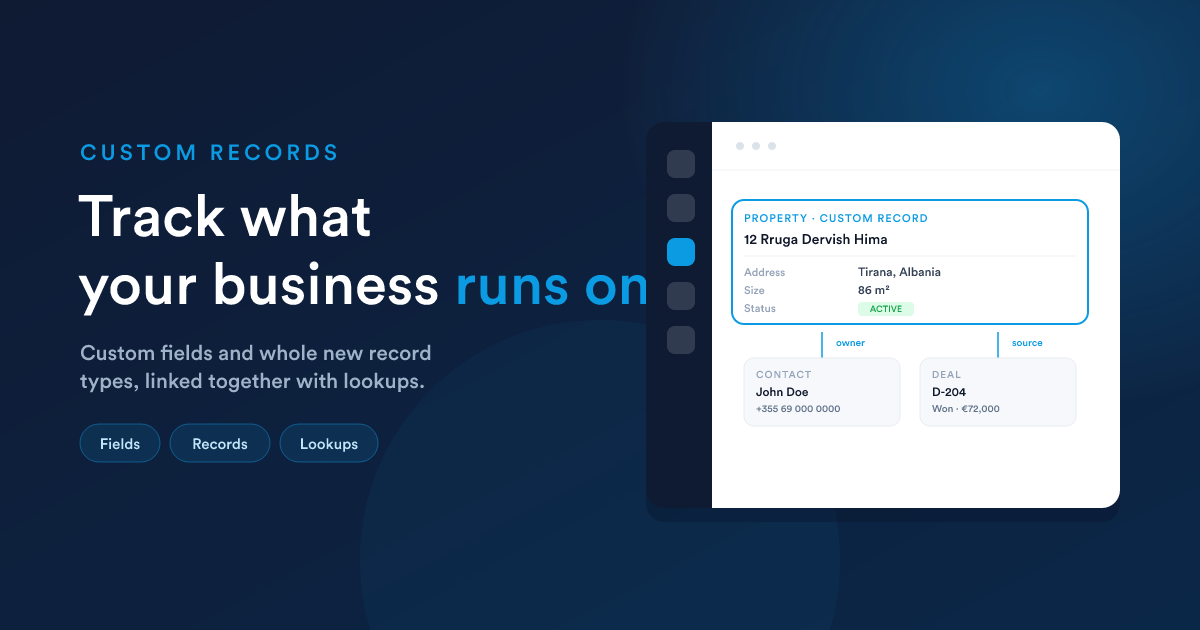
Flexie comes ready with the records most businesses need: contacts, leads, deals, invoices. But your business is unique. You probably track things no off-the-shelf CRM thinks about: properties, vehicles, projects, contracts, equipment, memberships, appointments.
This part of Flexie lets you add all of that, so Flexie holds the exact data your business runs on.
Custom fields, your own details
A field is a single piece of information on a record, a name, a phone number, a date. Flexie's standard fields will not cover everything, so you can add your own.
Examples of custom fields you might add:
- A "preferred contact method" on every contact
- A "renewal date" on every customer
- A "project budget" on a deal
- A "job reference number" anywhere you need it
You add a field once, and it appears on every record of that type, ready to fill in, search by, filter on, and include in reports.
Kinds of fields
Fields can hold different kinds of information: short text, long text, numbers, dates, yes/no choices, single-select and multi-select dropdowns, file uploads, lookups to other records, and more. You pick the kind that fits the information you are capturing.
Custom records, your own things to track
Sometimes a field is not enough, you need a whole new type of thing to track. That is a custom record type.
Say your business manages properties. You can create a "Property" record type, give it its own fields (address, size, owner, status), and from then on Flexie has a full list of properties, just like it has a list of customers.
You can do this for anything: projects, contracts, vehicles, sites, assets, events, whatever your business runs on.
Linking records together
Your records are not islands, they are connected. Flexie lets you link them with lookups:
Once records are linked, you can jump straight from one to the other, and see everything related to a record in one place: a property's owner, a project's client, a contract's deal of origin.
Why this is powerful
When you add your own record types and fields, Flexie stops being a generic tool and becomes your business system. Everything else in Flexie works with your custom setup on its own:
- Workflow Automation can trigger on and act on your custom records.
- Flexie AI can find, report on, and update them.
- Dashboards and reports can measure them.
- Forms can collect them.
You extend Flexie once, and the whole platform extends with it.
Day-to-day, you adjust it yourself
The structural design of your records, the fields, the types, the links, is set up during your one-time implementation, so the model fits your business from day one. From then on, day-to-day adjustments are point-and-click: add a new field, rename a label, change a dropdown's options, all on visual screens. You shape Flexie around your work without writing code or waiting for a release.
Just ask Flexie AI
- "Add a 'contract end date' field to all my customers."
- "Create a new record type for tracking properties."
- "Link each project to the company it belongs to."
See Flexie AI.
Next steps
- Forms: collect custom information from customers.
- Workflow Automation: automate around your custom records.
- Dashboards & Reports: measure your custom data.