

Examples
Last updated 17 August 2026
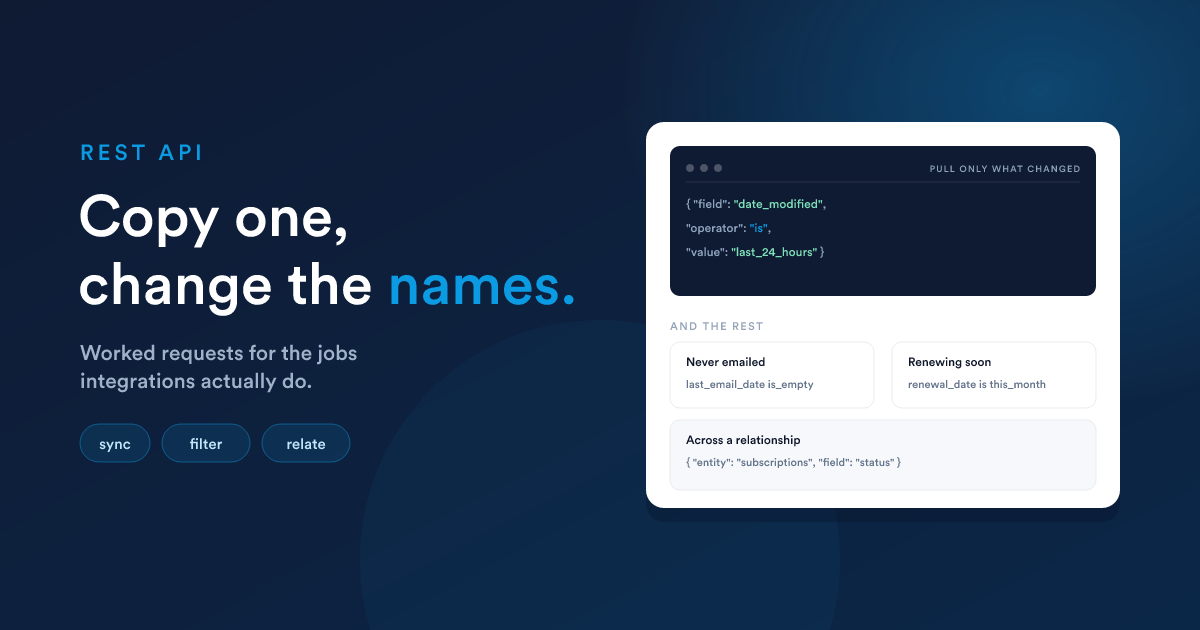
Every request on this page was run against a live instance before it was written down, so the shapes are known to work rather than assumed. Where an example names an entity or a field, that name is illustrative: contacts and date_added exist everywhere, while subscriptions and renewal_date stand for whatever your workspace calls its own. Swap the names for yours and the request is unchanged.
HOST="https://your-subdomain.flexie.io"
KEY="YOUR_API_KEY"
Start here: what can this entity be filtered by
Field names and operators differ from one workspace to the next, so rather than guessing, ask:
curl "$HOST/api/contacts/list/filters" -H "apikey: $KEY"Everything filterable comes back in one list: the entity's own fields, the ones Flexie maintains such as date_added and the activity counts, the ids of the records it points at, and the fields of every record it is related to.
That last group is the one you cannot work out for yourself, and the maintained fields are the ones people do not realise they have. On contacts this list is 168 entries where the configured fields alone are 24.
{
  "total": 168,
  "fields": [
    {
      "field": "email",
      "label": "Email",
      "type": "string",
      "group": "Contact Fields",
      "related": false,
      "operators": [
        { "operator": "equal",    "value": "single" },
        { "operator": "contains", "value": "single" },
        { "operator": "is_empty", "value": "none"   }
      ]
    },
    {
      "field": {
        "entity": "subscriptions",
        "relation": "manyToOne",
        "through": "subscriptions_id",
        "field": "status"
      },
      "label": "Subscription / Status",
      "type": "string",
      "group": "Related Subscription Fields",
      "related": true,
      "operators": [
        { "operator": "equal",    "value": "single" },
        { "operator": "is_empty", "value": "none"   }
      ]
    }
  ]
}
Three things to take from an entry:
fieldis what you send, copied across as it is. For a field on the record itself that is a name. For a field on a related record it is an object naming the entity, the relationship and the field, and you send that object.operatorsis what that field accepts, each with the shape ofvalueit wants.relatedsays whether the field belongs to this record or to one at the other end of a relationship, so you can group them the way the interface does.
Read that second one carefully, because it is the part people misread. In { "operator": "equal", "value": "single" } the "single" is not a value to send. It names the form your value has to arrive in, and single means one value on its own. So the entry above says: equal takes one value, contains takes one value, and is_empty takes none.
There are seven forms, and this is all of them:
| Shape | What to send |
|---|---|
single |
One value.{ "field": "email", "operator": "contains", "value": "acme" } |
range |
Two bounds in an array, the low one first.{ "field": "amount", "operator": "between", "value": [1000, 5000] } |
period |
A named stretch of time, so you never work out a date yourself.{ "field": "date_added", "operator": "is", "value": "this_year" } |
offset |
A sign, a number and a unit, as three strings.{ "field": "date_added", "operator": "less_than_now", "value": ["-", "7", "days"] } |
list |
An array of values, any of which match.{ "field": "owner_id", "operator": "in", "value": [1, 6] } |
polygon |
The points of an area. Only on a map field, where the area is drawn rather than typed. |
none |
Nothing at all, leave value out.{ "field": "phone", "operator": "is_empty" } |
So building a rule is mechanical: take field from the entry, pick an operator from its list, and send a value in the form that operator named.
{ "field": "<entry.field>", "operator": "<one of entry.operators>", "value": … }This works the same on custom entities, which is where it matters most:
curl "$HOST/api/ce/subscriptions/list/filters" -H "apikey: $KEY"Everyday filters
Everyone at a domain.
curl -X POST "$HOST/api/contacts/search" \
  -H "apikey: $KEY" -H "Content-Type: application/json" \
  -d '{
    "filters": {
      "condition": "AND",
      "rules": [
        { "field": "email", "operator": "contains", "value": "acme.com" }
      ]
    }
  }'
{ "total": "4", "current_page": 1, "total_pages": 1, "contacts": [ … ] }Only addresses that end in it, the stricter question and usually the one you mean:
{ "field": "email", "operator": "ends_with", "value": "@acme.com" }Records missing something.
{ "field": "phone", "operator": "is_empty" }A number above a threshold.
{ "field": "deal_count", "operator": "greater", "value": 0 }Added this year, without working out any dates. The period is resolved when the request runs, so the same saved request still means the right thing next month:
{ "field": "date_added", "operator": "is", "value": "this_year" }Added between two dates, when you do want fixed bounds:
{ "field": "date_added", "operator": "between",
  "value": ["2026-01-01 00:00:00", "2026-12-31 23:59:59"] }
Two conditions, one of them a choice. Added this year, and either at the domain or with no address at all:
{
  "condition": "AND",
  "rules": [
    { "field": "date_added", "operator": "is", "value": "this_year" },
    {
      "condition": "OR",
      "rules": [
        { "field": "email", "operator": "contains", "value": "acme.com" },
        { "field": "email", "operator": "is_empty" }
      ]
    }
  ]
}
The jobs integrations actually do
Pull only what changed, on a schedule. The one every sync needs. Order by the same field you filter on so pages stay stable while you walk them:
curl -X POST "$HOST/api/contacts/search" \
  -H "apikey: $KEY" -H "Content-Type: application/json" \
  -d '{
    "filters": {
      "condition": "AND",
      "rules": [
        { "field": "date_modified", "operator": "is", "value": "last_24_hours" }
      ]
    },
    "orderBy": "date_modified",
    "orderByDir": "ASC",
    "page": 1,
    "limit": 100
  }'
Run it hourly with last_hour, nightly with last_24_hours, or after an outage with last_7_days. No timestamps to store, and nothing to get wrong across a daylight saving change.
Find the records that will embarrass you, missing an email or a phone number:
{
  "condition": "OR",
  "rules": [
    { "field": "email", "operator": "is_empty" },
    { "field": "phone", "operator": "is_empty" }
  ]
}
Find the orphans, contacts attached to no account and with nothing going on:
{
  "condition": "AND",
  "rules": [
    { "field": "account_id", "operator": "is_empty" },
    { "field": "deal_count", "operator": "equal", "value": 0 }
  ]
}
Find who you have never emailed, which is usually a bigger list than anyone expects:
{ "field": "last_email_date", "operator": "is_empty" }Find who has gone quiet, for a re-engagement campaign. Contacts you can reach, who have had nothing from you in ninety days, including those you have never emailed:
{
  "condition": "AND",
  "rules": [
    { "field": "email", "operator": "is_not_empty" },
    {
      "condition": "OR",
      "rules": [
        { "field": "last_email_date", "operator": "is_empty" },
        { "field": "last_email_date", "operator": "is_not", "value": "last_90_days" }
      ]
    }
  ]
}
Who you may still email, before a campaign. Subscription is not a field on the record, it is whether an unsubscribe exists for the address, so it is asked with __unsubscribes and takes no value:
{ "field": "__unsubscribes", "operator": "is_subscribed" }And who opted out but is still reachable by phone, which is the call list rather than the mail list:
{
  "condition": "AND",
  "rules": [
    { "field": "__unsubscribes", "operator": "is_not_subscribed" },
    { "field": "phone", "operator": "is_not_empty" }
  ]
}
This month's pipeline, for a dashboard or a forecast:
curl -X POST "$HOST/api/deals/search" \
  -H "apikey: $KEY" -H "Content-Type: application/json" \
  -d '{
    "filters": {
      "condition": "AND",
      "rules": [
        { "field": "close_date", "operator": "is", "value": "this_month" },
        { "field": "amount", "operator": "greater", "value": 0 }
      ]
    },
    "orderBy": "close_date",
    "orderByDir": "ASC"
  }'
Deals nobody owns, which is the report that finds revenue falling through a gap:
{
  "condition": "AND",
  "rules": [
    { "field": "owner_id", "operator": "is_empty" },
    { "field": "amount", "operator": "greater", "value": 0 }
  ]
}
Deals that have gone stale, worth money and untouched for a month:
{
  "condition": "AND",
  "rules": [
    { "field": "date_modified", "operator": "is_not", "value": "last_30_days" },
    { "field": "amount", "operator": "greater", "value": 0 }
  ]
}
Across related entities
This is where the field list earns its keep. You can filter records by something on the record at the other end of a relationship, without fetching that side first.
By the id you already hold. Reference ids come back in every response, so this is usually an id you just read:
curl -X POST "$HOST/api/contacts/search" \
  -H "apikey: $KEY" -H "Content-Type: application/json" \
  -d '{
    "filters": {
      "condition": "AND",
      "rules": [ { "field": "account_id", "operator": "equal", "value": 354 } ]
    }
  }'
By a field of the related record. Contacts whose account is called something, without reading a single account:
{ "field": { "entity": "account", "field": "name" }, "operator": "contains", "value": "acme" }By a field of a related record on a custom entity. Say your workspace has a subscriptions entity hanging off contacts, and you want the contacts whose subscription has fallen into arrears. This is the case you cannot guess, so ask first:
curl "$HOST/api/leads/list/filters" -H "apikey: $KEY"Look for entries whose field.entity is the entity you care about:
{
  "label": "Subscription / Status",
  "related": true,
  "field": {
    "entity": "subscriptions",
    "relation": "manyToOne",
    "through": "subscriptions_id",
    "field": "status"
  }
}
Then put that object straight into a rule:
curl -X POST "$HOST/api/leads/search" \
  -H "apikey: $KEY" -H "Content-Type: application/json" \
  -d '{
    "filters": {
      "condition": "AND",
      "rules": [
        {
          "field": { "entity": "subscriptions", "field": "status" },
          "operator": "equal",
          "value": "past_due"
        }
      ]
    }
  }'
entity and field are what identify it, and on most entities that is the whole story.
Where the same entity can be reached by two different routes, say which one with through, the field the relationship runs over. A deal reaches an account both through its own account field and through the accounts linked to it, and those are different questions:
{ "field": { "entity": "account", "through": "account_id", "field": "name" }, "operator": "is_not_empty" }
{ "field": { "entity": "account", "through": "deals_accounts_relation", "field": "name" }, "operator": "is_not_empty" }
Leave it out where there are two routes and the request is refused with a 400 rather than answered from whichever one happened to match first.
All of it at once. Contacts attached to an account, touched recently, whose account is a given one or who have deals, newest first:
curl -X POST "$HOST/api/contacts/search" \
  -H "apikey: $KEY" -H "Content-Type: application/json" \
  -d '{
    "filters": {
      "condition": "AND",
      "rules": [
        { "field": "account_id", "operator": "is_not_empty" },
        { "field": "date_modified", "operator": "is", "value": "last_30_days" },
        {
          "condition": "OR",
          "rules": [
            { "field": { "entity": "account", "field": "name" }, "operator": "contains", "value": "acme" },
            { "field": "deal_count", "operator": "greater", "value": 0 }
          ]
        }
      ]
    },
    "orderBy": "date_modified",
    "orderByDir": "DESC",
    "page": 1,
    "limit": 100
  }'
Custom entities
A custom entity behaves exactly like a built-in one, at /api/ce/{table_name}/search, with the table name in lower case as it is set in Flexie.
The examples below use a workspace that tracks subscriptions, each on a plan, each with any number of add ons, and each belonging to a contact. Substitute your own entities and the requests are unchanged.
On its own fields. Subscriptions that are in arrears and due to renew this month, the ones somebody needs to call about today:
curl -X POST "$HOST/api/ce/subscriptions/search" \
  -H "apikey: $KEY" -H "Content-Type: application/json" \
  -d '{
    "filters": {
      "condition": "AND",
      "rules": [
        { "field": "status", "operator": "equal", "value": "past_due" },
        { "field": "renewal_date", "operator": "is", "value": "this_month" }
      ]
    },
    "orderBy": "renewal_date",
    "orderByDir": "ASC",
    "limit": 100
  }'
Where many of them point at one of something else, the one-to-many case. Every subscription on the Enterprise plan, without looking a single plan up first:
{
  "field": { "entity": "plans", "field": "name" },
  "operator": "equal",
  "value": "Enterprise"
}
Where they are linked to many of something else, the many-to-many case. Subscriptions that carry the priority support add on, which is the list you need before you promise a response time:
curl -X POST "$HOST/api/ce/subscriptions/search" \
  -H "apikey: $KEY" -H "Content-Type: application/json" \
  -d '{
    "filters": {
      "condition": "AND",
      "rules": [
        {
          "field": { "entity": "add_ons", "field": "name" },
          "operator": "equal",
          "value": "Priority Support"
        }
      ]
    }
  }'
The rule reads the same for both. Whether the relationship is one-to-many or many-to-many changes how Flexie joins the tables underneath, not how you ask, and relation in the field list tells you which one you are looking at.
Reaching a built-in entity from a custom one. Subscriptions whose contact has no email address, so the renewal notice has nowhere to go:
{ "field": { "entity": "contact", "field": "email" }, "operator": "is_empty" }Its own fields and related ones together. Renewals coming up this month that are either on the Enterprise plan or carry priority support, so the account team knows which ones to handle personally:
curl -X POST "$HOST/api/ce/subscriptions/search" \
  -H "apikey: $KEY" -H "Content-Type: application/json" \
  -d '{
    "filters": {
      "condition": "AND",
      "rules": [
        { "field": "renewal_date", "operator": "is", "value": "this_month" },
        { "field": "status", "operator": "not_equal", "value": "cancelled" },
        {
          "condition": "OR",
          "rules": [
            { "field": { "entity": "plans", "field": "name" }, "operator": "equal", "value": "Enterprise" },
            { "field": { "entity": "add_ons", "field": "name" }, "operator": "equal", "value": "Priority Support" }
          ]
        }
      ]
    },
    "orderBy": "renewal_date",
    "orderByDir": "ASC",
    "limit": 100
  }'
And from the other side. Contacts whose subscription has fallen into arrears, asked of contacts rather than of subscriptions:
{ "field": { "entity": "subscriptions", "field": "status" }, "operator": "equal", "value": "past_due" }As always, ask the entity what it can reach:
curl "$HOST/api/ce/subscriptions/list/filters" -H "apikey: $KEY"Walking a whole result
Hold the filter still, keep the order fixed, advance the page, and stop when you reach total_pages:
curl -X POST "$HOST/api/contacts/search" \
  -H "apikey: $KEY" -H "Content-Type: application/json" \
  -d '{
    "filters": {
      "condition": "AND",
      "rules": [ { "field": "email", "operator": "is_not_empty" } ]
    },
    "orderBy": "id",
    "orderByDir": "ASC",
    "page": 1,
    "limit": 100
  }'
Then send the same body with "page": 2. Always send an orderBy, because without one nothing guarantees the same order between requests and a record can appear on two pages or on none. limit is capped at 100 however much you ask for.
Creating, reading, updating, deleting
A full round trip on one record.
# create, 201, the whole record comes back including the id
curl -X POST "$HOST/api/contacts/new" \
  -H "apikey: $KEY" -H "Content-Type: application/json" \
  -d '{
    "first_name": "Ada",
    "last_name": "Lovelace",
    "email": "ada@example.com",
    "phone": "+355 69 000 0000"
  }'
{ "contact": { "id": "9261", "first_name": "Ada", "email": "ada@example.com",
"date_added": "2026-08-17T11:22:04+02:00" } }# read it back
curl "$HOST/api/contacts/9261" -H "apikey: $KEY"
# update it, sending only what changes
curl -X PATCH "$HOST/api/contacts/9261" \
-H "apikey: $KEY" -H "Content-Type: application/json" \
-d '{"last_name": "Byron"}'
# add a note to it
curl -X POST "$HOST/api/notes/contact/9261" \
-H "apikey: $KEY" -H "Content-Type: application/json" \
-d '{"text": "Called back, wants a quote for 40 seats."}'
# read its notes
curl "$HOST/api/contacts/9261/notes" -H "apikey: $KEY"
# delete it, 204 and an empty body
curl -X DELETE "$HOST/api/contacts/9261" -H "apikey: $KEY"Working from your own reference
Most integrations know their own identifiers, not Flexie's. Mark the field as a unique identifier on the entity and you never need a mapping table.
# find the record by it, 404 if nothing matches
curl -X POST "$HOST/api/contacts/identify" \
  -H "apikey: $KEY" -H "Content-Type: application/json" \
  -d '{"unique_field": "email", "unique_field_value": "ada@example.com"}'

# update it without knowing its id
curl -X PATCH "$HOST/api/contacts/edit" \
  -H "apikey: $KEY" -H "Content-Type: application/json" \
  -d '{"email": "ada@example.com", "company": "Analytical Engines"}'
/edit updates, it never creates. For "create it if it is not there", call /edit first and fall back to /new on a 404.
Dynamic endpoints
Sometimes the API is the wrong tool. When another system only needs to push something at Flexie, a Dynamic Endpoint is simpler: it is a URL that starts a workflow. Whatever you send becomes the workflow's payload, and the workflow decides what comes back, so one address can accept an order, look up the customer, create the records and answer with whatever the caller needs.
You build those on the workflow. The API lists them, so an integration can discover where to send its data instead of having someone paste a URL into a config file:
curl "$HOST/api/dynamic_endpoints" -H "apikey: $KEY"{
"total": 2,
"dynamic_endpoints": [
{
"id": 241,
"name": "Order intake",
"url": "https://your-subdomain.flexie.io/listener/b5f6f5d7…/240a942a…",
"authentication_required": true,
"cors_origins": ["https://shop.example.com"],
"response_type": "data",
"workflow_id": 95,
"workflow_name": "Create an order from the shop"
},
{
"id": 445,
"name": "Stock check",
"url": "https://your-subdomain.flexie.io/listener/5e77569c…/7cfd78ca…",
"authentication_required": false,
"cors_origins": null,
"response_type": "sse",
"workflow_id": 143,
"workflow_name": "Answer a stock question"
}
]
}Read the entry before you call the address:
| Field | What it tells you |
|---|---|
url |
where to send the request. Treat it as a credential: whoever holds it can run the workflow |
authentication_required |
whether the request has to carry a signed JWT, in an Authorization: Bearer header or a token header. When false, holding the URL is the whole of the security |
cors_origins |
the origins a browser may call it from. null means cross-origin calls are off, so only a server can call it. A single * means any origin |
response_type |
what it answers with: data or html for a fixed body, redirect for a 302, continue when the workflow builds the reply, sse when it streams events as it runs |
workflow_id, workflow_name |
the workflow behind the address, so you know what you are starting |
The JWT key and secret are never returned. Read them in Flexie, on the workflow, and keep them wherever you keep your other secrets.
Then call one. A public endpoint takes nothing but the payload:
curl -X POST "https://your-subdomain.flexie.io/listener/5e77569c…/7cfd78ca…" \
  -H "Content-Type: application/json" \
  -d '{"sku": "NW-1180", "quantity": 4}'
An endpoint with "authentication_required": true needs the token beside it:
curl -X POST "https://your-subdomain.flexie.io/listener/b5f6f5d7…/240a942a…" \
  -H "Authorization: Bearer YOUR_JWT" \
  -H "Content-Type: application/json" \
  -d '{"order_id": "SO-4471", "email": "ada@example.com", "total": 189.90}'
Three things to know about the listing:
- it pages like every other listing,
?limit=25&start=0, andlimitis capped at 100 - only endpoints on a published workflow are listed, because those are the only ones that answer a request. An address that is missing here is a workflow that has not been published
- it is a
GETand nothing else. Any other verb is a405. Endpoints are created on the workflow, where the reply they send and the payload they expect are designed together
Your key also needs permission to view workflows. Without it the listing is a 403, because these URLs run them.
What gets refused, and why
A rule Flexie cannot answer is refused with 400 rather than ignored, because ignoring it would mean answering a different question with a 200:
{ "error": { "code": 400, "message": "Invalid filters" } }- a field that is not in the entity's filterable list.
idis one of these - an operator that field does not accept. The field list names the ones it does
- a rule on a reference field inside an
ORgroup. Those combine withANDonly, so put them in the outerANDand keep theORfor the rest