

Creating and updating
Last updated 16 August 2026
Writes follow the same shape as reads: JSON in, JSON out, and the record comes back under its singular name so you can use the result straight away.
Creating
POST to /new, with the fields you want set:
curl -X POST "https://your-subdomain.flexie.io/api/leads/new" \
  -H "apikey: YOUR_API_KEY" \
  -H "Content-Type: application/json" \
  -d '{
    "first_name": "Ada",
    "last_name": "Lovelace",
    "email": "ada@example.com",
    "phone": "+355 69 000 0000"
  }'
201 Created, and the whole record comes back, including the id and the fields Flexie filled in for you:
{
  "lead": {
    "id": "32759",
    "first_name": "Ada",
    "last_name": "Lovelace",
    "email": "ada@example.com",
    "owner_id": 2,
    "is_published": 1,
    "date_added": "2026-08-16T20:41:44+02:00",
    "created_by": 2,
    "created_by_user": "Eges Tarazhi"
  }
}
Keep the id. It is how you address the record from now on.
Fields you do not send are left at their defaults, you never have to send the whole record. Custom fields go in the same flat object, addressed by their alias.
Updating
PUT or PATCH the record's URL. Send only what changes:
curl -X PATCH "https://your-subdomain.flexie.io/api/leads/32759" \
  -H "apikey: YOUR_API_KEY" \
  -H "Content-Type: application/json" \
  -d '{"last_name": "Byron"}'
200 OK, with the updated record:
{ "lead": { "id": "32759", "first_name": "Ada", "last_name": "Byron", … } }Both verbs are accepted on this path and behave the same way: fields you omit are left alone.
Deleting
curl -X DELETE "https://your-subdomain.flexie.io/api/leads/32759" \
  -H "apikey: YOUR_API_KEY"
204 No Content: an empty body, because there is nothing left to describe. Asking for the record afterwards returns 404.
Working from your own reference
Most integrations do not know Flexie's ids. They know their own, an order number, a customer code, an email address. Flexie supports that directly, so you do not have to keep a mapping table.
First, mark the field as a unique identifier on the entity (Settings → Customization → the entity's fields). That is what makes these two calls legal for it.
Find the record
curl -X POST "https://your-subdomain.flexie.io/api/leads/identify" \
  -H "apikey: YOUR_API_KEY" \
  -d "unique_field=email&unique_field_value=ada@example.com"
{ "lead": { "id": "32760", "first_name": "Ada", … } }Update it without knowing its id
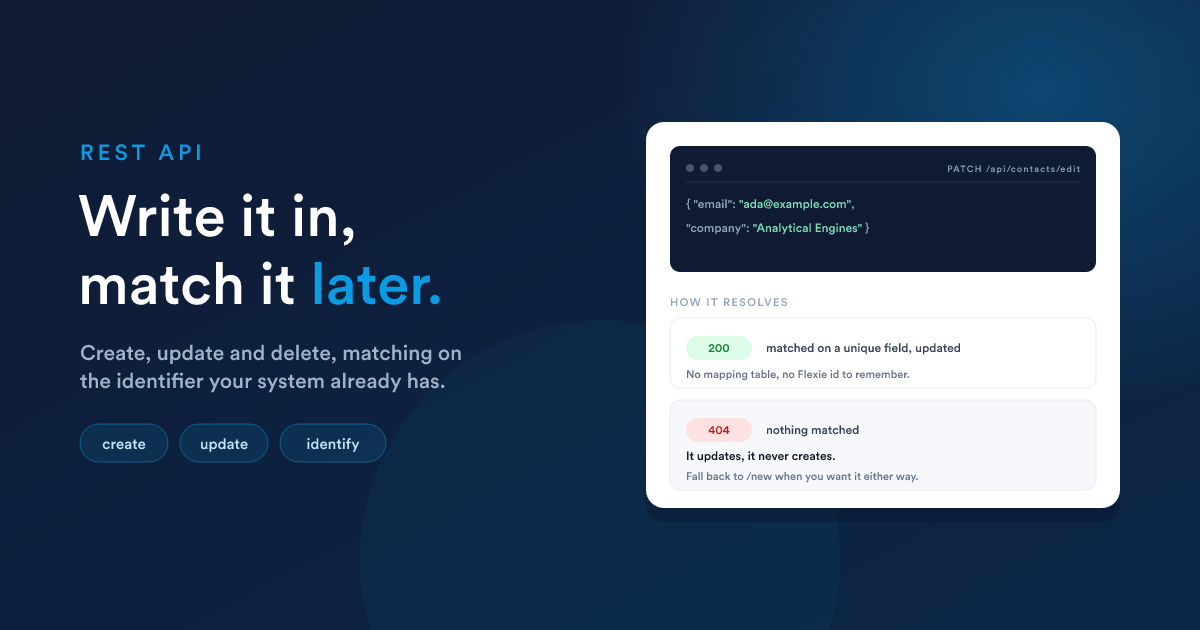
PUT, PATCH or POST to /edit, no id in the URL. Include the unique field in the body so Flexie can find the record, plus whatever you are changing:
curl -X PATCH "https://your-subdomain.flexie.io/api/leads/edit" \
  -H "apikey: YOUR_API_KEY" \
  -H "Content-Type: application/json" \
  -d '{
    "email": "ada@example.com",
    "last_name": "Byron",
    "phone": "+355 69 111 1111"
  }'
{ "lead": { "id": "32760", "last_name": "Byron", … } }This is an update, not an upsert. If no record matches the unique value, you get
404 Item was not found., nothing is created. To handle "create it if it isn't there", call/editfirst and fall back to/newon a 404:
# pseudo-code
PATCH /api/leads/edit   {email, …}     # 200 -> done
  └─ on 404 ──▶ POST /api/leads/new   {email, …}
The same applies to identify: an unknown value is a 404, not an empty result.
Notes on a record
Notes hang off whatever they belong to:
curl -X POST "https://your-subdomain.flexie.io/api/notes/lead/32759" \
  -H "apikey: YOUR_API_KEY" \
  -H "Content-Type: application/json" \
  -d '{"text": "Called back, wants a quote for 40 seats."}'
And to read a record's notes:
curl "https://your-subdomain.flexie.io/api/leads/32759/notes" -H "apikey: YOUR_API_KEY"Custom records
Identical, with your table name in the path, lower case with underscores exactly as it is set in Flexie:
# create
curl -X POST "https://your-subdomain.flexie.io/api/ce/projects/new" \
  -H "apikey: YOUR_API_KEY" -H "Content-Type: application/json" \
  -d '{"first_name":"Maria","course":"Advanced"}'

# update
curl -X PATCH "https://your-subdomain.flexie.io/api/ce/projects/501" \
  -H "apikey: YOUR_API_KEY" -H "Content-Type: application/json" \
  -d '{"course":"Expert"}'

# delete
curl -X DELETE "https://your-subdomain.flexie.io/api/ce/projects/501" \
  -H "apikey: YOUR_API_KEY"
Who the change is attributed to
Every write is recorded against the user the credential belongs to, created_by, modified_by and the record's history all show that person. This is why it is worth giving each integration its own OAuth client acting as a purpose-made user: six months later, "who changed this field?" has a useful answer.
Permissions apply the same way. A request can only create, edit or delete what its user could create, edit or delete in the interface. A write the user is not allowed to make comes back as a permission error, not a silent no-op.
A complete example: sync an order into Flexie
Take an order from your own system, make sure the customer exists, and attach a note:
# 1. Does this customer already exist?
curl -X POST "https://your-subdomain.flexie.io/api/leads/identify" \
  -H "apikey: YOUR_API_KEY" \
  -d "unique_field=email&unique_field_value=buyer@example.com"
# 200 -> use the id it returns
# 404 -> create them:

curl -X POST "https://your-subdomain.flexie.io/api/leads/new" \
  -H "apikey: YOUR_API_KEY" -H "Content-Type: application/json" \
  -d '{"first_name":"Sam","last_name":"Rivera","email":"buyer@example.com"}'

# 2. Record what happened
curl -X POST "https://your-subdomain.flexie.io/api/notes/lead/32761" \
  -H "apikey: YOUR_API_KEY" -H "Content-Type: application/json" \
  -d '{"text":"Order #4417 placed, 3 items, 240 EUR."}'
Run it again for the same customer and you get the same lead back rather than a duplicate, because step 1 matched on the email.