

Overview
Last updated 16 August 2026
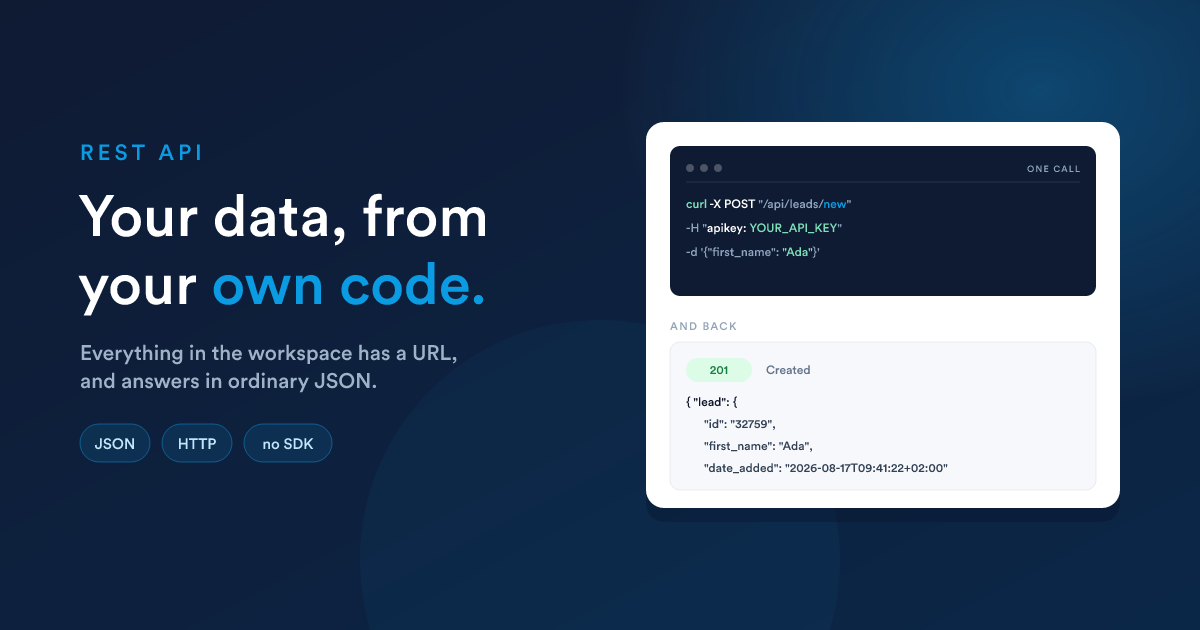
Everything in your workspace has a URL. Contacts, leads, deals, cases, tasks, notes and your own custom records can all be read and written from your own code, with ordinary HTTP and JSON.
This is the usage guide: how the API behaves, and how to get real work done with it. For the complete list of endpoints and the OpenAPI file, see the API reference.
Who this is for
| You need | You do not need |
|---|---|
| something that can make an HTTP request | a Flexie SDK, there isn't one, and you don't need one |
| a credential (an API key or an OAuth token) | to install anything |
| your workspace address | to know how Flexie is built inside |
If you only need another system to send data into Flexie, you may not need the API at all, a Dynamic Endpoint gives you a URL to post to that triggers a workflow. The API can tell you which ones exist and everything you need to call them, see Dynamic endpoints.
The whole idea in one example
Create a lead, read it back, then find it again with a filter. Three calls, nothing else set up:
# 1. Create
curl -X POST "https://your-subdomain.flexie.io/api/leads/new" \
  -H "apikey: YOUR_API_KEY" \
  -H "Content-Type: application/json" \
  -d '{"first_name":"Ada","last_name":"Lovelace","email":"ada@example.com"}'
{ "lead": { "id": "32759", "first_name": "Ada", "last_name": "Lovelace",
"email": "ada@example.com", "date_added": "2026-08-16T20:41:44+02:00" } }# 2. Read it back
curl "https://your-subdomain.flexie.io/api/leads/32759" -H "apikey: YOUR_API_KEY"# 3. Find it again by a condition
curl -X POST "https://your-subdomain.flexie.io/api/leads/search" \
-H "apikey: YOUR_API_KEY" \
-H "Content-Type: application/json" \
-d '{"filters":{"condition":"AND","rules":[
{"field":"last_name","operator":"equal","value":"Lovelace"}]},"limit":10}'{ "total": "1", "current_page": 1, "total_pages": 1, "leads": [ { "id": "32759", ... } ] }That is the whole model. The rest of this guide is detail.
Your address
Every URL starts with your own workspace address:
https://your-subdomain.flexie.io/api/...If your workspace runs on your own domain, use that domain instead. The path after /api is the same either way.
The verbs
The API uses the verb to decide what happens, and the same path can mean different things under different verbs:
| What you want | Verb and path |
|---|---|
| List records | GET /api/leads |
| Read one record | GET /api/leads/{id} |
| Filter records | POST /api/leads/search with a rule set |
| Create | POST /api/leads/new |
| Update | PUT or PATCH /api/leads/{id} |
| Update by a unique field | PUT, PATCH or POST /api/leads/edit |
| Find by a unique field | POST /api/leads/identify |
| Delete | DELETE /api/leads/{id} |
Send the wrong verb and Flexie says so plainly, and tells you which ones the path accepts:
{ "error": { "message": "No route found for DELETE /api/leads: Method Not Allowed (Allow: GET, POST, HEAD)", "code": 405 } }What comes back
A single record comes back under the singular name of its type:
{ "lead": { "id": "32759", "first_name": "Ada" } }A list comes back under the entity's table name, alongside a total:
{ "total": "10699", "leads": [ { "id": "1" }, { "id": "2" } ] }A search adds where you are in the results:
{ "total": "1545", "current_page": 2, "total_pages": 773, "leads": [ ... ] }Two details worth knowing before you write your parsing code:
totalcomes back as a string, not a number. Convert it before you do arithmetic with it.- The collection key is the entity's table name,
leads,accounts,deals,cases,tasks, and for your own entities whatever is in the Table Name column on the entities screen. It is not calleddataoritems.
Which entities
The entities that hold your records behave identically everywhere, and these are the ones you can filter:
| Entity | Path |
|---|---|
| Contacts | /api/contacts |
| Leads | /api/leads |
| Accounts | /api/accounts |
| Deals | /api/deals |
| Cases | /api/cases |
The rest list, read and write the same way, but they take no filters:
| Endpoint | Path | Notes |
|---|---|---|
| Tasks | /api/tasks |
full read and write |
| Notes | /api/notes/{entityType}/{id} |
hang off a record |
| Emails | /api/emails |
read, and send |
| Reports | /api/reports |
read, and /api/reports/{id}/data returns a report's rows |
| Users | /api/users |
a listing, and nothing else |
| Dynamic endpoints | /api/dynamic_endpoints |
the URLs that start a workflow |
Users are deliberately read-only: an account is a person's access to the whole system, so it is created and changed in Flexie itself. Roles and workflows are not exposed at all.
Your own custom records use the same shapes under /api/ce/{tableName}, where the last part of the path is the entity's table name exactly as it is set in Flexie, lower case with underscores:
curl "https://your-subdomain.flexie.io/api/ce/projects?limit=10" -H "apikey: YOUR_API_KEY"
curl "https://your-subdomain.flexie.io/api/ce/payment_installments?limit=10" -H "apikey: YOUR_API_KEY"
The key in the response is that same table name, so the path and the response agree:
{ "total": "247", "payment_installments": [ { "id": "4" } ] }A single record comes back under the singular form of it, payment_installment.
Filtering works exactly the same way. See Finding records.
Dates, times and types
Dates come back as ISO 8601 with the workspace's timezone offset:
"date_added": "2026-08-16T20:41:44+02:00"When you send a date, YYYY-MM-DD and full ISO 8601 are both accepted. Numeric ids come back as numbers in some places and strings in others depending on the field, compare loosely, or cast before comparing.
What to read next
- Authentication: API keys, OAuth, and which to use
- Finding records: listing, filtering and paging
- Creating and updating: writes, including matching on your own reference
- Errors and limits: every status code and what to do about it
- Examples: worked requests to copy, from a first filter to filtering across related entities