

Submissions
Last updated 25 May 2026
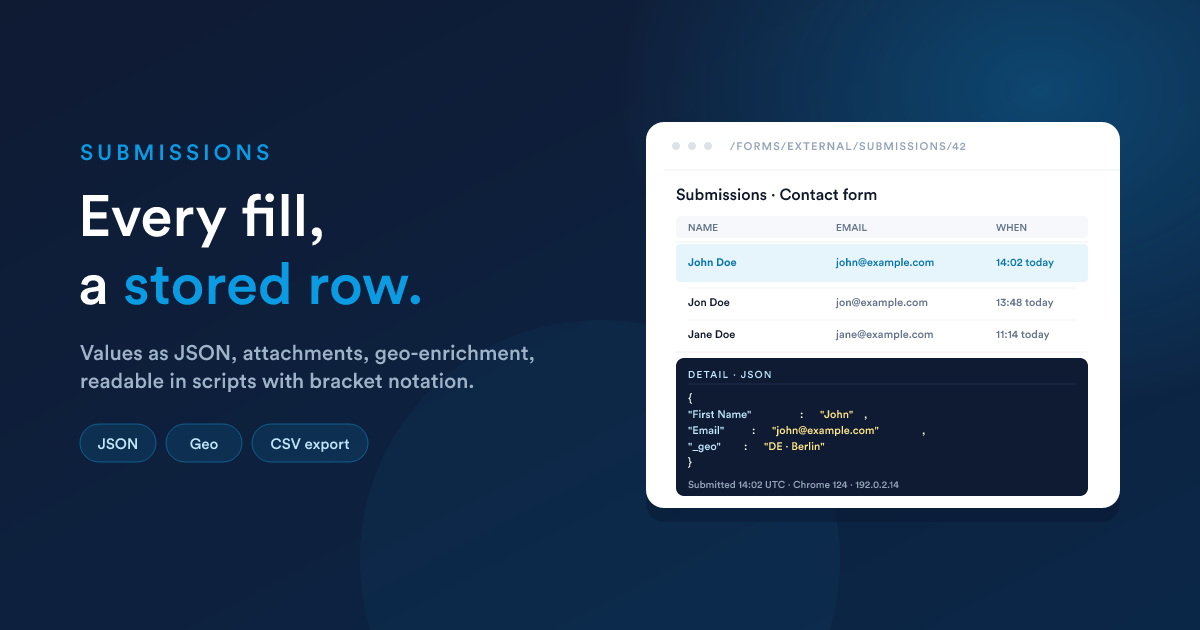
Every form submission is stored: the answers, who submitted, when, and which record (if any) it created or updated. Reading those submissions back happens in two places, the submissions screen for the human view and Flexie Scripting for the workflow view, with one syntax wrinkle (bracket notation for keys with spaces).
Where submissions are stored
There are two storage areas, one for each broad flavour:
| Flavour | Stored in | View at |
|---|---|---|
| External (public) | External submissions table | /forms/external/submissions/{formId} |
| Internal (entity-bound) | Internal submissions table | /forms/internal/submissions/{formId} (and /forms/internal/submissions/{formId}/{entityId} for one record) |
| Internal (virtual) | Internal submissions table | /forms/internal/submissions/{formId} |
Open the form's view page (/forms/view/{id}); there's a link to its submissions from there.
What is stored for every submission
Every submission row holds:
- The form it belongs to.
- The submitted values, every field's value, keyed by the field's
key, as JSON. - The attachments, file metadata and the stored download URL for each uploaded file.
- The submitter context, who submitted (the user, for internal forms; the IP and user agent, for external forms).
- The exact timestamp.
External submissions additionally include geo-enrichment from the IP address: the visitor's country, region, city, ISP / organisation, so you can see where leads are coming from without extra setup.
Viewing submissions
From the form's page
Open the form (/forms/view/{id}) and follow the Submissions link in the sidebar. You'll see a paginated list with one row per submission, showing the most useful summary fields plus the submission date.
Click any row to see the full submitted values, attachments, and metadata.
From a record's profile (entity-bound internal forms)
When you open a Contact, Deal, or Case profile, you can see the submissions for this record under each form's section. The same form on a different record only shows that record's submissions.
The URL is /forms/internal/submissions/{formId}/{entityId}, useful as a deep link.
Searching, filtering, exporting
The Submissions list supports the same controls as other Flexie record lists: filter by date range, by submitted field values, sort by submitted-at, and export to CSV when you need the data outside Flexie.
Deleting and re-submitting
You can delete an individual submission from its detail view. Deletion is permanent, there's no undo. Any workflow that already ran on that submission has already had its effect; deleting the row only removes the record of the submission, not the side effects (records created, messages sent).
There is no "re-submit" action. If you need to re-run the workflow against a saved submission's data, the simplest pattern is to look up the stored submission's fields and trigger your workflow manually.
Reading a submission in a script
The submission's field values are exposed to your workflow steps via the __data namespace. The exact path depends on the flavour:
| Form flavour | Read field xyz as |
|---|---|
| External (public) | {{ __data.form_submission.xyz }} |
| Internal, entity-bound | {{ __data.internal_form_submission.data.xyz }} |
| Internal, virtual | {{ __data.internal_form_submission.data.xyz }} |
Notice the two differences:
- The root key: external uses
form_submission; both internal flavours useinternal_form_submission. - External puts the fields directly under the root; internal nests them under a
datasub-key alongside metadata (__submitted_from_user_id).
This catches everybody once. If your token returns blank, this is the first place to check.
Bracket notation for keys with spaces
A field's key comes from its label by default. So a field labelled "First Name" probably has the key First Name, with a space and capital letters.
A space in a key means you can't use the dot accessor, because __data.form_submission.First Name is parsed by the scripting engine as a property called First, followed by a separate word Name, which won't read the field.
Use bracket notation with the exact key in quotes:
{# External public form #}
{{ __data.form_submission['First Name'] }}

{# Internal form #}
{{ __data.internal_form_submission.data['First Name'] }}
The same rule applies to any key with a hyphen, underscore-mixed-with-spaces, or any non-alphanumeric character.
The good habit is to use bracket notation for every form field access. It always works, it's explicit, and it future-proofs the script against someone renaming a field and accidentally putting a space in the key.
A worked example, external submission
A form has three fields: First Name, Email, Notes. A visitor submits:
First Name = John
Email      = john@example.com
Notes      = Please call me back.
Your workflow step reads them like this:
Hello {{ __data.form_submission['First Name'] }},

We've received your message:
"{{ __data.form_submission.Notes }}"

We'll reply to {{ __data.form_submission.Email }} shortly.
Two of those use bracket notation; Notes and Email don't strictly need it (no spaces in the key), but using it consistently is safer.
A worked example, entity-bound internal submission
The same fields, submitted from a team member on a Contact's profile:
Hi {{ first_name }},                    {# the contact's own first_name #}

{{ __data.internal_form_submission.__submitted_from_user_full_name }} just left
a note about you on {{ date(__data.internal_form_submission.date_added, "M j, Y") }}:

"{{ __data.internal_form_submission.data['Notes'] }}"
Notice: the contact's first_name is at the top level (it's the current record); the submitter's name comes from the __submitted_from_user_* metadata on the submission.
Reading attached files
Attachments aren't exposed as scalar values; they live under a separate attachments slot on the submission. To get a list of uploaded files in a step (for example to forward them in an email):
{# External form #}
{% set files = __data.form_submission.attachments | default([]) %}
{% for f in files %}
  {{ f.originalName }} ({{ f.size }} bytes)
{% endfor %}
The exact shape of
attachmentsis a list of objects, each holding the stored URL, the original filename, the type, and the size. If you need to forward attachments to another system, the stored URL is the value to use.
Guard against missing values
A submitter can leave optional fields blank, or a field can be removed from the form between submissions. Always guard:
{{ __data.form_submission['Notes'] | default("(no notes provided)") }}

{% if __data.form_submission['Email'] is defined and __data.form_submission['Email'] %}
  Send to {{ __data.form_submission['Email'] }}
{% endif %}
Privacy and retention
Submissions can contain personal data (names, emails, sometimes far more). Two things to be aware of:
- Default basis: every external form must declare a legal basis for processing (see Public forms: GDPR and legal basis). That basis is recorded with each submission.
- Retention: there's no automatic deletion. Build a scheduled workflow if your retention policy requires you to purge old submissions, for example a monthly run that deletes External submissions older than two years on a closed form.
Next steps
- Forms in workflows: the complete listener and action reference, with the response pattern.
- Public forms / Internal forms: the flavour-specific guides.