

Taxes
Last updated 26 May 2026
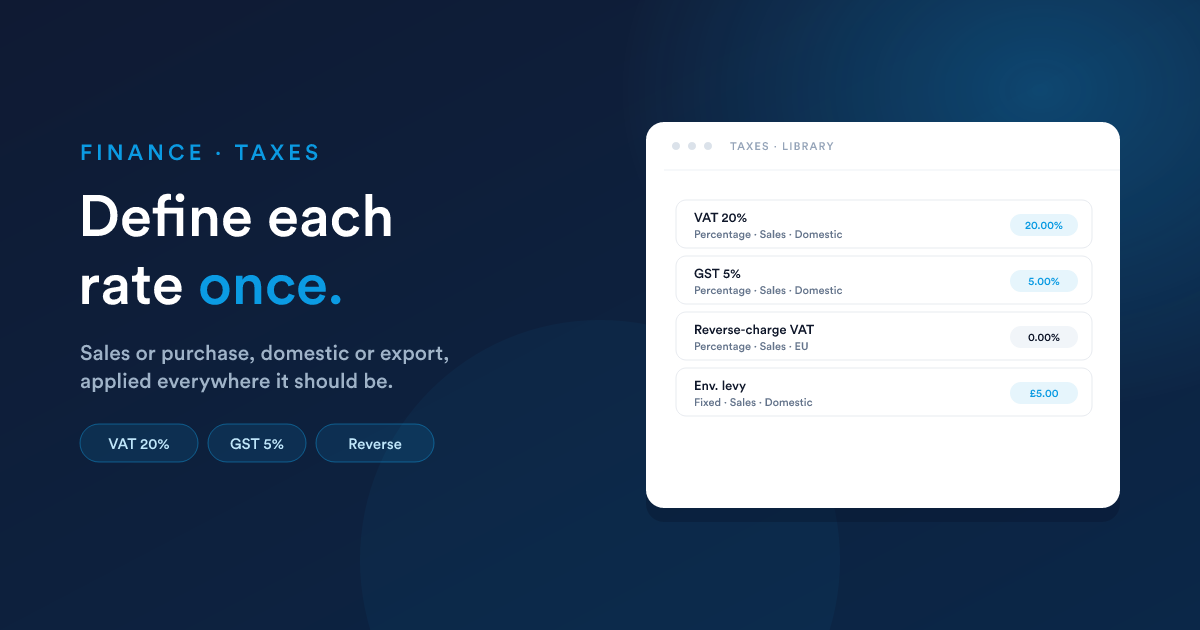
Define each tax rate once, attach it to the products it applies to, and Flexie does the maths everywhere: quotes, invoices, accounting.
What a tax is
A tax is a named rate (with a rate type) plus a few labels that help you keep your books straight. You set it up once, then attach it to the products that should charge it.
Examples:
- VAT 20%, the standard UK VAT rate.
- Sales Tax (CA) 7.25%, California sales tax.
- GST 5%, Canadian goods and services tax.
- Reverse-charge VAT, a 0% rate used for B2B EU exports.
You can have as many taxes as you need.
Creating a tax
Click New on the taxes list.
| Field | What it does |
|---|---|
| Name | Display name, what appears on quotes and invoices (e.g. "VAT 20%"). |
| Rate type | Percentage (typical, e.g. 20%) or Fixed (a flat amount per line, e.g. an environmental levy of £5). |
| Rate | The actual rate, 20 for 20%, or the flat amount for a fixed-rate tax. |
| Tax type | Sales (a tax you charge customers) or Purchase (a tax you pay suppliers). The two are kept separate in your books. |
| Tax class | Domestic, Export, or EU. Used to keep cross-border taxes separate for reporting. Pick Domestic if you only sell in one country. |
| Tax code | A short identifier, useful for tax-authority reporting or matching against codes your bookkeeper uses. |
| Description | Optional, internal notes. |
Where the money goes
| Field | What it does |
|---|---|
| Sales tax account | The account in your chart of accounts where this tax's output (sales tax owed) is recorded. |
| Purchase tax account | (For purchase taxes) Where input tax (claimable) is recorded. |
If you leave these blank, Flexie uses your default tax accounts. Most accounts set these once during initial configuration.
Tax-inclusive vs. tax-exclusive pricing
This isn't set on the tax itself, it's set on the product (see Products → Tax). The same tax (e.g. VAT 20%) can be used by inclusive-priced products and exclusive-priced products at the same time.
| Pricing style | What you type as the product price | What appears on the line |
|---|---|---|
| Tax-exclusive | The pre-tax price (£100) | Subtotal £100 + tax £20 = total £120 |
| Tax-inclusive | The all-in price (£120) | Subtotal £100 + tax £20 = total £120 |
Either way, the tax total is the same. The difference is just which number you wrote down as the Price.
How a tax flows through
When a line item uses a product with a sales tax:
- On the quote / invoice line: Flexie computes the tax amount for that line (based on the line subtotal and the tax rate, with inclusive / exclusive handling).
- In the totals block: taxes are summed and shown as a line, Subtotal £500.00 / Tax £100.00 / Total £600.00.
- On invoice finalisation: Flexie posts a journal entry that credits your Sales tax account for the tax amount (so you know what you owe the tax authority).
- When you pay the tax authority: you record that as a payment against the Sales tax account, which clears the liability.
The first three steps happen automatically. Only the fourth needs manual recording, since paying the tax authority is a real-world event Flexie can't see.
Common patterns
One country, one tax
Most small businesses have a single sales tax (e.g. VAT 20%, GST 5%). Configure that one tax, set it as the default on every product, and you're done.
Multiple rates in one country
Sales tax can differ by product type, e.g. food at 0%, books at 5%, everything else at 20%. Configure each rate as a separate tax, and attach the right one to each product (or each product category).
Tax-exempt customers
Some customers (e.g. registered charities, B2B with valid EU VAT numbers) are tax-exempt. Two approaches:
- Override per line on the invoice. Add the line with no tax, this works for one-off cases.
- Mark the customer as tax-exempt. When customer-level tax-exemption is configured, lines for that customer get the tax removed automatically. Ask your administrator if you need this set up.
Cross-border sales
If you sell to several countries:
- Use the Tax class field to keep Domestic, Export, and EU taxes separate.
- Define separate taxes per region you sell into.
- Map each tax to its own account in the chart of accounts so your books reflect each jurisdiction cleanly.
Compound taxes (tax on tax)
A few jurisdictions have taxes that apply on top of other taxes (e.g. a provincial tax that's calculated on the price plus federal tax). Flexie supports this: when defining a tax, you can mark another tax as its parent, and the rate will compound.
This is a niche case; most teams don't need it. Don't enable it unless your bookkeeper has explicitly told you the local tax works this way.
Gotchas
- Once a tax is on a line, it stays on the line. Editing the tax's rate later doesn't change quotes or invoices that already exist, they keep the rate that was applied at the time. If a rate change is retroactive (rare), you'd need to revise the affected documents.
- Tax-exclusive is the safer default. If you're not sure whether your customers expect tax-inclusive or tax-exclusive prices, go with exclusive, it's clearer where the tax is and reduces "wait, why did the total change?" questions.
- Fixed-amount taxes don't scale. A fixed £5 environmental levy gets applied as £5, regardless of the line subtotal. If you want it to scale with quantity, the line's quantity does it automatically,
2 × line with £5 levy = £10 levy. - Sales vs. purchase taxes can't be mixed. A sales tax can't appear on a purchase line and vice-versa. They land in different accounts and report differently.
Next
- Quotes: where taxes first show up on a customer-facing document.
- Invoices: where taxes become real money owed.
- Accounting: where the tax amounts land in your books.