

Scheduling, Testing & Troubleshooting
Last updated 23 May 2026
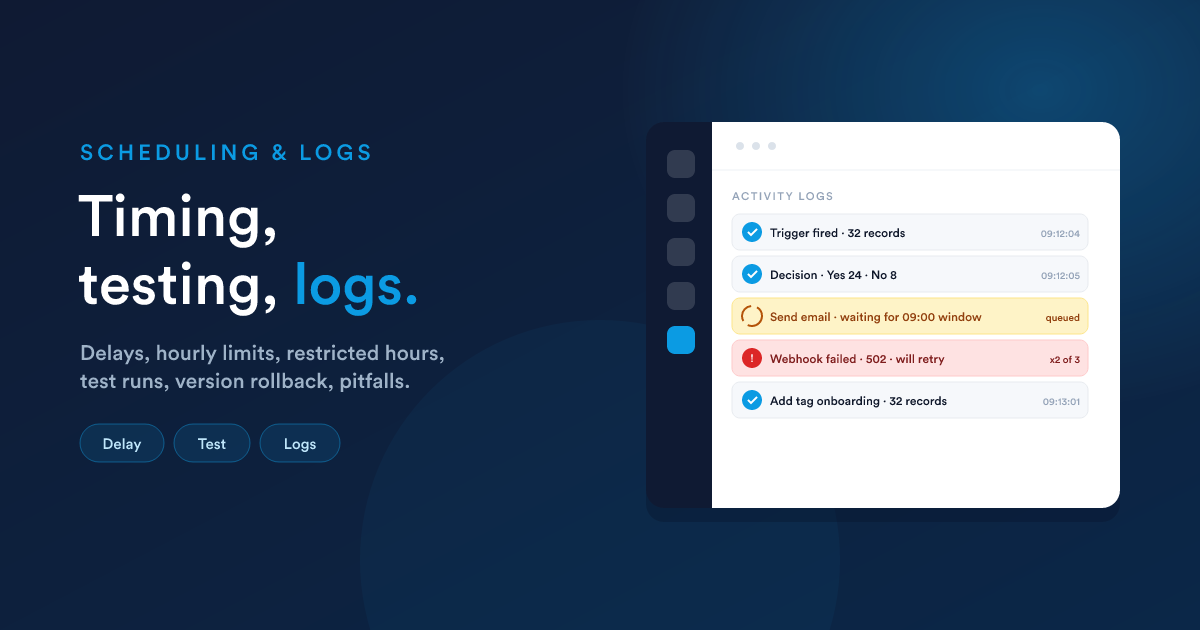
A built workflow still needs to run on time, survive testing, and tell you what happened when it does not behave. Timing controls, test runs, activity logs, version history, and the mistakes that bite people most often, all in one place.
Delays and timing
Each step has a timing setting:
- Immediate runs as soon as the step is reached (the default).
- After a delay waits an interval (minutes, hours, or days) after the parent step, then runs. Use it for follow-ups: "wait 2 days, then send a check-in."
- At a specific date and time runs at a fixed moment.
A step that is delayed or scheduled is parked and resumed on time. It does not hold anything open while it waits, so you can have huge numbers of records waiting on a delay without any cost in the meantime.
Restricted hours and skip days
Any step can be restricted to a time window and to certain days:
- Set a from and to time (and a timezone) so the step only runs during, say, 09:00 to 17:00.
- Choose days to skip (e.g. weekends).
A step that becomes due outside its allowed window is not dropped. It waits in the queue and fires when the window opens. Time windows that cross midnight (e.g. 22:00 to 06:00) are handled correctly.
This is how you keep customer-facing messages polite, no 3am SMS, without complicating the rest of the workflow.
Throttling (the hourly limit)
Each workflow has an hourly limit (default 3,000) on how many records flow through it for list- and **schedule-**sourced workflows. This paces bulk processing so a huge population is spread out rather than dumped at once.
How the maths works
The scheduler sweeps for due work on a tight cycle. To pace evenly across the hour it grants each sweep one-tenth of the workflow's hourly limit:
| Hourly limit | Per-sweep quota | Sweeps per hour |
|---|---|---|
| 3,000 (default) | 300 records | 10 |
| 1,000 | 100 records | 10 |
| 10,000 | 1,000 records | 10 |
| < 10 | the full limit, but only once per hour | 1 |
So a list-sourced workflow on the default limit will process about 300 records roughly every six minutes, not 3,000 all at once at the top of the hour. If a large list-driven workflow seems "slow," it is usually this pacing doing its job. Raise the limit if you genuinely need more throughput and the channels it sends on can absorb it.
What is and is not paced
| Source | Paced by the hourly limit? |
|---|---|
| Lists | Yes |
| Scheduled | Yes |
| Record events | No, reacts to each event as it happens |
| Listener | No, reacts to each external signal as it arrives |
| Manual | No |
Record-event and listener workflows are driven by individual events, so there is nothing to pace. They are inherently spread out over the day.
Test a workflow before going live
Never publish blind. Open the workflow and use the test run: it executes the whole tree against one real record you choose, and shows you the outcome of every step. What it would send, what it would change, which branch each decision took.
Because the test walks the real steps, it is the fastest way to catch a wrong field name, an empty value, or a branch connected to the wrong side of a decision. Test, read the per-step results, fix, test again, then publish.
The activity logs
A live workflow records what it does. From an open workflow you can see:
| View | What it shows |
|---|---|
| Processed | records that have been through the workflow, and how |
| Queued | records waiting on a delay or schedule |
| Logs | the per-step log: which step ran for which record, the result, and the failure reason if it failed |
| Activity stream | a live feed and summary of workflow activity |
When something is not behaving, the Logs view is where you look first. Every step writes a row, including a failure reason when it fails.
Versions and rollback
Every time you save a workflow, Flexie keeps a version. From an open workflow:
- Versions lets you review the history of changes.
- Roll back restores an earlier version if a change caused a problem.
This makes editing a live workflow safe: if an edit misbehaves, roll back.
Common pitfalls
| Symptom | Usual cause | Fix |
|---|---|---|
| A step never runs | It is a child of a decision but is not attached to the Yes or No branch | Connect it to the correct branch |
| Steps run in the "wrong order" | Two steps placed as siblings run in parallel, not in sequence | Put the second step beneath the first so it is a descendant |
| A later step cannot see an earlier step's value | The later step is not a descendant of the step that produced the value | Re-parent it below the producing step (see Passing data) |
| Two branches both touch the same field, with inconsistent results | They run in parallel, neither one is "first" | Sequence them as parent and child, or split into separate decisions so only one branch runs |
| An "update" trigger never fires | No watched field change was configured | Specify which field change should trigger it |
| The "update" trigger fires too often | Too many fields watched, or watched fields that change for unrelated reasons | Narrow the watched field list to the ones you actually care about |
| A list-sourced workflow never reaches some records | The list excludes them, or the hourly limit is still working through the population | Check the list definition and the throttle, give it time, or raise the limit |
| A bulk workflow is slow | The hourly limit is pacing it | Raise the limit (within channel capacity), or use a record-event source if appropriate |
| A message went out at a bad hour | No restricted hours on the send step | Add a time window or skip days to the step |
| A scheduled step seems to fire at unexpected times | Restricted hours or skip days have pushed it to the next allowed moment | Look at the step's trigger date in the Queued view |
| A webhook intermittently fails | Transient errors with no retry | Enable retries on the Webhook action |
| A webhook always fails | Wrong URL, wrong method, wrong body shape, or auth missing on the other side | Check the step's log, the response body and status code are recorded |
| A value is blank in output | The field was empty for that record | Guard with default(...), coalesce(...), or an {% if %} |
A token like {{ __data.X }} returns blank |
Either nothing has been stored under that name above this step, or the name is misspelt | Confirm where X is written and that the writing step is an ancestor of the reading step |
| A condition is always taking the No branch | The left value is reading from the wrong place. Most commonly a body field referenced as bare {{ X }} when it should be {{ __data.X }}, or a current-record field referenced as {{ entity.X }} when it should be {{ X }} |
See Dynamic Endpoints, Receiving data and Flexie Scripting, Language basics |
is_empty or is_not_empty rules give odd results |
The field is actually NULL, not empty |
Use is_null or is_not_null |
| A "between" date filter excludes the boundary | "Between" is inclusive on both ends; you may have given it dates rather than datetimes | Use datetimes (2026-05-01 00:00:00 to 2026-05-02 23:59:59) for full-day inclusion |
| Records show up in Queued but never run | They are outside the step's restricted window or skip days | Adjust the window, or wait for it to open |
| The workflow is published but nothing happens | The workflow is outside its publish window | Check the publish window dates |
| A test run looked good but the live workflow misbehaves | Test runs against one chosen record; live data has variations the test did not cover | Test against several different records, including edge cases (empty fields, very large values, missing relations) |
| A run created duplicate records | An action with retry, or two branches that both create | Make creation conditional, or de-duplicate before creating with findOne |
| Output changed unexpectedly after editing the workflow | A new version is live; the old behaviour is in a previous version | Use Versions to compare and Roll back if needed |
| AI-built workflows have decisions with the same condition repeated | The AI prefers explicit conditions per branch | Combine into one decision with AND or OR if simpler |
A pre-publish checklist
- Right record type and source for the real trigger?
- For update triggers, the watched field changes are set?
- Every decision's Yes and No branches connected correctly?
- Steps that depend on earlier output are descendants of those steps?
- Customer-facing sends have time windows where appropriate?
- Tested against a real record and the per-step results look right?
- Publish window set if it should only be active for a period?
Next steps
- Overview: the section map.
- Dynamic Endpoints: workflows triggered by incoming web requests.