

Call Logs & Timeline
Last updated 26 May 2026
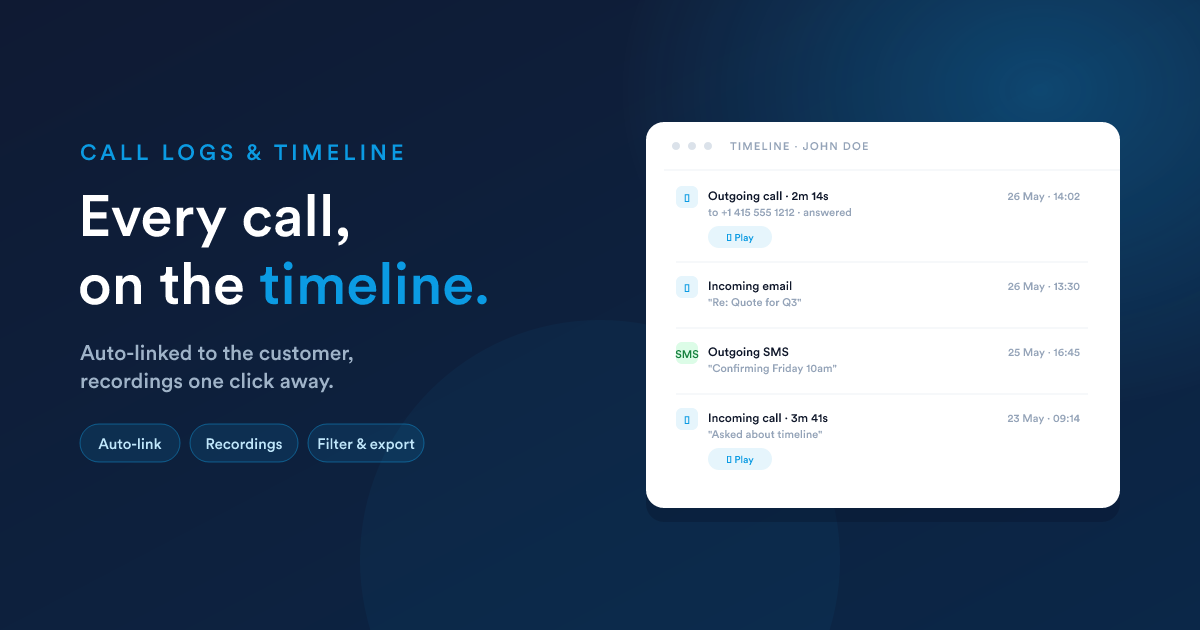
Every completed call leaves a record behind: who spoke, for how long, the recording if there is one, and a link to the customer it belongs to. The same record powers both the call-history list and the per-customer timeline.
On a customer's timeline, every call linked to that customer appears interleaved with email, SMS, WhatsApp, notes, and other events.
What's in a call record
Each completed call leaves behind a record that holds:
| Field | What it holds |
|---|---|
| Direction | Incoming or outgoing. |
| From / To | The two phone numbers in international format. |
| Started at | When the call began. |
| Duration | Talk time after answer. |
| Outcome | Answered, Busy, No answer, Cancelled by caller, Declined, Failed. See the outcomes list below. |
| Recording | A link to the recording (if recording is on for the channel). |
| Agent | The user who handled the call. |
| Linked customers | The records this call has been attached to. |
Call outcomes
The same outcome labels apply to both channels:
| Outcome | Meaning |
|---|---|
| Answered | The other side picked up; talk time was recorded. |
| Ringing | The call is still ringing (only visible on live calls). |
| Busy | The other side was on another call. |
| No answer | Rang through without being picked up. |
| Cancelled by caller | The caller hung up before the callee picked up. |
| Declined | The callee actively rejected the call. |
| Failed | Network or routing failure, couldn't complete. |
How call records link to customers
Both channels run the same matching rule at the moment a call ends:
- Normalise the other side's number to international format.
- Search every phone field across leads, contacts, accounts, deals, cases, and users.
- For every match, link the call to that record.
Concretely:
- Outbound to
+14155551212matches a Contact's Mobile field, so the call is linked to the contact (and to its account or open deals, if those records reference the same person). - Incoming from
+14155551212matches a Lead's Phone field, so the call is linked to that lead. - If
+14155551212matches both a contact and a separate lead, both get linked. The call appears on both timelines. - If nothing matches, the call is logged but not linked. It still shows in Call logs; it just doesn't have a customer.
Adding a phone field to every record type that might own the number (Contact, Lead, Account) is what makes the cross-record linking work. See Custom records & fields for the field types.
Recordings
Recording is opt-in. On Twilio, the Record calls flag on the account turns it on for every call placed through that account. On a self-hosted PBX, recording is configured on the PBX itself, Flexie just stores the link the PBX hands back.
Where the file lives:
- Twilio: on Twilio's servers. The link in Flexie streams the recording directly from there.
- Self-hosted PBX: wherever your PBX puts recordings. Often a local network share, an object store, or a per-tenant subdomain.
Playback: on the call-log list, each row has a play button that opens an inline audio player. The same player appears on the customer's timeline when you expand the call event.
Compliance:
- Recording typically requires the caller's consent. Set up your greeting or IVR to announce recording, or your jurisdiction's equivalent.
- A user with view-only access can listen to recordings but not download them. A user with full access can download (the link to the audio file is exposed).
On the customer's timeline
Every call that's linked to a record shows up on that record's timeline, interleaved with the other channels:
Each call event expands to show: direction and duration, the other party's number, the agent who handled it, the outcome, the recording (if any), and any notes added via the post-call modal.
The same timeline view interleaves email, SMS, WhatsApp, tasks, cases, and field changes, so the call sits in the right moment of context.
Filtering and search in the call-log list
The call-log list supports the usual controls:
- Search by number, agent, or matched customer.
- Filter by direction (incoming or outgoing), date range, outcome, recorded vs. not recorded, has-note vs. no-note.
- Sort by date (default desc), duration, direction, or agent.
- Export to CSV uses the same export pipeline as everywhere else in Flexie (filtered and sorted view exported).
A user's access role determines what's visible. See-own vs. see-everyone is the typical split, configured under the standard Roles model.
Manually mapping a past call to a customer
If you spot a call in the log that didn't auto-link to anyone (e.g. because the number wasn't on file at the time), open the call, click Link to record, search for the customer, save. The link appears on the customer's timeline retroactively.
A bulk version of this for backfilling history is the Match past calls to this record action, see Workflows.
Gotchas
- Incoming and no-answer. A ringing-but-unanswered call still creates a call record, with the outcome set accordingly. Use this for "called but didn't reach them" workflows.
- Outgoing and no-answer. Same, a row is written. The duration reflects what actually happened (zero, in this case).
- Recording stops at hangup. Whichever side hangs up first ends the recording, including if the customer hangs up after you've already said "this call is being recorded".
- Linked-record performance. A call against a phone that appears on many records (e.g. an account whose main number is also 200 contacts' work number) writes a lot of links. It works, but the timeline rendering is per-record, so each contact sees just the one event.
Next
- Live monitor: supervising the calls that are happening right now.
- Workflows: using a completed call as a workflow trigger.