Data Grid Reports
Last updated 25 May 2026
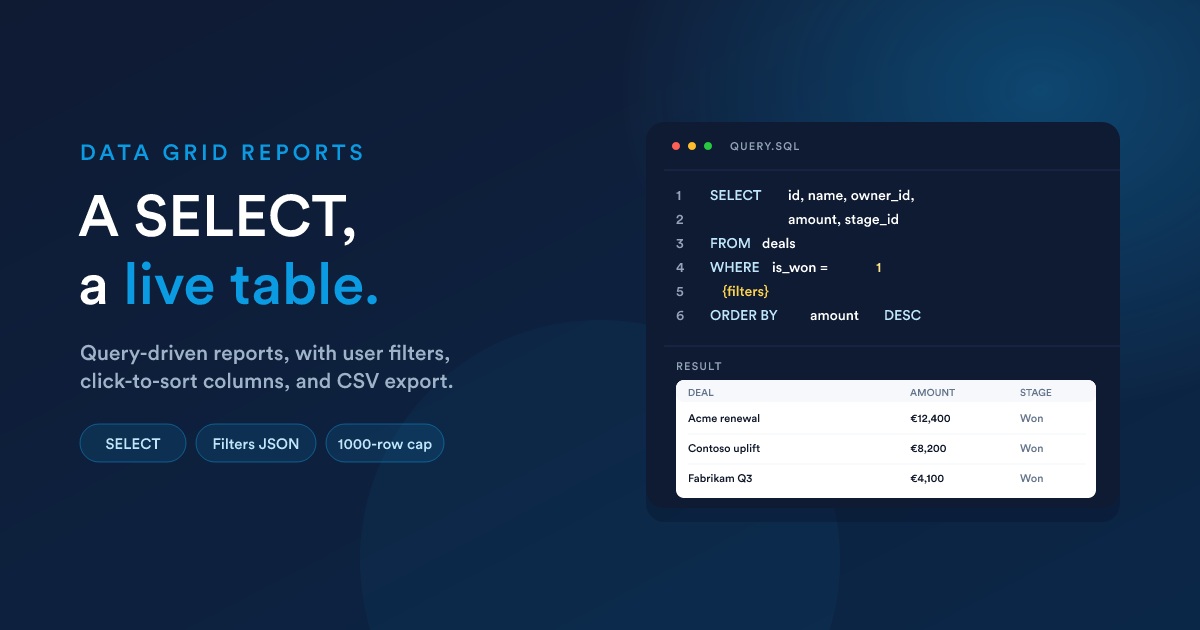
You write a SELECT query. Flexie runs it, applies any user-supplied filters and sorting on top, and shows the result as a paginated table with column headers you can click to sort. The user can change filters, change the sort, adjust the page size, and export the full result to CSV.
This is the right choice for any report whose output is rows-and-columns: a list of overdue invoices, top customers by lifetime value, agent activity, and so on. Start at Reports (/reports), click New, set output format to Data Grid.
The shape of a data grid report
The report settings
| Setting | Purpose |
|---|---|
| Name | Required. Shown in the reports list, the report's view page, and any dashboard widget that uses it. |
| Description | Optional notes shown on the view page. |
| Category | Optional folder for grouping reports. |
| Output format | Data Grid (the topic of this page). |
| Query | The SELECT statement. Required. The largest field on the form. |
| Filters (JSON) | Optional user-input filters shown above the report (see below). |
| Default order column | Which column the result is sorted by when first opened. |
| Default order direction | Ascending or Descending. |
| Who can access this report? | Who can open this report. Combinations of All Users, specific roles, user groups, or individual users. See Access control. |
Writing the query
The body of a data grid report is a single SELECT statement.
Simple example
SELECT id, name, owner_id, amount, stage_id, date_added
FROM deals
WHERE is_won = 1
ORDER BY amount DESC
That is a complete, working report. Save it and open the view page.
Joins and aggregations
JOINs, GROUP BY, aggregation functions, anything SELECT supports, are allowed:
SELECT u.full_name, COUNT(d.id) AS deal_count, SUM(d.amount) AS total
FROM deals d
JOIN users u ON u.id = d.owner_id
WHERE d.is_won = 1
GROUP BY u.id
ORDER BY total DESC
Common Table Expressions (WITH ...)
You can prepare data in a WITH clause before your main SELECT. This is the "query data before creating your own query" pattern, useful when the result depends on an intermediate calculation:
WITH won_deals AS (
  SELECT owner_id, amount FROM deals WHERE is_won = 1
)
SELECT owner_id, SUM(amount) AS total
FROM won_deals
GROUP BY owner_id
ORDER BY total DESC
The same restrictions (read-only, no SELECT *, no restricted tables, see below) apply to both the CTE sub-query and the main statement.
What the query can do, and what it can't
To keep reports fast and safe, Flexie enforces these rules at run-time.
Read-only
Only SELECT and WITH are accepted. Anything that would change or delete data is rejected at save time: INSERT, UPDATE, DELETE, DROP, TRUNCATE, CREATE. You can't even save such a report.
SELECT * is forbidden
You must list the columns you want. The query is rejected if it uses SELECT * or SELECT <table>.*. Reasons: speed, and to keep the column list predictable for filters and sorting.
Hard row cap of 1,000
Every report is capped at 1,000 rows. If your query would naturally return more, only the first 1,000 are kept. If you specify a LIMIT higher than 1,000, Flexie quietly caps it. If you need a wider total, aggregate inside the query (SUM, COUNT, GROUP BY) rather than summing in the template.
Some tables are off-limits
A short list of sensitive tables can't be queried: settings, attachments metadata, lead point-change logs, IP cross-references, mailbox or SMTP credentials, addon integration settings. You'll get an error at save time if you reference them.
Placeholder variables Flexie injects for you
Five tokens are automatically replaced before the query runs, so you can write user-aware reports without hard-coding ids:
| Placeholder | Replaced with |
|---|---|
| {user_id} | The signed-in user's id |
| {group_id} | The signed-in user's group id (-1 if they are not in one) |
| {role_id} | The signed-in user's role id (-1 if they don't have one) |
| {timezone} | The signed-in user's timezone (or the system default if not set) |
| {filters} | The SQL WHERE fragment generated from the user-input filters (see below). Typically you place this where you want filter conditions to land. |
{{user_id}} (double-braced) is also accepted as a synonym.
Examples
-- Only deals the signed-in user owns
SELECT id, name, amount, stage_id
FROM deals
WHERE owner_id = {user_id}
ORDER BY date_added DESC
-- What this user's group is currently working on
SELECT id, name, owner_id, stage_id
FROM deals
WHERE owner_id IN (SELECT id FROM users WHERE group_id = {group_id})
ORDER BY date_modified DESC
-- Apply user-supplied filters where they belong in your query
SELECT id, name, amount, stage_id, date_added
FROM deals
WHERE is_published = 1
  {filters}
ORDER BY amount DESC
If the user picks "Status = Won" in the report's filters, {filters} is replaced with AND stage_id IN (...) or whatever the chosen filter resolves to.
User-input filters
A report can offer filters at view time: drop-downs, date pickers, text boxes above the grid that the viewer can fill in to narrow the result. You configure them in the Filters JSON setting on the report (the filter editor at /reports/filters/{id}).
A quick taste:
[
  {
    "alias": "date_added",
    "label": "Date Added",
    "type": "datetime"
  },
  {
    "alias": "is_won",
    "label": "Outcome",
    "type": "select",
    "properties": {
      "options": {
        "1": "Won",
        "0": "Lost or open"
      }
    }
  }
]
That is two filters: a date range and a yes/no drop-down. The options of a select are a key → label map: the key is what flows into the query, the label is what the viewer sees.
The six filter types are text, select, number, date, datetime, and time. The viewer gets an operator drop-down for text, number, and select; date types use From/To range pickers.
Where filter values land in your query
If your query contains {filters}, that token expands to the user's selected conditions as an SQL fragment (or 1=1 if no filters are active):
SELECT id, name, amount, stage_id, date_added
FROM deals
WHERE is_published = 1
  AND {filters}
ORDER BY date_added DESC
If your query does not contain {filters}, the values are still applied. Flexie wraps your query and pushes them into the outer WHERE for you. The trade-off: you don't control where they land. Use {filters} when placement matters.
Filters can be driven by Flexie Scripting themselves
The Filters JSON is rendered through Flexie Scripting before being parsed. A select's options can come from a live query (build the option list with a {% for %} loop over query("SELECT ...")), labels can be date-aware, and filters can be conditionally shown.
Filters are deep enough to deserve their own page. See Report filters (in depth) for the full treatment: every type and its operators, the three substitution modes (
{filters}placeholder, automatic, andmanual), the__sql_filtersvariable, and using Flexie Scripting inside the filter JSON to build dynamic option lists.
Column behaviour at view time
The user can interact with the grid:
- Click any column header to sort by that column. Click again to reverse.
- Change the page size (number of rows per page).
- Apply or clear filters above the grid.
These choices are remembered per user, per report. When they come back, their last filter set, sort, and page size are still there. This is why two people can open the same report and see slightly different things; they are not seeing different data, they are seeing the same data with their own preferences.
The default sort comes from the report's Default order column and Default order direction settings.
Validation and errors
- At save time, Flexie checks your query is read-only, doesn't use
SELECT *, and doesn't reference forbidden tables. If it fails, the report won't save and you'll see the reason. - At view time, if the query has a syntax error, you'll see the database error on the view page (and only people who can view the report see it). Fix the query and save.
Performance tips
- Aggregate in the query. Don't pull 10,000 rows to sum in the template; use
SUM,COUNT,GROUP BYin theSELECT. - Filter early. Push narrowing
WHEREclauses on the largest tables first. - Index-friendly columns in
WHERE. Equality on indexed columns (id,owner_id,is_won,stage_id) is fast;LIKE '%…%'on a free-text column is slow. - Avoid wide joins when a sub-query or CTE would do.
- The 1,000-row cap is your friend. A query that could return millions of rows is not suddenly safe with
LIMIT 1000; the database may still scan everything to find the first 1,000. Filter, then limit.
Next steps
- Report filters (in depth): the dedicated deep guide on the Filters JSON, types, operators, the three substitution modes, the
manualflag, and using Flexie Scripting to drive filter options. - HTML reports: when the data grid isn't the presentation you want.
- Viewing, exporting & access: what the user sees on the report page, and CSV export.
- Reports in workflows and dashboards: using the saved report from a script or as a widget.