Overview
Last updated 26 May 2026
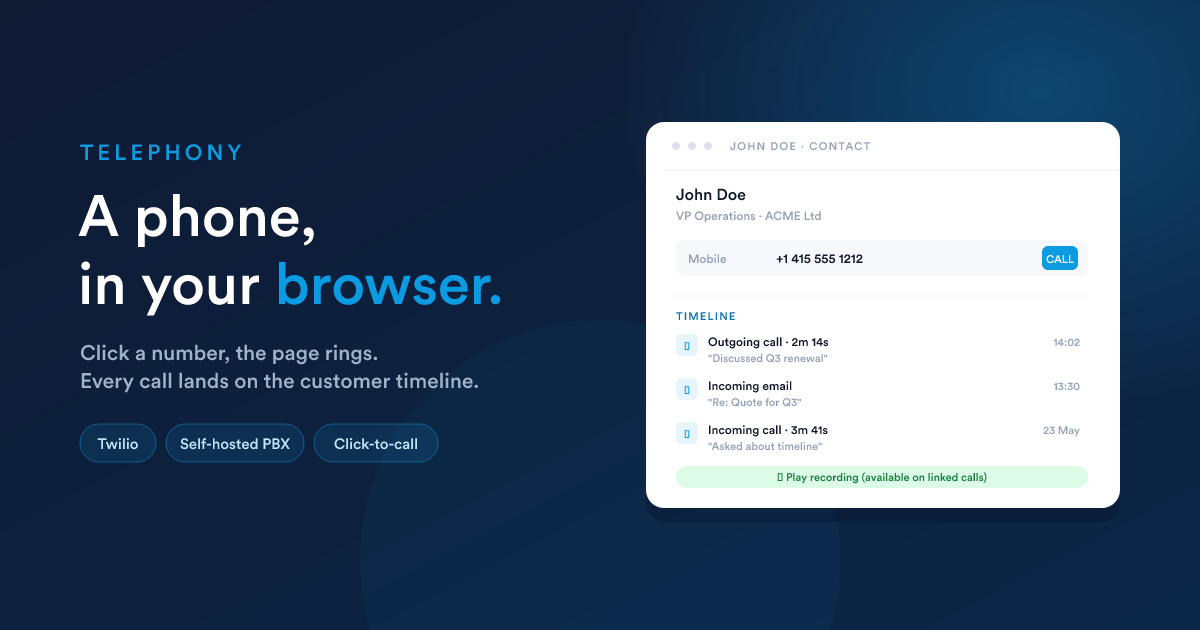
Flexie has a phone built into the platform. You click a customer's number, your browser rings, you talk, no separate desk phone, no separate softphone app. The phone runs on one of two channels you bring yourself: Twilio (a cloud telephony account) or your own self-hosted PBX. Either way, what the user sees is the same.
The softphone panel sits docked at the bottom-right of every page, where calls ring and where you dial out from.
What "the built-in phone" is
Three things rolled into one:
- A softphone in your browser. A small fixed panel at the bottom of the screen. Incoming calls ring there; outbound calls dial from there.
- Click-to-call from anywhere. Every phone number on every record (contacts, leads, accounts, deals, cases) is a button that calls the number through your softphone.
- Calls that become records. Every connected call is logged, linked to the right customer, and (where enabled) recorded, appearing on that customer's timeline alongside email, SMS, WhatsApp, and notes.
The phone shares the same conventions as the rest of Flexie's communication: a record gets every channel's history in one place, workflows can react to call events, and a call can lead into an action (create a task, send a follow-up email, change a stage).
The two channels
You pick one of two channels for your account. Both deliver the same in-browser experience, and both follow Flexie's customer-owned-channels rule, the cloud or the box belongs to you, Flexie integrates with it.
Twilio
A cloud telephony provider. You sign up for a Twilio account, buy phone numbers, plug the credentials into Flexie. Calls go through Twilio's network; recordings live on Twilio's servers. Fast to set up, no infrastructure to manage, global numbers, predictable per-minute pricing.
Self-hosted PBX
Your own phone system that you operate (on-prem or in a data centre). Flexie's softphone talks to it directly from the browser. Right when you already operate a PBX, you have local-loop interconnect, or your regulator requires on-prem recording.
An account uses one of the two channels, you don't run both together. Pick the one that fits your operation.
What's in this section
- Channels: picking a channel, the configuration screens, how phone numbers and user extensions are wired up.
- The softphone: the in-browser dialer, answering calls, click-to-call, manual dial, keypad tones, mute, transfer, the after-call note modal.
- Call logs & the customer timeline: how calls are saved against records, what each call record holds, recordings, and where to find them.
- Live monitor: supervisor view of in-progress calls, with listen / whisper / barge controls.
- Workflows: the Completed call trigger and the Match past calls to this record action.
Where the phone fits in the bigger picture
| What you want | Where to go |
|---|---|
| Set up a phone for the first time | Channels |
| Make / answer a call | The softphone |
| See a customer's call history | The customer's timeline, or Call logs |
| Watch / listen to live calls | Live monitor |
| Run a workflow after a call | Workflows |
Closely related
- Inbox: the same record hosts the customer's emails, SMS, WhatsApp, and calls.
- Workflows: the Completed call trigger is one of many triggers.
- Custom records & fields: phone fields on a record (Phone / Mobile types) are what click-to-call hooks into.