Integrations & Developer Access
Last updated 23 May 2026
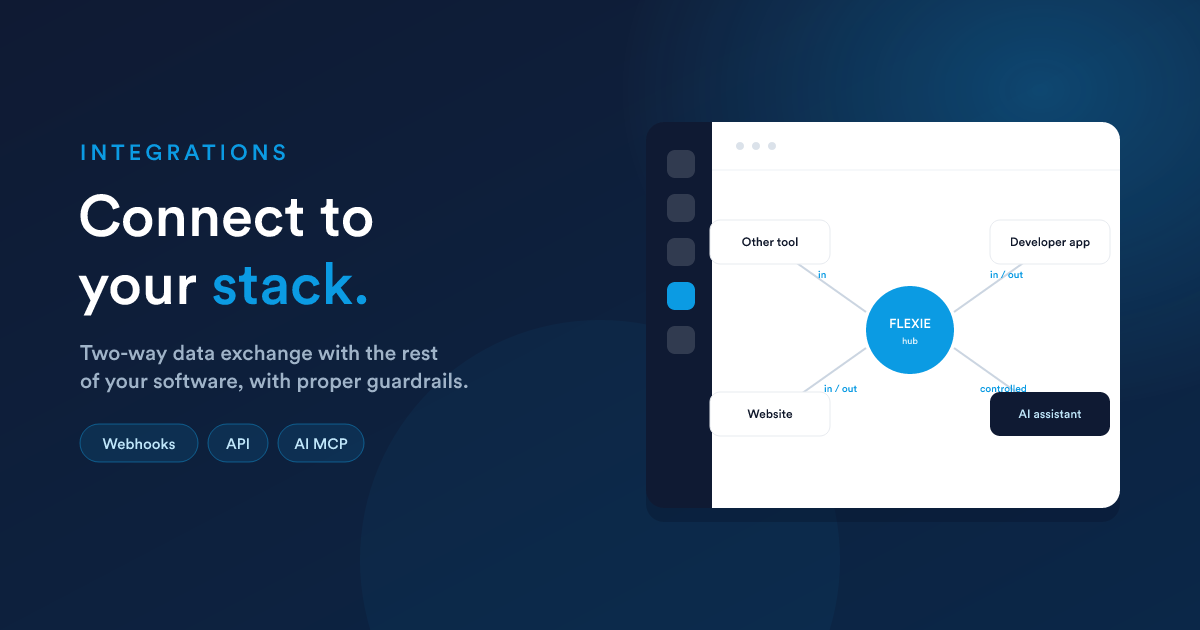
Flexie is built to work with the rest of your software. It exchanges information both ways with the other tools you use, and it offers a secure, controlled door for developers and AI assistants to work with your Flexie data. This page is written for non-technical readers. Where a developer needs to get involved, that is noted clearly.
Need to receive data from another system right now? Flexie's Dynamic Endpoints let you create a secure URL that an outside system can send data to, triggering a workflow. Often that is all the "integration" you need, with no code on the Flexie side.
Connecting Flexie to your other tools
Your business probably runs on more than one piece of software. Flexie can keep in step with the others by exchanging information on its own:
- Flexie tells other systems what is happening. When something happens in Flexie, a new customer, a paid invoice, a won deal, Flexie can notify another system straight away.
- Other systems send information into Flexie. A website, a mobile app, or a partner system can push information into Flexie the same way, often through a Dynamic Endpoint that turns the incoming request into a workflow.
The result is that your tools stay in sync without anyone copying data from one screen to another by hand.
Developer access
If you have a website, a mobile app, or a partner system that needs to work directly with your Flexie data, Flexie provides a secure way for developers to connect them.
Your technical team or a software partner can build the exact connection you need. You stay in control: you decide what each connection is allowed to do, and you can review or switch off any connection at any time.
Connecting outside AI assistants to Flexie
AI assistants are quickly becoming part of how teams work, and Flexie is ready for them. You can safely open Flexie's capabilities to an outside AI assistant so it can work with your Flexie data on your behalf, looking up customers, pulling reports, and triggering automations. This uses the open industry standard for connecting AI assistants to business software, so the assistants your team already uses can plug straight in.
This is in addition to Flexie's own built-in AI workforce. See Flexie AI.
Security and control
Every connection to Flexie, whether it is another tool, a developer's app, or an AI assistant, is protected:
- A connection only gets the access you grant it.
- Every request is checked against your permission rules.
- Anything important still asks for approval before it happens.
- You can see what is connected and switch off any connection at any time.
Opening Flexie up never means giving up control. See Accounts, Teams & Security.
You may not need an integration at all
Because Flexie already covers sales, billing, communication, and support in one platform, much of what people use integrations for happens inside Flexie. Before reaching for an integration, check whether Workflow Automation already does the job, it usually does.
Just ask Flexie AI
- "When a deal is won here, post a message to our team chat."
- "When a payment lands in our accounting tool, mark the matching invoice paid in Flexie."
- "Set up an endpoint our website can call to create a lead."
See Flexie AI.
Next steps
- Dynamic Endpoints: the no-code door into Flexie.
- Flexie AI: Flexie's own AI workforce.
- Workflow Automation: your built-in "integration" for connecting everything inside Flexie.
- Accounts, Teams & Security: control who and what has access.