Where It Runs & Its Limits
Last updated 23 May 2026
The record a script is given
Every place that evaluates Flexie Scripting hands it a record to work on plus the always-available global values. What that record is depends on the context:
| Where it runs | The record it is given |
|---|---|
| An email template sent about a contact | that contact |
| An invoice PDF template | that invoice |
| A quote PDF template | that quote |
| A workflow action on a deal | that deal |
| An SMS template | the message's recipient record |
| A snippet | the same record as the template that included it |
You read that record's fields directly, {{ first_name }}, {{ total_incl_tax }}, with no record. prefix. To work with any other record (a related lead, a recent invoice, the linked account), use a look-up function such as findOne, findMany, or getAccountContacts, and assign the result to a variable of your own.
Built-in related arrays. In a workflow whose record type has standard relations, for example a Deal, which has one linked Account and many linked Contacts, those related records are also exposed automatically as arrays under the plural name:
{{ contacts[0].first_name }},{{ accounts[0].account_name }}. Use[0]to take the first (or only) one.
The __data namespace (inside workflows)
When a script runs inside a workflow, it also has access to everything the workflow has gathered so far, under a single namespace called __data.
This is how data flows from one step to the next. When a workflow is triggered by an incoming signal (an email arrives, a form is submitted, a webhook is received), or when an earlier action stored a value, that information is available to every later step as {{ __data.something }}:
{{ __data.incoming_email.subject }}
{{ __data.incoming_sms.text }}
{{ __data.last_task.due_date }}
The full mechanics of __data, what each trigger provides, and how to store your own values for later steps, are covered in Passing data between steps. For dynamic endpoints, the incoming request body is also exposed this way, see Dynamic Endpoints, Receiving data.
Result limits
To keep templates fast and safe, look-ups that can return many rows are capped at 1,000 results:
findMany(...)defaults to 1,000 and will not exceed it.query(...)is capped at 1,000 rows.
If you need totals across more than that, total at the source with findSum, findCount, findMin, findMax (which compute in the database) rather than pulling every row back and adding them up in the template.
query(...) is read-only: only SELECT and WITH are accepted. Anything that would change or remove data (INSERT, UPDATE, DELETE, DROP), and SELECT *, are rejected. You will get an {"error": "…"} result instead.
The safety sandbox
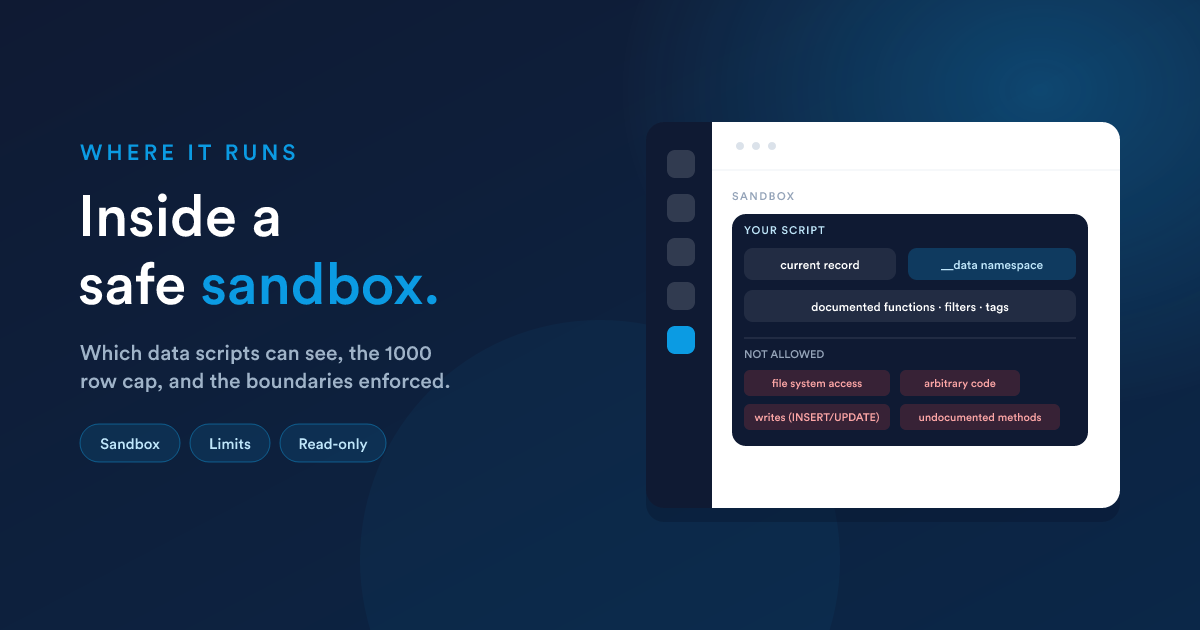
Flexie Scripting runs inside a protected sandbox. This is what keeps it safe to expose in templates and workflow fields. The boundaries:
Only the documented toolkit exists
Only the functions, filters, and tags listed in this section are available. If a script uses anything else, it stops with an error rather than doing something unexpected. The available tags are exactly:
{% if %}/{% elseif %}/{% else %}/{% endif %}{% for %}/{% endfor %}{% set %}{% snippet "alias" %}
(There is no "include a file," "import," "macro," or similar, those are deliberately not available.)
You read data, you do not call methods on it
Records are provided to your script as plain data, so reading fields works exactly as shown: {{ email }}, {{ total_incl_tax }}, {{ row['some key'] }} (where row is a variable you set from a look-up). What you cannot do is call methods or reach internal properties on objects; the sandbox does not permit it. Everything you need is exposed either as readable record data or as one of the documented functions.
It cannot reach outside Flexie
A script cannot read or write files on the server, run programs, or use anything that has not been deliberately made available. The only ways a script touches the outside world are through the dedicated, controlled functions documented here (for example a webhook is sent by a workflow action, not by the template language itself).
Errors are contained
When a script fails, a bad function name, malformed input, it raises an error in that one place. It does not crash the surrounding page or corrupt data.
Practical implications
- Test with a real record. Because a script depends on the record it is given, always preview against a real example before going live. Workflows have a built-in test mode (see Scheduling, testing & troubleshooting); templates have a preview.
- Guard against empty values. A field can be blank. Use
default(...),coalesce(...), or an{% if %}so a missing value does not produce ugly output. - Prefer database-side totals.
findSumandfindCountover fetching rows and adding them up, faster, and never hits the 1,000-row cap. - Keep heavy look-ups out of tight loops. Calling
findManyinside aforloop that itself runs over many records multiplies the work. Fetch once, then loop.
Next steps
- Recipes: complete, real examples that respect these limits.
- Function reference: the full toolkit.