Overview
Last updated 23 May 2026
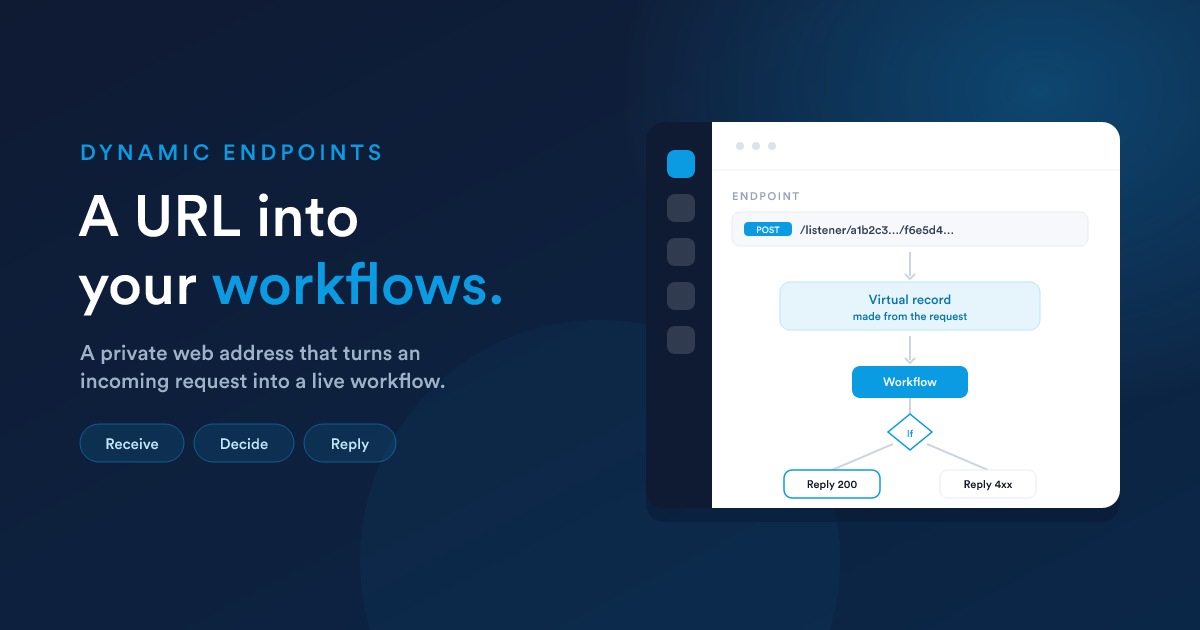
A dynamic endpoint is a private web address that an outside system can send data to, which instantly runs a workflow. It is how Flexie receives data from anywhere, websites, apps, partner systems, and acts on it.
Dynamic endpoints are part of the workflow system. Read the Workflows section first; this section builds on it.
The idea in one picture
You create the endpoint inside a workflow. Flexie gives you a unique URL. Whenever something sends data to that URL, Flexie turns the incoming request into a record the workflow can work with, runs the workflow, and (optionally) sends a response back to the caller.
What makes it different from a normal workflow
A normal workflow runs on a stored record, a lead, a deal, an invoice. A dynamic-endpoint workflow runs on a virtual record: the incoming request itself. There is no pre-existing row in your database; the data is the request that just arrived.
That is the whole reason virtual records exist: to let a workflow react to data from outside that does not (yet) correspond to anything in Flexie. The workflow can then look things up, create or update real records, send messages, call other systems, and reply, all from the data that arrived.
When to use one
- Receive webhooks from another system ("a payment was made," "an order shipped," "a form on our website was filled in").
- Accept data from your own website or app without building a full integration.
- Build a small custom API backed by a workflow, receive a request, look something up or compute something, and return a response.
- Connect tools that can "call a URL when X happens" but do not have a native Flexie integration.
If the data you want to act on already lives in Flexie, you usually do not need an endpoint. A normal record-event workflow is simpler. Endpoints are for data arriving from outside.
How it fits together
A dynamic endpoint involves six ideas, each with its own page:
- Virtual entities: the "virtual record" a workflow runs on when there is no stored row.
- Creating an endpoint: making the workflow, the unique URL, and its security (authentication and cross-origin rules).
- Receiving data: how the incoming request body and headers become values your steps can use.
- Virtual conditions: branching the workflow on the data that arrived.
- Responding to the caller: the five ways to reply (including live streaming).
- End-to-end examples: complete round trips you can copy.
Who this is for
This is power-user and administrator territory, it is where Flexie meets the wider world of web requests. You do not need to be a developer, but you will be more comfortable if terms like "POST a JSON body" and "webhook" are familiar. Everything on the Flexie side is configured in the visual workflow builder.
Next steps
- Virtual entities: the record type behind it all.
- Creating an endpoint: the URL and its security.