Approvals & safety
Last updated 6 June 2026
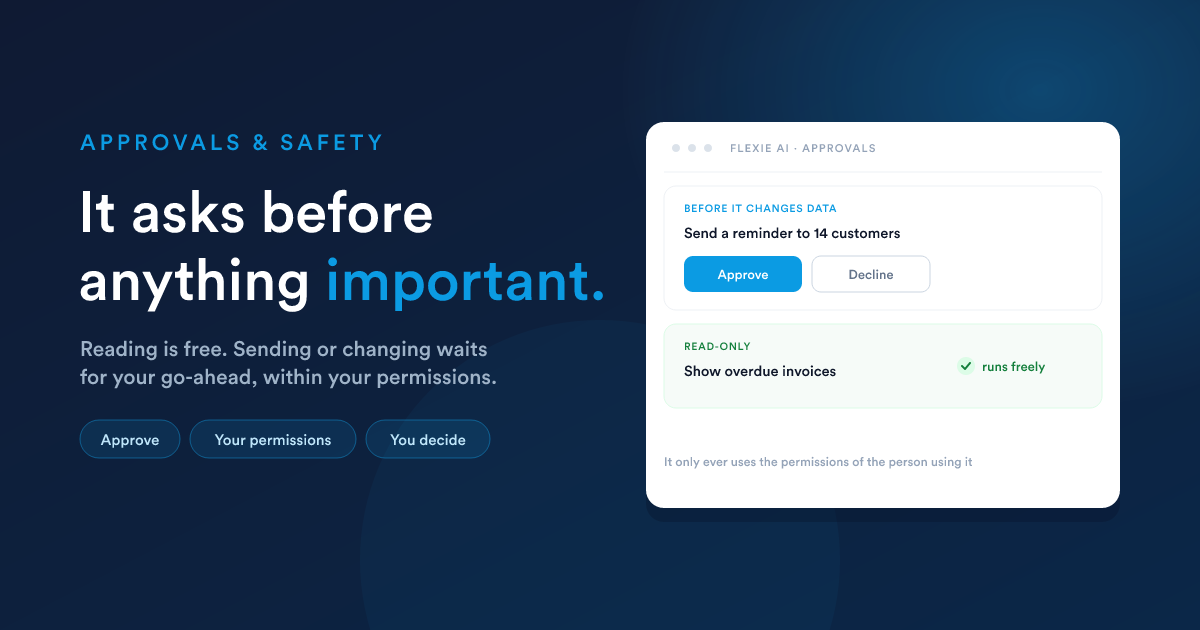
When the assistant is about to do something that changes your data, such as sending a message, creating or updating records, or switching on an automation, it does not just do it. It shows you a clear summary of what it intends to do and waits. Reading and searching, which change nothing, simply happen.
It asks before anything important
For any action that alters your data, you get two choices:
- Approve: the assistant carries the action out and continues.
- Decline: the action is cancelled and the assistant moves on.
Read-only requests, such as looking something up or running a report, do not need approval.
You decide what needs approval
Approval is not all-or-nothing. For each ability, an administrator can decide whether it should pause for a go-ahead or run freely. A common setup is to let the assistant read and search freely, but require approval for anything that sends a message or changes a record. You set this in Settings & models under "Require Confirmation".
You can step away and approve later
When the assistant is waiting on your approval, the request is held for you. You can close the panel, refresh the page, switch to other work, or come back later, and the pending request is still there waiting for your decision. It is kept for a couple of days, which is plenty of time to come back to it.
Once you approve, the action runs and its result stays in the conversation, so a refresh never strands a half-finished request or loses what the assistant did.
It only ever uses your permissions
This is the most important safety rule, and it is not optional. When someone uses the assistant, it inherits that person's permissions. It can only view or act on the records they could already reach by hand. It is never granted elevated access, and it cannot be used as a way around your permission settings. If a user cannot see a record, neither can the assistant while that user is driving it.
See Accounts, Teams & Security.
You decide who can use it
An administrator chooses which users or teams are allowed to use the assistant at all. Everyone else simply does not have it. Combined with the permission rule above, this gives you two independent dials: who may use the AI, and what each of them can reach through it.
A note on your data and the AI provider
Flexie's AI works by connecting to an AI provider you choose and trust. To answer a request, the relevant business data for that request is sent to that provider to be processed under their privacy and security terms. Flexie makes this explicit when you enable the AI, so the decision is a deliberate one. You choose the provider, and you choose what the assistant is allowed to do. See Settings & models.
The same rules everywhere
These protections apply no matter how you use the AI:
- In chat, you see and approve each plan.
- By text message or WhatsApp, it confirms before acting.
- In a workflow, you decide in advance which abilities the AI step may use, so it runs unattended only within the limits you set.
Nothing important happens unapproved or outside your rules.
Closely related
- The chat assistant: where you see and approve plans.
- Settings & models: set which abilities need approval and who can use the AI.
- Activity & oversight: review everything the AI has done.