Runtime, Parallel Execution & the Tree
Last updated 23 May 2026
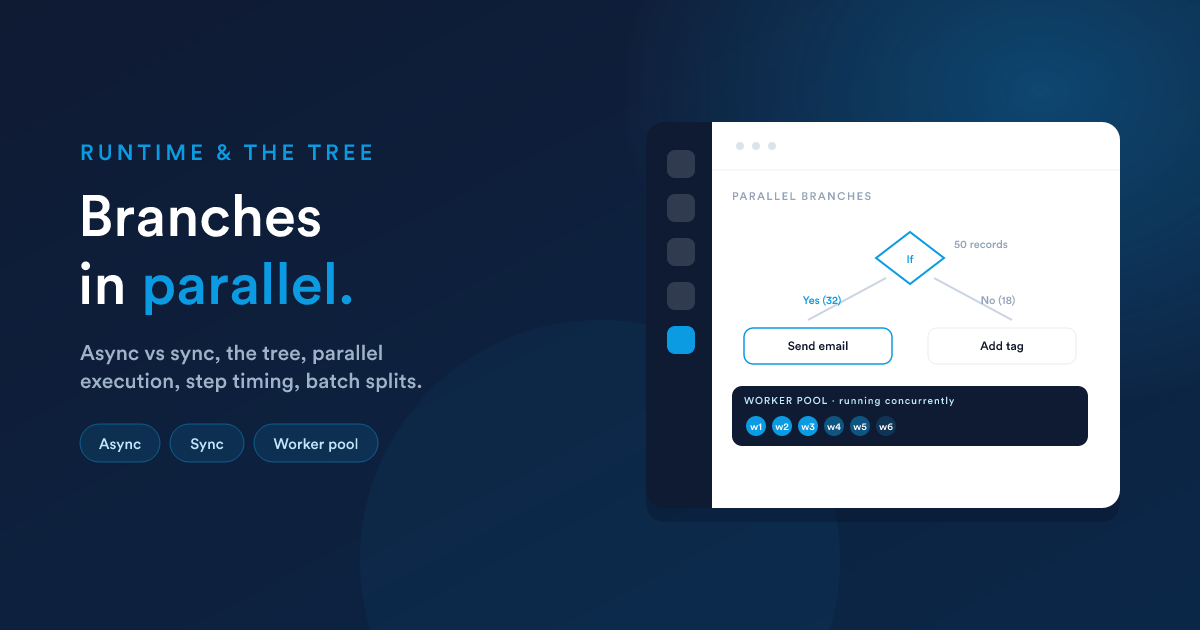
This is the most technical page in the workflow section. You do not need it to build a simple workflow, but you do need it to build a fast, correct, busy one.
The tree
A workflow is a tree of steps. Every step (except the trigger at the root) has exactly one parent, and execution flows from a parent down to its children.
Two connection rules:
- Children of an action simply run after it.
- Children of a decision are tagged Yes or No. The engine only follows the branch that matches the decision's result. A child tagged to neither branch is never reached. This is the most common "why did my step not run?" cause: it was left off the branch.
The tree also has guard rails: no loops (a step cannot lead back to itself), and the builder will auto-attach a dangling step to the previous one rather than leave it orphaned.
Multiple steps under one parent
You can connect several steps directly under the same parent. They are siblings. The engine does not run them strictly one-after-another and wait. It dispatches them together, and they can run in parallel, see below.
Multiple roots
A workflow can have more than one starting step. When the source fires, all roots start in parallel.
How a run flows
When a workflow's source fires, the engine:
- Builds the batch of records that matched the trigger.
- Walks the tree from the top. For each step it works out the timing (run now, wait a short moment, or schedule for later), runs the step, and records one log entry for it.
- Routes by result. An action's success or failure and a decision's Yes or No determine which children come next. For a decision, the batch of records is split into the ones that went Yes and the ones that went No, and each branch continues with its own set.
- Repeats down each branch until every path ends.
Every step writes a log row, so you can see exactly what happened, see the activity logs.
Async vs Sync (background vs immediate)
A workflow has a run mode, chosen when you create it. The two settings in the builder are labelled Async and Sync:
| Async (the default, runs in the background) | Sync (runs immediately, inline) | |
|---|---|---|
| How steps run | Each step is handed to the queue and picked up by a worker | Each step runs inline, right away, in sequence |
| Speed felt | Near real-time, but depends on how busy the queue is | Real-time, no queue wait |
| Best for | Almost all CRM automations, it scales and absorbs spikes | Cases that must complete instantly within a single interaction (an on-screen action), and short tests |
| If a step errors | It is logged and the run moves on | The error surfaces immediately to whatever started the run |
Use Async unless you have a specific reason not to. It is the default because it spreads work across multiple workers, survives spikes, and keeps the rest of the system responsive. Sync mode is for the narrow set of cases that need a result within a live interaction.
Some specific step types always run immediately regardless of the workflow's mode, for example an on-screen notification, where "later" has no meaning.
How branches run in parallel
This is the part people most often misunderstand, so it is worth being precise.
In Async mode, when the engine reaches a point with several steps to do next (sibling steps under one parent, multiple starting roots, or the two branches of a decision that both have records flowing into them), it hands each of them to the queue as a separate job. The pool of workers then picks those jobs up and runs them concurrently.
So parallelism comes from two places:
- Across steps: independent branches advance at the same time, on different workers.
- Across records: a batch of many records is processed by the worker pool together, not strictly one at a time.
What this means for you:
- Do not assume sibling steps finish in a fixed order. If step B must happen after step A, connect B beneath A, do not place them side by side and hope.
- Make steps that might run together safe to do so. If two branches both touch the same field, decide deliberately which should win, or sequence them.
- A later step that needs an earlier step's output must be a descendant of it in the tree, that is also how the data is passed (see Passing data between steps).
Sync mode runs steps in sequence rather than dispatching them to workers, so there is no cross-step parallelism. Another reason it is reserved for short, ordered, must-be-instant flows.
Step timing: now, soon, or later
Each step has a trigger mode that decides when it runs once execution reaches it:
| Trigger mode | Behaviour |
|---|---|
| Immediate | Runs as soon as the step is reached (the default). |
| Interval | Wait a set number of minutes, hours, or days from the parent step, then run. |
| Date | Run at a specific date and time. |
The engine handles these efficiently with a 10-second threshold:
- A wait of 10 seconds or less is held in place. The engine just pauses briefly and runs the step inline. No queue round-trip.
- A wait of more than 10 seconds (or a fixed date in the future) is parked: the step is recorded with a trigger date and picked up by the scheduler when its time comes. Nothing is held open in the meantime. The worker that reached the step is freed immediately.
That is why a workflow with thousands of records on a 7-day delay costs almost nothing while they wait: each parked record is just one log row with a future trigger date. A separate scheduler sweeps for due rows on a tight cycle and dispatches them.
Restricted hours and skip days
A step can also be restricted to a time window (with a timezone) and to certain weekdays. A step that becomes due outside its window is kept in the queue and fired when the window opens, not dropped. Time windows that cross midnight (e.g. 22:00 to 06:00) are handled correctly. Configuring these is covered in Scheduling.
How a decision splits a batch
When several records flow into a decision together, the engine evaluates the condition for each one and splits the batch in two: the records that came back Yes and the records that came back No. Each branch then continues with its own set, independently:
So a single workflow run can take many records down many different paths at once. Each step's log row records how many records passed through it and what happened, so even a complex split is auditable from the Logs view.
Why a busy workflow stays healthy
- Async mode plus a worker pool means thousands of records can be in flight without blocking the app.
- Scheduled steps do not "wait" by holding resources. They are parked with a trigger date and resumed on time.
- List- and schedule-sourced workflows are paced by an hourly limit so a huge population is spread out rather than dumped all at once (see throttling). Record-event and listener workflows are not paced. They react immediately, because they are driven by individual events rather than bulk populations.
Next steps
- Passing data between steps: how data flows down the tree.
- Scheduling, testing & troubleshooting: delays, limits, logs, and fixing problems.