Inbox in Workflows
Last updated 26 May 2026
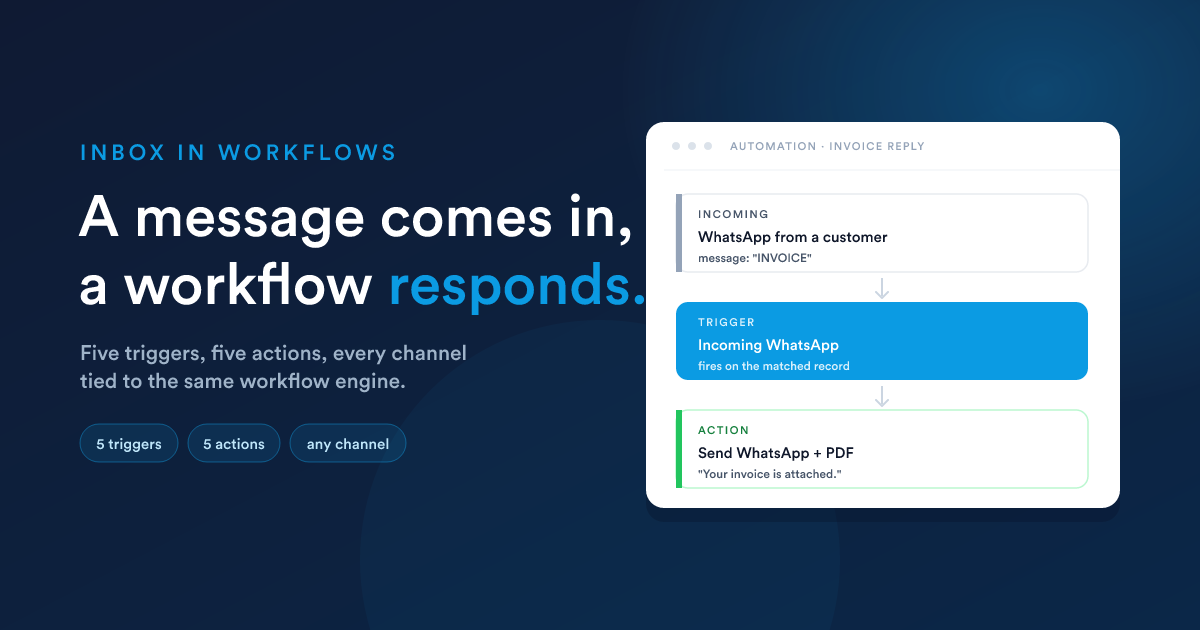
Every channel can be a workflow trigger (a message came in) and a workflow action (send a message). Most automation in the communication area lives in that loop, a message in, a workflow run, a message back out.
For workflow fundamentals (building, runtime, parallel branches, passing data) see Workflows (in depth).
At a glance
A workflow can start with a message coming in (a trigger) and respond with a message going out (an action). Most automation in the communication area lives in that loop.
Triggers: full catalogue
| Trigger | Runs when | Data your workflow can read |
|---|---|---|
| Incoming emails | Inbound email matched to a record. Filter by account, folder, read/unread state, and new-vs-reply. | incoming_email |
| Email opened | A previously-sent email is opened by the recipient. | (no extra data) |
| Incoming SMS | Inbound SMS matched to a record. Optional text pattern (YES*, *opt out*, etc.). | incoming_sms |
| SMS delivered | An outbound SMS is reported delivered by the provider. Useful for "X minutes after delivery" follow-ups. | delivered_sms |
| Incoming WhatsApp | Inbound WhatsApp matched to a record. Includes group fields when the message is from a group chat. | incoming_whatsapp |
A trigger "runs once per matched record". If an inbound message links to a contact and a lead, the workflows on both record types run independently. See Workflows → Triggers and sources.
What's in each data bundle
Each trigger exposes the message's fields under a name in your workflow data. Use them anywhere Flexie Scripting is accepted: message bodies, subjects, decisions, field updates.
incoming_email
{{ __data.incoming_email.from_email }}
{{ __data.incoming_email.from_name }}
{{ __data.incoming_email.subject }}
{{ __data.incoming_email.text }}            {# plain-text body  #}
{{ __data.incoming_email.html }}            {# HTML body         #}
{{ __data.incoming_email.cc_emails }}       {# array of strings  #}
{{ __data.incoming_email.cc_names }}        {# array of strings  #}
{{ __data.incoming_email.date_received }}
{{ __data.incoming_email.has_inline_attachments }}
{{ __data.incoming_email.has_regular_attachments }}
{{ __data.incoming_email.all_attachments_count }}
{{ __data.incoming_email.all_attachments }} {# array of {name, attachment_type, mime, size} #}
incoming_sms
{{ __data.incoming_sms.sender_number }}  {# +14155551212 #}
{{ __data.incoming_sms.to_number }}      {# your line    #}
{{ __data.incoming_sms.text }}
{{ __data.incoming_sms.date_received }}
delivered_sms
{{ __data.delivered_sms.text }}
{{ __data.delivered_sms.date_delivered }}
incoming_whatsapp
{{ __data.incoming_whatsapp.from_number }}
{{ __data.incoming_whatsapp.to_number }}
{{ __data.incoming_whatsapp.text }}
{{ __data.incoming_whatsapp.message_type }}        {# "text" or "media"   #}
{{ __data.incoming_whatsapp.direction }}           {# always "inbound"    #}
{{ __data.incoming_whatsapp.whatsapp_message_id }}
{{ __data.incoming_whatsapp.is_group }}
{{ __data.incoming_whatsapp.display_name }}
{{ __data.incoming_whatsapp.date_received }}

{# only when is_group is true: #}
{{ __data.incoming_whatsapp.group_jid }}
{{ __data.incoming_whatsapp.group_name }}
{{ __data.incoming_whatsapp.participant }}
{{ __data.incoming_whatsapp.participant_jid }}
See Workflows → Passing data between steps for the broader __data model.
Actions: full catalogue
| Action | What it does |
|---|---|
| Send email | Send an email from a template or an inline subject/body to the record. |
| Send notification email | Send a notification email (to staff or a fixed address). |
| Send SMS | Send SMS to the record. |
| Send WhatsApp | Send WhatsApp to the record (only available when WhatsApp is enabled). |
| Save email attachments to the customer | Save inbound-email attachments against the linked record's attachments tab. |
Send email
Form fields:
- Email template: pick a saved email template, or inline a one-off subject and body.
- To: usually the record's primary email field, but you can override with another field or a literal.
- CC / BCC: optional.
- From address / Reply-to: overrides the template's defaults.
- Attach a file: optional; you can attach a generated PDF (quote, invoice) by name.
Variables resolve against the record the workflow is running on, just like in compose.
Send SMS
Form fields:
- Message: text body with variables.
- Mobile field: which field on the record holds the destination phone (a phone/mobile field).
- From line: which connected SMS line to send through.
Send WhatsApp
Form fields:
- Message: text body with variables.
- Mobile field: phone field to send to.
- Channel: which connected WhatsApp number to send through.
Constraint: the recipient must have an existing inbound message on the chosen channel. WhatsApp's session-window model forbids cold outbound to a brand-new number, the action enforces this on its side.
Save email attachments to the customer
Form fields:
- Attachment filter: optional name / file-type filter (e.g.
*.pdfto copy only PDFs). - Attachment categories: where to file the copies in the record's attachments collection.
Most often used right after an "Incoming emails" trigger to file inbound documents.
End-to-end recipes
1. Customer replies "STOP" → opt them out of SMS
2. Incoming contract email → file the PDF on the deal
3. WhatsApp "INVOICE" → reply with the latest invoice PDF
4. Email open within 24 h → keep cadence, otherwise follow up
5. Customer texts back about an open case → keep it in the same case
This one's automatic, no workflow needed. When you reply on a case via SMS, Flexie inserts a short reference token ([FX-XXXXXXXX]) into the outbound text. If the customer replies from the same number, the incoming message attaches itself to the same case. The case page shows the full back-and-forth as one thread.
See SMS → Auto-case-threading.
The __data shape, in context
The __data namespace is built up step by step as a workflow runs. For communications:
{{ __data.incoming_email.subject }}     {# only if triggered by "Incoming emails"      #}
{{ __data.incoming_sms.text }}          {# only if triggered by "Incoming SMS"         #}
{{ __data.incoming_whatsapp.text }}     {# only if triggered by "Incoming WhatsApp"    #}
{{ __data.delivered_sms.text }}         {# only if triggered by "SMS delivered"        #}

{{ first_name }}                        {# always, the current record's field         #}
{{ contacts[0].first_name }}            {# always, related record, even on mail flows #}
Use the trigger-specific name when you need data from the message that started the workflow; use the top-level record fields for everything else.
When a trigger doesn't run (debug checklist)
In roughly increasing difficulty:
- Is the workflow published? Unpublished workflows don't run at all.
- Is the trigger configured for the right record type? An "Incoming SMS" trigger on Contact won't run when the SMS links only to a Lead. Either add the trigger for both record types, or change the record-type selection on the workflow.
- Did the inbound message link to any customer? Check the inbox under the Not linked filter. No link → no customer → no trigger.
- Does the text match? Patterns are case-insensitive but require literal
*/?wildcards.YESdoesn't match"Yes please". UseYES*. - For email: does the trigger's account + folder + read state + new/reply combination match the actual message?
- For WhatsApp: is WhatsApp enabled for this account? The "Incoming WhatsApp" trigger only appears in the picker when WhatsApp is on.
Open the workflow's History tab to see whether the trigger ran but the next action errored, or whether the trigger itself never ran in the first place.
Next
- Workflows (in depth): the canvas, triggers, actions, decisions, async vs sync, the tree.
- Flexie Scripting: the language used in template bodies, message bodies, and
__dataexpressions. - Inbox overview: the shared inbox concept, filters, channel mix.