Payments
Last updated 26 May 2026
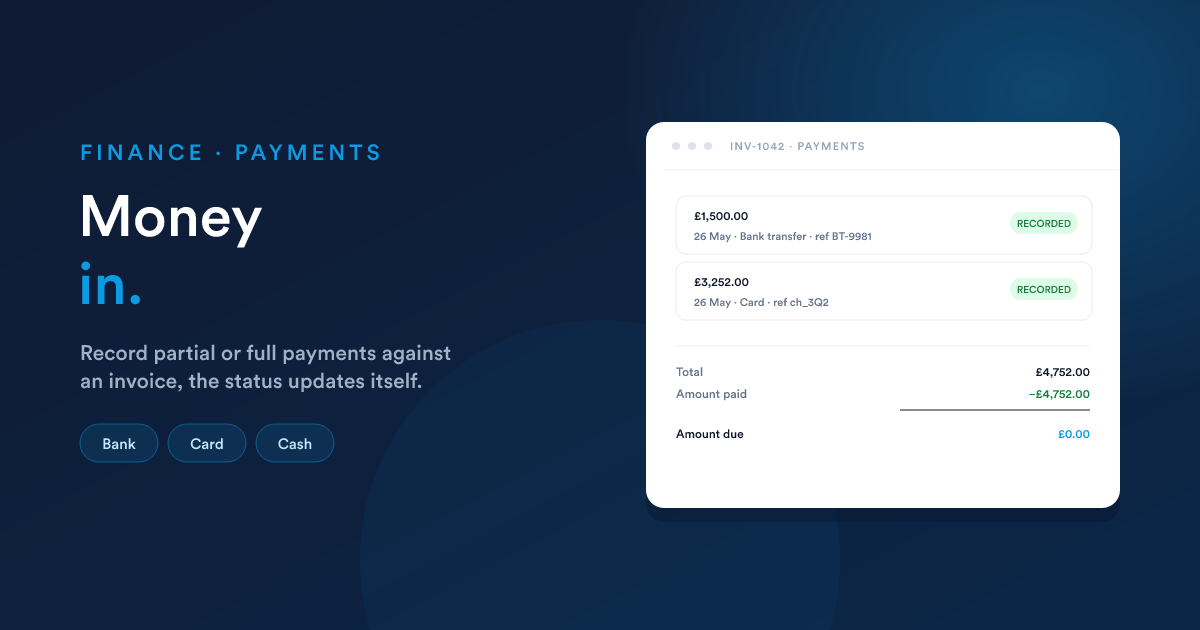
Recording the money that comes in against your invoices. Partial or full, multiple payments per invoice, with the payment status updating itself as you go.
What a payment is
A payment is one piece of money received against one invoice. It has:
- An amount, what came in.
- A date, when it came in.
- A method, how it came in (bank transfer, card, cash).
- A reference, an external identifier (bank transaction id, cheque number) for your records.
An invoice can have many payments: a deposit followed by the balance, monthly instalments, partial settlements. Each one is a separate record, and Flexie keeps track of the running total against the invoice.
Recording a payment
From the invoice page, click Record payment. A small form opens.
| Field | What it does |
|---|---|
| Amount | How much was received. Pre-filled with the remaining balance, adjust down for a partial payment. |
| Payment date | When the payment arrived. Defaults to today. |
| Method | Bank (transfer / direct deposit), Online (card, gateway payment), Cash, or Other. |
| Reference | An external identifier, bank transaction id, cheque number, gateway reference. Helps you reconcile against bank statements. |
| Received from | (Optional) Who actually sent the money, when it's not obvious from the invoice. E.g. "Paid by parent company". |
| Notes | Free-text notes, visible internally, not shown to the customer. |
Save → the payment is recorded against the invoice.
The "never more than what's owed" check
Flexie won't let you record a payment bigger than the invoice's remaining balance. If you try, the form shows an error:
You added an amount greater than the invoice balance, which should be £750.00.
This protects you from typos and accidental over-payment records. If you genuinely did receive more (e.g. the customer overpaid), record the actual invoice amount as one payment, and handle the excess separately, either as a credit memo to refund it, or as an open balance to apply to the next invoice.
How the invoice status updates
As payments come in, the invoice's payment state updates automatically:
| When | Status |
|---|---|
| No payments yet | Not paid |
| One or more payments, but total < amount due | Partially paid |
| Payments total = amount due | Fully paid |
You see the running totals at the bottom of the invoice:
| Amount | |
|---|---|
| Total | £1,200.00 |
| Amount paid | −£400.00 |
| Amount due | £800.00 |
Each payment shows up as a row on the invoice's Payments tab: date, amount, method, reference, who recorded it.
Partial payments
Common patterns Flexie handles cleanly:
A deposit followed by the balance
Customer pays 30% on signing, 70% on delivery. Two payments against the same invoice, first one at partially paid, second one finishes at fully paid.
Monthly instalments
Customer is paying off a £6,000 invoice over six months. Six payments of £1,000. Invoice sits at partially paid for months, flips to fully paid on the sixth payment.
Short payments
Customer paid £980 against a £1,000 invoice (bank charge took £20, or just a typo). Invoice stays at partially paid with £20 due, chase the difference, or write it off with a small credit memo.
Voiding a payment
If a payment was recorded by mistake (typo, wrong invoice, or the payment turned out to bounce) you can void it.
Open the invoice → Payments tab → click the payment → Void.
What happens:
- The payment's amount is removed from the amount paid total.
- The invoice's status updates back (e.g. from fully paid to partially paid).
- Your books get a reversing entry: the original journal entry is undone with an equal-and-opposite one, see Accounting. Nothing is deleted; voiding leaves a clean audit trail.
Voiding can't be undone with another click. If you change your mind after voiding, record the payment again.
What a payment looks like to your accountant
A payment isn't just a number against an invoice, it's also a journal entry in your books. Recording a payment of £400 against an unpaid invoice does this:
| Account | Amount | Note | |
|---|---|---|---|
| Debit | Cash (or Bank) | £400 | money in |
| Credit | Accounts Receivable | £400 | customer owes less |
A voided payment does the opposite, reversing both entries. The ledger remains balanced at every step.
See Accounting for the full picture, including how partial payments interact with the tax-payable account.
Payments from automations
Workflows can record payments too, useful when a payment gateway sends you a webhook confirming a card charge. Use the Record payment action in your workflow with the amount, method, and reference fields filled in from the webhook data.
See Workflow automation for the broader picture.
Refunds and over-payments
Flexie's payment system is for money in. For money out:
- Refund a customer who paid too much: issue a credit memo against their invoice (see Invoices → Credit memos) and process the refund through your bank or card processor separately.
- Apply an over-payment to the next invoice: record the actual amount paid against the open invoice (up to the balance), then apply the excess to the next invoice when you raise it. Most teams find it cleaner to issue a credit memo and re-bill the net amount.
Gotchas
- A payment is tied to one invoice. If a customer sends one cheque covering three invoices, record three payments, one per invoice, with the same date and reference. Don't try to attach a single payment to multiple invoices.
- The payment date matters for your books. Money received on 31 December lands in this year's revenue (or cash-account movement); money received on 1 January doesn't. The payment date, not the date you recorded it, is what counts.
- Drafts can't take payments. A draft invoice has no payment tab, finalise it first.
- You can record a payment dated in the past. Useful when reconciling against a bank statement that lists payments from earlier in the week. Don't, however, post-date payments to the future unless you know what you're doing, they affect the payment status immediately.
- Voiding a payment doesn't notify the customer. If the customer thinks the invoice is paid (they got a thank-you email) and you've since voided the payment, you'll need to reach out to them separately.
Next
- Accounting: what every payment does to your books, and how the chart of accounts is organised.
- Invoices: the bills payments settle.
- Workflow automation: triggers when a payment is recorded or an invoice is fully paid.