Virtual Conditions
Last updated 23 May 2026
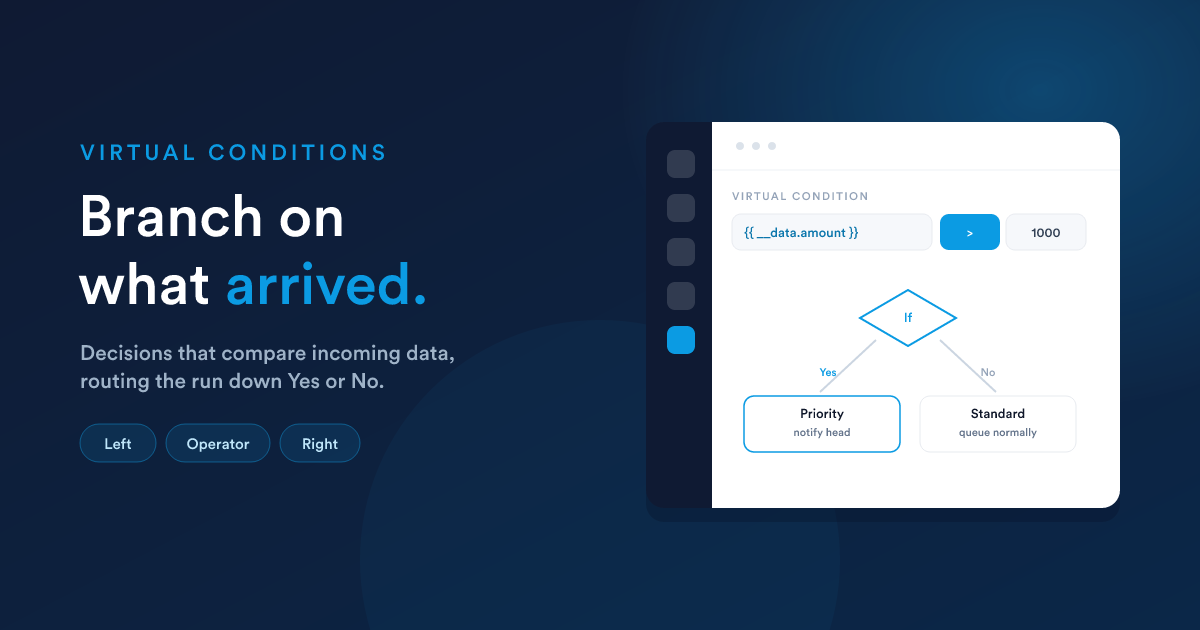
A virtual condition is one of the four workflow decision types. It is the one you use in dynamic-endpoint (and other virtual-entity) workflows, because there are no stored record fields to filter on, only the data on the __data notepad and the incoming request body.
What it does
A virtual condition compares a value you specify against another value, using an operator, and routes the record to the Yes or No branch. The values are written as Flexie Scripting tokens, so they are worked out from the live data at the moment the workflow runs.
"If the incoming
invoice_amountis greater than 1000, go down the Yes branch."
{{ __data.invoice_amount }}   greater than   1000   →  Yes / No
        (left value)          (operator)    (right value)
The left value is usually a token pointing at incoming data ({{ __data.invoice_amount }}, {{ __data.webhook.status }}); the right value is what you are comparing against, a fixed value or another token.
The full operator catalogue
| Operator | True when… |
|---|---|
| equal / not_equal | The two values match / do not match |
| greater / greater_or_equal | Left is larger (or equal) |
| less / less_or_equal | Left is smaller (or equal) |
| greater_than_now / less_than_now | A date value is after / before the current moment |
| between | Left falls within a range (you give two endpoints) |
| contains / not_contains | Text includes / excludes a substring |
| begins_with / not_begins_with | Text starts / does not start with a value |
| ends_with / not_ends_with | Text ends / does not end with a value |
| is_empty (also empty) | The value is blank or null |
| is_not_empty (also not_empty) | The value is present |
Two names for the same thing.
is_emptyandemptyare accepted as the same operator at runtime, as areis_not_emptyandnot_empty. The builder lists the short form; AI-generated definitions sometimes use the long form. Both work.
How values are compared, important rules
- Numbers are compared as numbers.
10000is greater than5000. Flexie does not compare numeric strings character-by-character (which would wrongly make"10000"less than"5000"because'1' < '5'). - Dates are compared as dates. A date string like
2026-05-23is recognised and compared chronologically. Different date formats normalise to the same moment. - Text is compared case-sensitively.
"Ping"does not equal"ping". If you need case-insensitive comparison, lower-case both sides with thelowerfilter:{{ __data.type | lower }}vs"ping". - Tokens are resolved before comparison. The values inside
{{ … }}are computed first, so you can put any Flexie Scripting expression in either operand, including functions and filters.
Building one
In the workflow builder, add a decision and choose the virtual condition type. Then:
- Left value: the token to evaluate, e.g.
{{ __data.invoice_amount }}or{{ __data.webhook.status_code }}. - Operator: from the list above.
- Right value: what to compare against (a literal like
1000, or another token). - Connect the steps for Yes and the steps for No to the matching branches.
Remember the tree rules: a step attached to neither branch never runs.
Reading the data correctly
Because the left value is almost always incoming data, the Receiving data rules apply:
- Body fields are under
__data,{{ __data.invoice_amount }}, not bare{{ invoice_amount }}. - Headers are under
{{ __data.__headers.* }}. - Values your earlier steps stored are also under
{{ __data.* }}.
A condition that is always taking the "No" branch is, nine times out of ten, reading the value from the wrong place (most often missing the __data. prefix on a body field). Check this first.
A note for advanced or AI-built workflows
When a workflow is built by description (via Flexie AI) or imported, a virtual condition is stored with a fixed internal structure: a single rule whose comparison operands are nested together (the value-to-check and the value-to-compare-against), with the operator. The visual builder produces this structure for you, you only ever set the left value, operator, and right value. If you are constructing definitions directly, keep the operands nested as the builder does; a bare scalar in place of the operand pair will not evaluate.
Next steps
- Responding to the caller: replying based on the branch you took.
- End-to-end examples: conditions in a full workflow.