Authentication & CORS
Last updated 27 May 2026
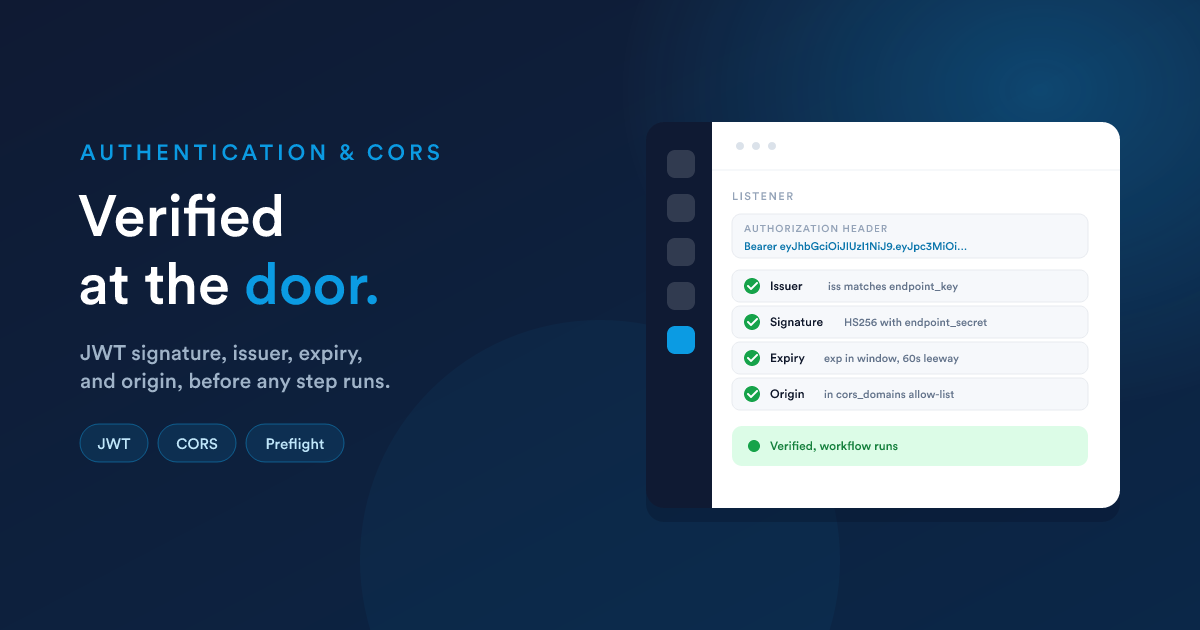
An endpoint listener has two protection mechanisms: a JSON Web Token check that lets you reject any call not signed with your shared secret, and a cross-origin check that lets a web browser call the endpoint from your own site (and only your own site). Both are introduced briefly in Creating an endpoint. This page is the deep reference for both, the exact protocol the calling system has to follow, the failure responses, the gotcha when you turn both on at once, and ready-to-adapt code samples in nine languages.
The order things happen in
When a request hits /listener/{first_hash}/{second_hash} and the listener has either feature turned on, Flexie processes them in this fixed order before any workflow step runs:
The order matters for one specific case (combining the two), covered at the end of this page.
JSON Web Token (JWT) authentication
A JSON Web Token is a small piece of signed text the calling system puts in a header so Flexie can verify the call is genuine. Turning this on rejects any request that does not carry a valid, in-date, correctly-signed token issued under your endpoint_key.
The three settings on the listener
| Setting | What it is |
|---|---|
| add_authentication | On/off toggle. When on, the JWT check runs on every request. |
| endpoint_key | The expected issuer, the value of the token's iss claim. Auto-generated when you first turn auth on; you can change it. Supports Flexie Scripting, so it can be a {{ ... }} resolved at runtime. |
| endpoint_secret | The shared secret used to sign and verify the token. Auto-generated; you can change it. Supports Flexie Scripting. To rotate, change the value and update every calling system. |
Both endpoint_key and endpoint_secret are resolved with Flexie Scripting at verification time, so you can pull them from configuration if you would rather not embed them in the listener form.
Supported signing algorithms
| Allowed | Family | Notes |
|---|---|---|
| HS256 | HMAC-SHA-256 | The standard choice |
| HS384 | HMAC-SHA-384 | |
| HS512 | HMAC-SHA-512 | Largest signature |
Not supported: RS256 / RS384 / RS512 (RSA), ES256 / ES384 / ES512 (ECDSA), PS256 / PS384 / PS512, or none. Tokens signed with any of these will fail verification.
HMAC-only because the verification uses a shared secret rather than a public/private key pair, so both sides hold the same endpoint_secret.
Building a token (what the calling system does)
A token is three Base64-encoded pieces, header, payload, signature, joined by dots:
<header>.<payload>.<signature>
The payload (the middle piece) is a small JSON object holding claims. Flexie requires exactly one specific claim and supports a handful more:
| Claim | Required? | What Flexie does with it |
|---|---|---|
| iss | Required | Compared to your endpoint_key. Must match exactly. |
| exp | Recommended | Expiry time (Unix seconds). Tokens past exp are rejected. |
| iat | Optional | Issued-at time. Helpful for auditing on the caller's side. |
| nbf | Optional | "Not before" time. Token is rejected before that moment. |
| sub | Optional | Subject, e.g. the user or system the token represents. Flexie ignores it for verification, but you can read it from the token in your workflow. |
| data | Optional | Anything extra you want available to the workflow. See Reading what is inside the token. |
The signature is computed over the header and payload using your endpoint_secret.
In Flexie's own scripting, building a token from a workflow is one line:
{% set token = jwtEncode({ "iss": "your-key", "exp": dateAdd(now(), 5, "minutes") }, "your-secret", "HS256") %}See
jwtEncodein the function reference.
How to send the token
Either header works. Flexie checks Authorization first, then falls back to token:
Authorization: Bearer <token>
…or:
token: <token>
The Bearer prefix is optional and is stripped if present (case-insensitive).
Clock-skew tolerance
Flexie applies a 60-second leeway to exp and nbf checks. So if your caller's clock is up to a minute off Flexie's, tokens will still be accepted. Anything beyond that is rejected as expired or not-yet-valid.
Reading what is inside the token
A token's data claim, if you include one, becomes available to your workflow. Because it travels in a request header (the Authorization or token header), it is exposed under the headers namespace, and because header values are stored as a list (one entry per occurrence), you reach into it with [0]:
{# Token payload was:
   { "iss": "internal-tools",
     "exp": 1727712000,
     "data": { "tenant": "acme", "feature_flag": "beta" } } #}

Tenant: {{ __data.__headers.__jwt_data[0].tenant }}
Beta on?: {{ __data.__headers.__jwt_data[0].feature_flag }}
This is useful for carrying metadata that is not part of the body, a tenant id, a feature flag, an actor or identity, without baking it into every request body.
How a failed verification looks to the caller
| What happened | HTTP status | Response body |
|---|---|---|
| Neither Authorization nor token header present | 403 | Missing authentication token |
| Token could not be decoded, signature wrong, expired, or not-yet-valid | 401 | Not authorized. Invalid or expired token. |
| Token decoded, but its iss does not match endpoint_key | 401 | Not authorized. Invalid key. |
The token is echoed in the failure body, useful for debugging on the caller's side, but it means failure responses contain the token. Treat them like sensitive data in any logs.
Failure: the workflow does not run
If JWT verification fails, the workflow is never reached. There is no log row in the workflow's Activity views for the failed request, only the failure response is returned to the caller. If you need an audit trail of failed attempts, do it at the calling system's side, or proxy through a workflow that is not JWT-protected and verify the token yourself.
Common JWT mistakes
- Sending the raw signature instead of the full
header.payload.signature. A JWT is the whole three-piece string, not just the signature. - Algorithm mismatch. Caller signed with HS256, but specified
RS256in the token header. Flexie will reject it. - Wrong
iss. Typo inendpoint_key, or a stale issuer string after rotation. - Wrong secret. Typo in
endpoint_secret, or out of sync after rotation. - Clock drift over 60 seconds. Verify with
date -uon the calling host. exptoo tight. For retries, give yourself enough headroom.- Embedding the secret in a browser or mobile app. The secret must stay server-side. If it leaks, anyone can mint valid tokens.
Cross-Origin Resource Sharing (CORS)
CORS is a browser-only concept. Servers calling Flexie directly (a webhook from another system, a cron from your servers) never trigger CORS. You only need to turn it on if a web browser will call the endpoint from a different origin, typically because your website's JavaScript posts a form straight to the endpoint.
The two settings on the listener
| Setting | What it is |
|---|---|
| allow_cors | On/off toggle. When on, Flexie performs the cross-origin checks and adds the CORS response headers. |
| cors_domains | The allow-list. A comma-separated list of origins (e.g. https://app.example.com,https://staging.example.com), or the literal * to allow any origin. Supports Flexie Scripting. |
When the CORS check runs
It runs only when all three are true:
allow_corsis on.- The request carries an
Originheader. - The request's
Originis different from Flexie's own host (a same-origin request skips the check entirely).
What gets checked
- The
Originheader is trimmed and compared exactly against each entry incors_domains(after splitting on commas and trimming). - If
cors_domainsis the literal*, anyOriginis allowed. - Matching is exact, including the scheme, host, and port.
https://app.example.comdoes not matchhttp://app.example.comorhttps://www.app.example.com.
Response headers when allowed
Flexie adds these to the response:
Access-Control-Allow-Origin: <the request's Origin, echoed back>
Access-Control-Allow-Credentials: true
Access-Control-Allow-Methods: GET, POST, PUT, OPTIONS
Access-Control-Allow-Headers: *
Even when
cors_domainsis*, the response header echoes back the actual requestOriginrather than*. This is intentional and lets you safely send cookies and credentials.
Preflight (OPTIONS) requests
A browser sends a preflight OPTIONS request before any "non-simple" cross-origin request (e.g. one with a custom header like Authorization, or a Content-Type of application/json). Flexie handles the preflight by returning 204 No Content with the CORS headers. The workflow does not run for the preflight itself.
When CORS rejects
If the request's Origin is not in the allow-list, Flexie returns 403 with an empty body. The browser will then refuse the request and surface a CORS error to the page's JavaScript console.
Combining JWT and CORS, the preflight gotcha
This is the most important interaction to know about.
JWT runs before CORS in the request pipeline. That means a browser preflight OPTIONS request, which browsers send without an Authorization header, is rejected by the JWT check with 403 Missing authentication token before the OPTIONS handler in the CORS block ever runs.
So if you turn on both auth and CORS expecting browser code to call the endpoint directly with an Authorization header, the preflight will fail and the actual request will never be sent.
Practical implications and workarounds
| Your situation | Recommended setup |
|---|---|
| Server-to-server only (other system, cron, partner back-end) | JWT on, CORS off. No preflight issue; the calling server sends Authorization directly. |
| Browser-only, no auth (public website form post) | JWT off, CORS on. |
| Browser plus your own back-end can sit in front | JWT on, CORS off on Flexie. The browser calls your back-end (same-origin, no CORS); your back-end calls Flexie with the JWT. This is the recommended pattern when you want both authentication and a browser-initiated flow. |
| Browser must call Flexie directly and be authenticated | Avoid Authorization (which triggers preflight). Instead send a short-lived signed token in the request body or query string and verify it inside the workflow with jwtDecode and hashHmac. CORS alone protects the endpoint; the in-body token authenticates each call. |
Document this clearly in your integration handover. It surprises people every time.
Sensitive headers are never exposed
Even when authentication is off and CORS is on, Flexie strips a few headers from what your workflow can see. Cookies and any authentication credentials carried in the request are removed before the request is logged or made available as __data.__headers.*.
If you need cookie-borne data inside the workflow, send it as a custom header or in the body.
Concrete examples
Server-to-server with JWT (the most common case)
The calling system signs a token and posts to Flexie:
# Build the token (pseudo-shell, use your language's JWT library in practice)
TOKEN=$(jwt-encode \
  --alg HS256 \
  --secret "$ENDPOINT_SECRET" \
  --claim "iss=$ENDPOINT_KEY" \
  --claim "exp=$(( $(date +%s) + 60 ))" \
  --claim "data={\"tenant\":\"acme\"}")

curl -X POST https://your-flexie/listener/abc.../def... \
  -H "Authorization: Bearer $TOKEN" \
  -H "Content-Type: application/json" \
  -d '{ "order_id": 12345, "amount": 99.50 }'
Inside the workflow:
Received order {{ __data.order_id }} for tenant {{ __data.__headers.__jwt_data[0].tenant }}
Browser-initiated form post with CORS only
A public form on https://www.example.com posts to the endpoint:
<form id="signup" method="post"
      action="https://your-flexie/listener/abc.../def...">
  <input name="email" />
  <input name="first_name" />
  <button type="submit">Sign up</button>
</form>
Endpoint settings: allow_cors = on, cors_domains = https://www.example.com, no JWT.
Browser plus your back-end proxy (auth and browser combined)
   Browser (yoursite.com)
        │ POST /api/signup  (same-origin)
        ▼
   Your back-end
        │ Adds Authorization: Bearer <fresh JWT>
        │ POST /listener/abc.../def...
        ▼
   Flexie (JWT verified, CORS off)
This is the cleanest combination of "the browser submitted it" and "we know it was really us calling."
Browser calling directly with a body-borne signed token
If you cannot put a back-end in front, sign a short-lived token on the server that loads the page, include it in the form body, and verify it inside the workflow:
<input type="hidden" name="ts" value="2026-05-23T12:34:00Z">
<input type="hidden" name="sig" value="<HMAC of ts + form_id with a shared secret>">
Inside the workflow's first decision:
{# Recompute the signature and compare; reject if mismatched or older than 5 min #}
{% set expected = hashHmac("sha256", __data.ts ~ "signup-form", "your-secret") %}
{{ __data.sig == expected and dateDiff(__data.ts, now(), "minutes") < 5 }}
CORS is enabled (so the browser is allowed), JWT is off, and authenticity is proven by the in-body signature.
Code samples, signing a token and sending a request
The following samples all do the same thing: build an HS256 JWT with iss equal to your endpoint_key and a 60-second expiry, then POST a JSON body to the endpoint with Authorization: Bearer <token>. Pick the one for your stack.
Replace the placeholder values with your real endpoint_key, endpoint_secret, and the URL Flexie generated for your listener.
Shell (curl)
curl does not sign tokens itself. Sign the token with any small helper (a one-off Node or Python script, a CLI tool, your secret store) and pass it through:
TOKEN="<your signed JWT here>"

curl -X POST https://your-flexie/listener/abc.../def... \
  -H "Authorization: Bearer $TOKEN" \
  -H "Content-Type: application/json" \
  -d '{ "order_id": 12345, "amount": 99.50 }'
Useful for ad-hoc testing once you have generated a token elsewhere.
Node.js (jsonwebtoken + built-in fetch)
import jwt from 'jsonwebtoken';

const ENDPOINT_URL    = 'https://your-flexie/listener/abc.../def...';
const ENDPOINT_KEY    = 'your-endpoint-key';
const ENDPOINT_SECRET = 'your-endpoint-secret';

const token = jwt.sign(
  { data: { tenant: 'acme' } },                // your optional metadata
  ENDPOINT_SECRET,
  { algorithm: 'HS256', issuer: ENDPOINT_KEY, expiresIn: '60s' }
);

const res = await fetch(ENDPOINT_URL, {
  method: 'POST',
  headers: {
    Authorization: `Bearer ${token}`,
    'Content-Type': 'application/json',
  },
  body: JSON.stringify({ order_id: 12345, amount: 99.50 }),
});

console.log(res.status, await res.text());
jsonwebtoken puts iss in the payload automatically when you pass issuer.
Python (PyJWT + requests)
import jwt
import time
import requests

ENDPOINT_URL    = 'https://your-flexie/listener/abc.../def...'
ENDPOINT_KEY    = 'your-endpoint-key'
ENDPOINT_SECRET = 'your-endpoint-secret'

token = jwt.encode(
    {
        'iss': ENDPOINT_KEY,
        'exp': int(time.time()) + 60,
        'data': {'tenant': 'acme'},
    },
    ENDPOINT_SECRET,
    algorithm='HS256',
)

response = requests.post(
    ENDPOINT_URL,
    headers={'Authorization': f'Bearer {token}'},
    json={'order_id': 12345, 'amount': 99.50},
)
print(response.status_code, response.text)
PHP (firebase/php-jwt + cURL)
use Firebase\JWT\JWT;

$endpointUrl    = 'https://your-flexie/listener/abc.../def...';
$endpointKey    = 'your-endpoint-key';
$endpointSecret = 'your-endpoint-secret';

$token = JWT::encode(
    [
        'iss'  => $endpointKey,
        'exp'  => time() + 60,
        'data' => ['tenant' => 'acme'],
    ],
    $endpointSecret,
    'HS256'
);

$ch = curl_init($endpointUrl);
curl_setopt_array($ch, [
    CURLOPT_POST           => true,
    CURLOPT_HTTPHEADER     => [
        "Authorization: Bearer $token",
        'Content-Type: application/json',
    ],
    CURLOPT_POSTFIELDS     => json_encode(['order_id' => 12345, 'amount' => 99.50]),
    CURLOPT_RETURNTRANSFER => true,
]);
$response = curl_exec($ch);
$status   = curl_getinfo($ch, CURLINFO_HTTP_CODE);
curl_close($ch);

echo $status, $response;
Go (github.com/golang-jwt/jwt/v5 + net/http)
package main

import (
    "bytes"
    "encoding/json"
    "fmt"
    "net/http"
    "time"

    "github.com/golang-jwt/jwt/v5"
)

func main() {
    endpointURL    := "https://your-flexie/listener/abc.../def..."
    endpointKey    := "your-endpoint-key"
    endpointSecret := []byte("your-endpoint-secret")

    token := jwt.NewWithClaims(jwt.SigningMethodHS256, jwt.MapClaims{
        "iss":  endpointKey,
        "exp":  time.Now().Add(60 * time.Second).Unix(),
        "data": map[string]string{"tenant": "acme"},
    })
    signed, err := token.SignedString(endpointSecret)
    if err != nil { panic(err) }

    body, _ := json.Marshal(map[string]any{
        "order_id": 12345, "amount": 99.50,
    })
    req, _ := http.NewRequest("POST", endpointURL, bytes.NewReader(body))
    req.Header.Set("Authorization", "Bearer "+signed)
    req.Header.Set("Content-Type", "application/json")

    resp, err := http.DefaultClient.Do(req)
    if err != nil { panic(err) }
    defer resp.Body.Close()

    fmt.Println(resp.Status)
}
C# / .NET (System.IdentityModel.Tokens.Jwt)
using System.IdentityModel.Tokens.Jwt;
using System.Security.Claims;
using System.Text;
using System.Text.Json;
using Microsoft.IdentityModel.Tokens;

const string EndpointUrl    = "https://your-flexie/listener/abc.../def...";
const string EndpointKey    = "your-endpoint-key";
const string EndpointSecret = "your-endpoint-secret";

var key   = new SymmetricSecurityKey(Encoding.UTF8.GetBytes(EndpointSecret));
var creds = new SigningCredentials(key, SecurityAlgorithms.HmacSha256);

var jwt = new JwtSecurityToken(
    issuer:  EndpointKey,
    expires: DateTime.UtcNow.AddMinutes(1),
    claims:  new[] {
        new Claim("data",
            JsonSerializer.Serialize(new { tenant = "acme" }),
            JsonClaimValueTypes.Json)
    },
    signingCredentials: creds
);
var token = new JwtSecurityTokenHandler().WriteToken(jwt);

using var http = new HttpClient();
http.DefaultRequestHeaders.Authorization = new("Bearer", token);

var body = JsonSerializer.Serialize(new { order_id = 12345, amount = 99.50 });
var resp = await http.PostAsync(EndpointUrl,
    new StringContent(body, Encoding.UTF8, "application/json"));

Console.WriteLine(resp.StatusCode);
Java (io.jsonwebtoken:jjwt-api + built-in HttpClient)
import io.jsonwebtoken.Jwts;
import io.jsonwebtoken.SignatureAlgorithm;

import javax.crypto.spec.SecretKeySpec;
import java.net.URI;
import java.net.http.*;
import java.nio.charset.StandardCharsets;
import java.util.Date;
import java.util.Map;

public class FlexieEndpointCall {
    public static void main(String[] args) throws Exception {
        var url    = "https://your-flexie/listener/abc.../def...";
        var key    = "your-endpoint-key";
        var secret = "your-endpoint-secret";

        var keySpec = new SecretKeySpec(
            secret.getBytes(StandardCharsets.UTF_8),
            SignatureAlgorithm.HS256.getJcaName()
        );

        String token = Jwts.builder()
            .setIssuer(key)
            .setExpiration(new Date(System.currentTimeMillis() + 60_000))
            .claim("data", Map.of("tenant", "acme"))
            .signWith(keySpec, SignatureAlgorithm.HS256)
            .compact();

        var request = HttpRequest.newBuilder(URI.create(url))
            .header("Authorization", "Bearer " + token)
            .header("Content-Type", "application/json")
            .POST(HttpRequest.BodyPublishers.ofString(
                "{\"order_id\":12345,\"amount\":99.50}"))
            .build();

        var response = HttpClient.newHttpClient()
            .send(request, HttpResponse.BodyHandlers.ofString());

        System.out.println(response.statusCode() + " " + response.body());
    }
}
Ruby (jwt gem + net/http)
require 'jwt'
require 'net/http'
require 'json'
require 'uri'

ENDPOINT_URL    = 'https://your-flexie/listener/abc.../def...'
ENDPOINT_KEY    = 'your-endpoint-key'
ENDPOINT_SECRET = 'your-endpoint-secret'

token = JWT.encode(
  { iss: ENDPOINT_KEY,
    exp: Time.now.to_i + 60,
    data: { tenant: 'acme' } },
  ENDPOINT_SECRET,
  'HS256'
)

uri  = URI(ENDPOINT_URL)
http = Net::HTTP.new(uri.host, uri.port).tap { |h| h.use_ssl = true }
req  = Net::HTTP::Post.new(uri.request_uri, {
  'Authorization' => "Bearer #{token}",
  'Content-Type'  => 'application/json',
})
req.body = { order_id: 12345, amount: 99.50 }.to_json

response = http.request(req)
puts response.code, response.body
From inside Flexie itself (a workflow calling a protected endpoint)
If you are calling another Flexie endpoint (or any other system that expects the same JWT shape) from inside a workflow, use the Webhook action and build the token in the Headers field:
{% set token = jwtEncode(
     { "iss": "your-endpoint-key",
       "exp": dateAdd(now(), 1, "minutes"),
       "data": { "tenant": "acme" } },
     "your-endpoint-secret",
     "HS256"
) %}
Authorization: Bearer {{ token }}
Content-Type: application/json
The jwtEncode function is part of Flexie Scripting.
What the workflow on the receiving side reads
For any of the examples above, the receiving Flexie workflow reads the request body and the data claim like this:
Received order {{ __data.order_id }} for {{ __data.amount }}
Tenant: {{ __data.__headers.__jwt_data[0].tenant }}
Failure-response cheat sheet
| Cause | HTTP | Body |
|---|---|---|
| Missing token (add_authentication=on) | 403 | Missing authentication token |
| Token unparseable, wrong signature, expired, or not-yet-valid | 401 | Not authorized. Invalid or expired token. |
| Token issuer (iss) does not match endpoint_key | 401 | Not authorized. Invalid key. |
| Origin not in cors_domains (allow_cors=on) | 403 | (empty) |
| Successful preflight (OPTIONS) | 204 | (empty, with CORS headers) |
Operational checklist
Before you publish a protected endpoint:
- Rotate the auto-generated secret to a value of your own and store it in your calling system's secret store.
- Set
expon every token. Never ship long-lived tokens to clients you do not fully control. - Decide who needs the
dataclaim and what it carries. Treat it like any other piece of caller-provided metadata, do not trust it for security decisions. - For browser callers, settle the CORS shape first, direct plus token-in-body, or proxy-via-your-back-end. The "Authorization + CORS preflight" combination does not work.
- Test the failure paths, not just the happy path: missing token, expired token, wrong secret, wrong issuer, wrong origin. Each one has a distinct response.
- Be wary of echoed tokens in 401 bodies. If you log responses on the calling side, redact the token from the log.
Back to
- Creating an endpoint: the settings on the listener that turn these on.
- Receiving data: where each piece of the request lands.
- End-to-end examples: auth and CORS in worked round trips.