The chat assistant
Last updated 6 June 2026
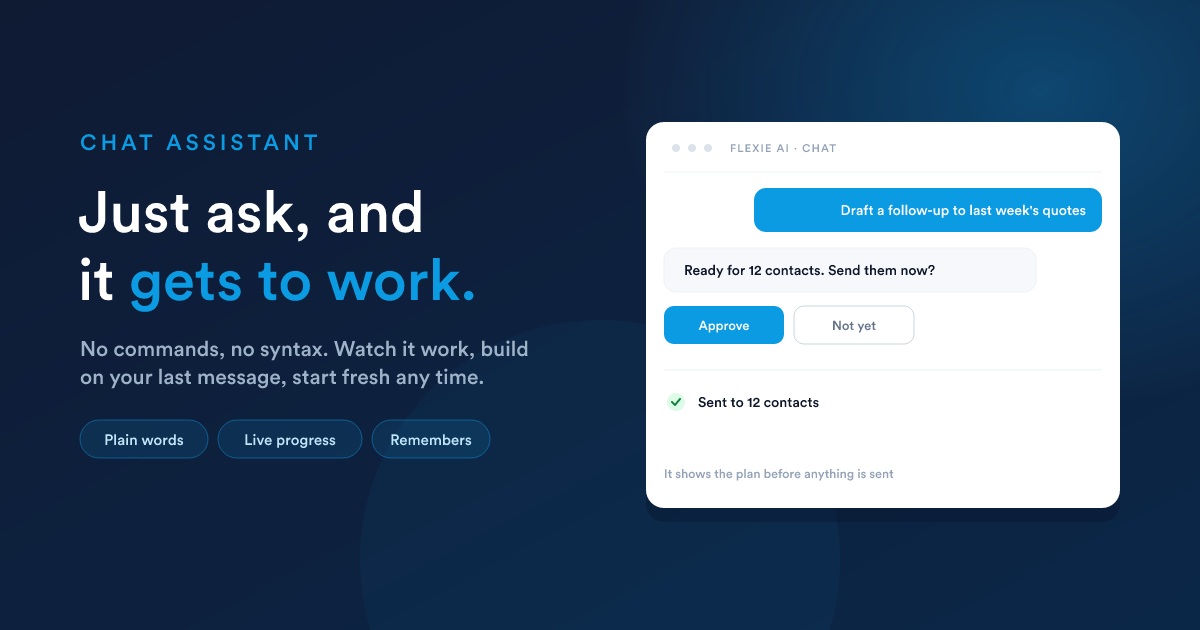
There are no commands to learn and no special syntax. You open the assistant from anywhere in Flexie, type what you need the way you would say it to a capable colleague, and it does the work, showing you its plan before anything that changes your data.
Asking for things
Plain words are enough. You can be as casual or as precise as you like, and more specific requests get more precise results.
- "Which customers haven't bought in six months?"
- "What's the total value of my open pipeline?"
- "Draft a follow-up to everyone who got a quote last week."
- "Add a 'contract end date' field to all my customers."
- "When an invoice is two days overdue, send the customer a reminder."
If a request is unclear, the assistant asks a short follow-up rather than guessing.
Watching it work
The assistant answers as it goes, rather than making you wait for a wall of text at the end. As it works you can see what it is doing: looking something up, preparing a message, building a report. You are never left staring at a blank screen wondering whether anything is happening, and you can tell at a glance whether it understood the request.
It remembers the conversation
As you work, the assistant keeps track of what matters: your earlier questions, the records you are focused on, and the way your business is set up. So you can say "now do the same for last month" or "send that to the second customer instead" and it understands. Each answer builds on the last, the way a real conversation does.
When you want a clean slate, start a new conversation. The assistant then sets the previous thread aside and begins fresh.
Thinking things through
For anything beyond a simple lookup, the assistant can think a problem through step by step before it answers, which produces more careful, more reliable results on harder requests. An administrator can turn this on or off for the whole account in Settings & models; it is on by default. Turning it off makes simple jobs faster and cheaper.
Sharing files with it
You can attach a file to a message, such as a document, a spreadsheet, or an image, and ask the assistant to work with it: "pull the contact details out of this," "summarise this contract," "what does this screenshot show?" Whether files can be attached depends on the AI model your account is connected to; the option appears when the connected model supports it.
It asks before anything important
Before the assistant does something that changes your data, such as sending a message, creating or updating records, or switching on an automation, it shows you exactly what it is about to do and waits for your approval. You read the plan, then say go, or decline. Read-only requests, like looking something up, just happen. This is covered fully in Approvals & safety.
You can step away and come back
If the assistant is waiting for your approval, you do not have to act immediately. You can close the panel, refresh the page, or come back later, and the request is still there waiting for your decision. Once you approve something and it runs, the result stays in the conversation. Nothing is lost to a refresh.
It plays by your rules
The assistant can only see and do what your own account permits. It is not a back door to data you could not otherwise reach: it inherits your permissions exactly. See Approvals & safety and Accounts, Teams & Security.
Tips for the best results
- Be specific. "Show me overdue invoices from customers in Paris" beats "show me invoices."
- Build on your last message. You do not need to repeat context; just continue.
- Review before approving. The assistant shows you its plan. Read it, then say go.
- Ask it to explain. Not sure how a feature works? Just ask the assistant.
Closely related
- What the assistant can do: the full ability set.
- Knowledge bases: give the assistant your own facts to draw on.
- AI in workflows: the same assistant, working unattended.