Overview
Last updated 23 May 2026
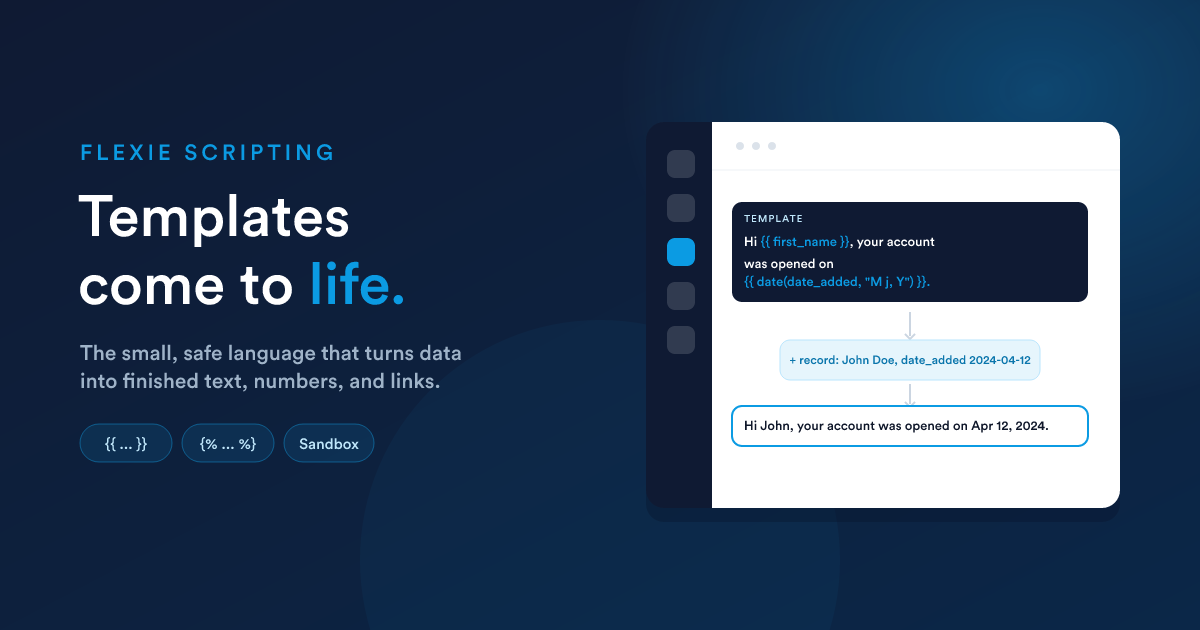
Flexie Scripting is a lightweight expression and templating language that runs inside Flexie. Wherever Flexie lets you type content that should change depending on the record it is working with, an email body, a document template, a workflow field value, a report, you are writing Flexie Scripting.
The simplest way to understand it:
You write a template with placeholders. Flexie fills the placeholders in with real data and runs any logic you added, producing the finished result.
A plain sentence like:
Hi {{ first_name }}, your account was opened on {{ date(date_added, "M j, Y") }}.
becomes, when Flexie runs it for a real record:
Hi John, your account was opened on Apr 12, 2024.
Nothing is installed, there is no separate tool, and there is no programming environment to set up. You type Flexie Scripting directly into the fields that support it, and Flexie evaluates it at the moment it is needed.
Who this is for
| Reader | What you will get from these pages |
|---|---|
| End users and builders | How to insert a customer's name, format a price, show a list of their invoices, or branch a message based on a value, without writing real code. |
| Administrators | The full catalogue of available functions and filters, how data is queried safely, where scripting runs, and the security boundaries that keep it safe. |
You do not need any programming background to use the basics. The more advanced functions (querying records, building signed links, generating documents) are there for power users and administrators who want to push further.
The two things you write
Everything in Flexie Scripting is one of two kinds of expression:
1. Output, {{ ... }}
Double curly braces mean "work this out and print the result here."
{{ first_name }}
{{ email | lower }}
{{ now("Y-m-d") }}
2. Logic, {% ... %}
Percent braces mean "do something, but do not print anything by itself," like deciding whether to show a block, or looping over a list.
{% if amount > 1000 %}
  This is a high-value deal.
{% endif %}

{% for item in items %}
  - {{ item.name }}
{% endfor %}
That is the whole shape of the language: print values with {{ }}, control the flow with {% %}.
Where you will use it
Flexie Scripting is evaluated in many places across the platform. The most common:
| Where | What it powers |
|---|---|
| Email templates | Per-recipient subject lines, body, signatures |
| SMS templates | Personalised text messages |
| Snippets (reusable content blocks) | Shared blocks you compose templates from |
| Document and PDF templates | Quotes, invoices, generated documents |
| Workflow action fields | Any action's value, address, body, or condition field |
| Reports | Computed columns, formatted figures |
The exact data available to a script depends on where it runs (an email about a deal can see the deal; a report can query broadly). The contexts and limits page explains this in full.
The pages in this section
- Language basics: syntax, variables, record fields, conditions, loops, operators, and tokens. Start here.
- Function reference: every built-in function, grouped by what it does, with examples.
- Filters & working with lists: transforming single values and whole collections of records.
- Recipes: ready-to-adapt examples for the things people actually build.
- Where it runs & its limits: which data is available where, and the safety boundaries scripting operates within.
A note on safety
Flexie Scripting runs in a protected sandbox. It can read and shape your data and produce output, but it cannot reach outside Flexie to touch files on the server, run arbitrary programs, or use anything that has not been deliberately made available to it. Only the functions and filters documented in this section exist. If you try to use something that is not on the list, the script stops with an error rather than doing anything unsafe. See Where it runs & its limits.
Next steps
- Language basics: the syntax and the patterns.
- Function reference: the full toolbox.
- Recipes: real examples you can paste and adapt.