Language Basics
Last updated 23 May 2026
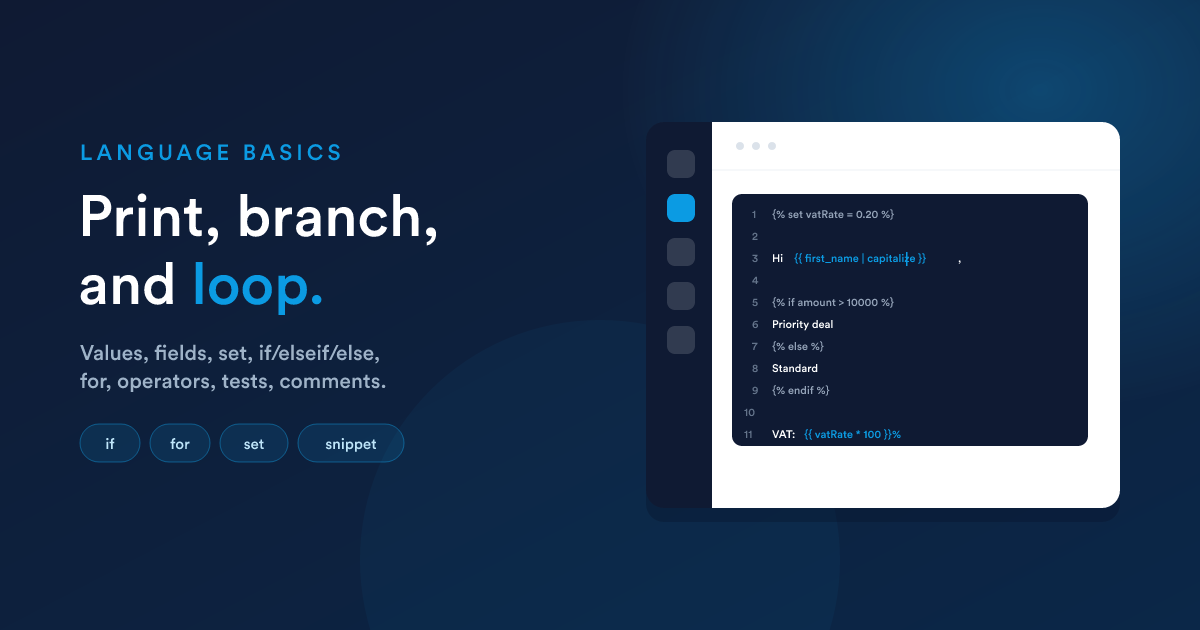
Flexie Scripting is small on purpose: values, record fields, conditions, loops, and operators. Once you know that handful of shapes, you can read or write any script you'll encounter in templates, workflow actions, and dynamic endpoints.
Printing a value
Use {{ ... }} to print something:
{{ "Hello" }}            → Hello
{{ 42 }}                 → 42
{{ first_name }}         → the first_name of the current record
Anything between the braces is worked out first, then printed. You can combine text and values by stringing pieces together, but the usual way is to write plain text and only drop into {{ }} where a value belongs:
Dear {{ first_name }} {{ last_name }},
Reading record fields
When a script runs, it is given the record it is working on, a contact, a deal, an invoice, and so on. You read that record's fields directly, with no prefix:
{{ first_name }}
{{ email }}
{{ total_incl_tax }}
{{ stage }}
The name in the braces is the field's alias (its system name), which you can find next to the field itself in the admin field setup (Custom Fields).
There is no built-in
contact.,deal., orinvoice.global. Writing{{ contact.first_name }}does not work, the current record's fields live at the top level. A prefixed path like{{ X.field }}is only valid whenXis a name you have created yourself (see below).
Variables for any other record
To work with a record that is not the current one, fetch it with a look-up function (such as findOne) and assign the result to your own variable. From then on you read its fields under that variable name:
{% set primary = findOne("contact", "email", email) %}
{{ primary.first_name }}, {{ primary.phone }}
Here primary is a name you chose, it could be contact, match, c, or anything else. The dot-path is valid because primary is now a defined variable holding an associative result.
Data from the trigger and earlier steps (in a workflow)
Inside a workflow, anything the trigger carried or earlier steps stored is under the __data namespace:
{{ __data.incoming_email.subject }}
{{ __data.last_task.due_date }}
See Where it runs & its limits for what is available in each context.
Tip: square brackets for awkward names. If a key has spaces or special characters, or is held in a variable, use brackets:
{{ row['field name'] }}or{{ row[chosenField] }}.
Setting your own variables
Use {% set %} to name a value once and reuse it:
{% set fullName = first_name ~ " " ~ last_name %}
{% set vatRate = 0.20 %}

Hello {{ fullName }}, VAT is {{ vatRate * 100 }}%.
The ~ operator joins (concatenates) text together.
Making decisions, if
Show or compute something only when a condition holds:
{% if amount > 10000 %}
  Priority deal, assign to a senior rep.
{% elseif amount > 1000 %}
  Standard deal.
{% else %}
  Small deal, handle via self-service.
{% endif %}
The short, inline form (a "ternary") is handy inside {{ }}:
{{ amount > 1000 ? "Large" : "Small" }}
And to supply a fallback when something is empty, use ??:
{{ phone ?? "no phone on file" }}
Repeating, for
Loop over a list of records or values:
{% set list = findMany("invoice", "contact_id", id, "due_date", "ASC", 50) %}
{% for inv in list %}
  Invoice {{ inv.number }}, {{ inv.total_incl_tax | number_format(2) }}
{% endfor %}
Inside the loop, inv is the loop variable (a name you chose) holding the current row, so inv.number is valid even though invoice.number directly would not be.
Inside a loop you get a loop helper with useful counters:
{% for item in items %}
  {{ loop.index }}. {{ item.name }}{% if not loop.last %}, {% endif %}
{% endfor %}
| Helper | Meaning |
|---|---|
| loop.index | Current pass, starting at 1 |
| loop.index0 | Current pass, starting at 0 |
| loop.first | True on the first pass |
| loop.last | True on the last pass |
| loop.length | Total number of passes |
Operators you can use
Maths
+ - * / % (remainder) // (whole-number division) ** (power)
{{ (price * quantity) * (1 + vatRate) }}
Comparisons
== (equal) != (not equal) < > <= >= and membership tests in / not in:
{% if stage_id in [4, 5] %}...{% endif %}
Logic
and or not
{% if email and not unsubscribed %}...{% endif %}
Joining text
~ joins values into one string:
{{ "Hi " ~ first_name ~ " " ~ last_name ~ "!" }}
Tests, checking the shape of a value
{% if phone is defined %}...{% endif %}
{% if notes is empty %}...{% endif %}
{% if items is iterable %}...{% endif %}
Common tests: is defined, is null, is empty, is iterable, is even, is odd.
Comments
Anything between {# ... #} is ignored, never printed, never run. Use it to leave notes for whoever edits the template next:
{# Discount only applies to renewals, confirmed with finance #}
Inserting a field with the merge-field picker
Some editors (for example the email or template builder) offer a merge-field picker, a menu of available fields you can click to drop a value into your content without typing. That is the click-driven way to insert a single field value.
When you need anything beyond a plain value, formatting, a fallback, a condition, a calculation, a function, write Flexie Scripting with {{ }}:
{{ first_name | capitalize }}
{{ phone ?? "no phone on file" }}
The {{ }} form is the powerful one and is the focus of this guide.
Global values always available
A few values are present in every script:
| Value | What it holds |
|---|---|
| LOGGED_IN_USER | The signed-in user running the action (their id, name, email, phone, role, timezone). Empty when no one is signed in (e.g. a background job). |
| NULL / EMPTY | Convenient names for "nothing" or an empty string. |
Prepared by {{ LOGGED_IN_USER.full_name }} on {{ now("Y-m-d") }}.
Administrators can also define custom global variables (a company name, a support address, a default VAT rate) that then become available by name in every template. Ask your administrator what globals are defined for your account.
Next steps
- Function reference: the full toolbox of built-in functions.
- Filters & collections: reshaping single values and whole lists.